35
SunSDR2 DX User Manual
© 2020 Expert Electronics
ExpertSDR2 SOFTWARE DESCRIPTION
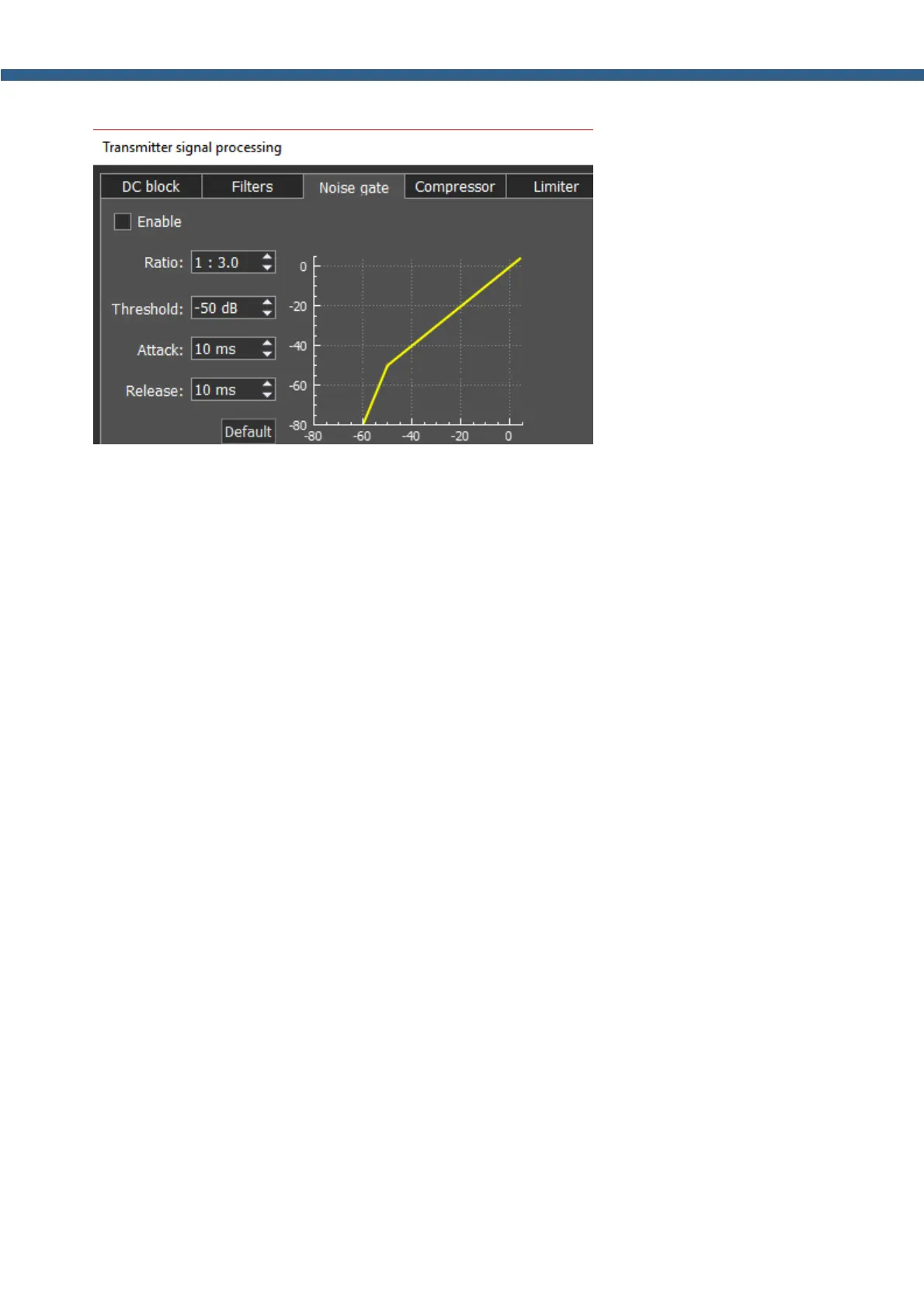
Noise gate or gate, removes
signals below Threshold level. Usually it is used to reduce the noise in pauses.
Gate passes signal only when it’s level is higher than set Threshold: gate is open. If the signal
is lower than set Threshold, gate will not pass it (or significantly attenuate): gate is closed.
Gate should be used when the level of the desired signal is higher than the noise level. Gate’s
level is set higher than the noise, so when there is no desired signal (higher than Threshold)
gate is closed. Gate does not cleanse the signal from noises. When the gate is open, both
signals get through, useful signal and noise.
Parameters:
Ratio – attenuation value, when Gate is closed. Usually this parameter is set for full rejection,
i.e. signal does not pass through Gate, when it’s closed. But sometimes you might require a
mild rejection in this case adjust Ratio.
Threshold – it sets the level for Gate to open – pass the useful signal. It supposed to be set
above the noise level, but below the useful signal level.
Attack – it sets time (ms), required for Gate to change state from closed to fully opened. If
Attack time is short, as soon as the signal level goes higher than Threshold, it creates a sharp
noise, longer Attack time creates a smooth transition from closed to opened state, but
because of it, you may miss first sharp characters, like T, K.
Release - it sets time (ms), required for Gate to change state from opened to fully closed. If
Release time is short, as soon as the signal level goes lower than Threshold, it creates a
sharp noise, longer Release time creates a smooth transition from opened to closed state, it
may sound like fading.



 To Next Page