Appendix E - Test Track
E-1
Calibration Checks and Your Test Track
We strongly recommend that you make yourself a test track and use it to verify that your Dipstick
®
is
working correctly. If you ever question the Dipstick, the test track will tell you if it’s OK or not.
Making a Test Track:
1. Find a smooth hard surface with about 50 ft of clear space near your office to use as a permanent test
track. You want this to be conveniently located so you will use it often. Indoor floors are better than
outdoor pavements because they are not affected by temperature changes and soil moisture and you
don't have to get wet when it's raining.
2. At one end of the floor surface you want to use as a test track, mark a circle around the BATTERY
END moon foot.
3. Using a chalk line, snap a line tangent to the circle you made in step 2. Make the line about 50 ft long.
You can do this successfully with a 25-ft or 35-ft line, but we recommend using a 50-ft line if you
have the space.
4. Spray-paint the line with clear lacquer to preserve the line. You can use any clear spray paint you can
get in a hardware store. Let it dry.
5. Now collect data along this same line, starting with the battery end Moon Foot on the "start" circle.
For convenience, use a start point elevation of 0. (Zero) DO NOT STOP the program when you get
to the 50-ft mark. At the 50-ft mark, after you have collected 50 readings, press the keyboard letter
“T” for “Turnaround”. At this point, we want to collect 50 more readings without stopping, going all
the way back to the start point. When you get back to the start point, you should have 100 readings -
50 out, and 50 back. Many people have difficulty right at the 50-ft mark because they skip the 51st
reading. Note that the first reading going back towards the start point (the 51st reading) will be
exactly in the same place as the last reading going out away from the start point (the 50th reading). So
after collecting the 50th reading, walk around the Dipstick where it is sitting on the floor, then after
you are facing back towards the “start”, pick up the start end and set it down in the same place to get
the 51st reading. Then swivel the Dipstick to get the 52nd reading, etc. until you get back to the start
point. You should now have 100 readings, and the battery end Moon Foot should be exactly on the
circle you used as the start point. Press <Enter> to stop collecting data. The computer will give you a
graph of the profile and the F-Numbers for this run.
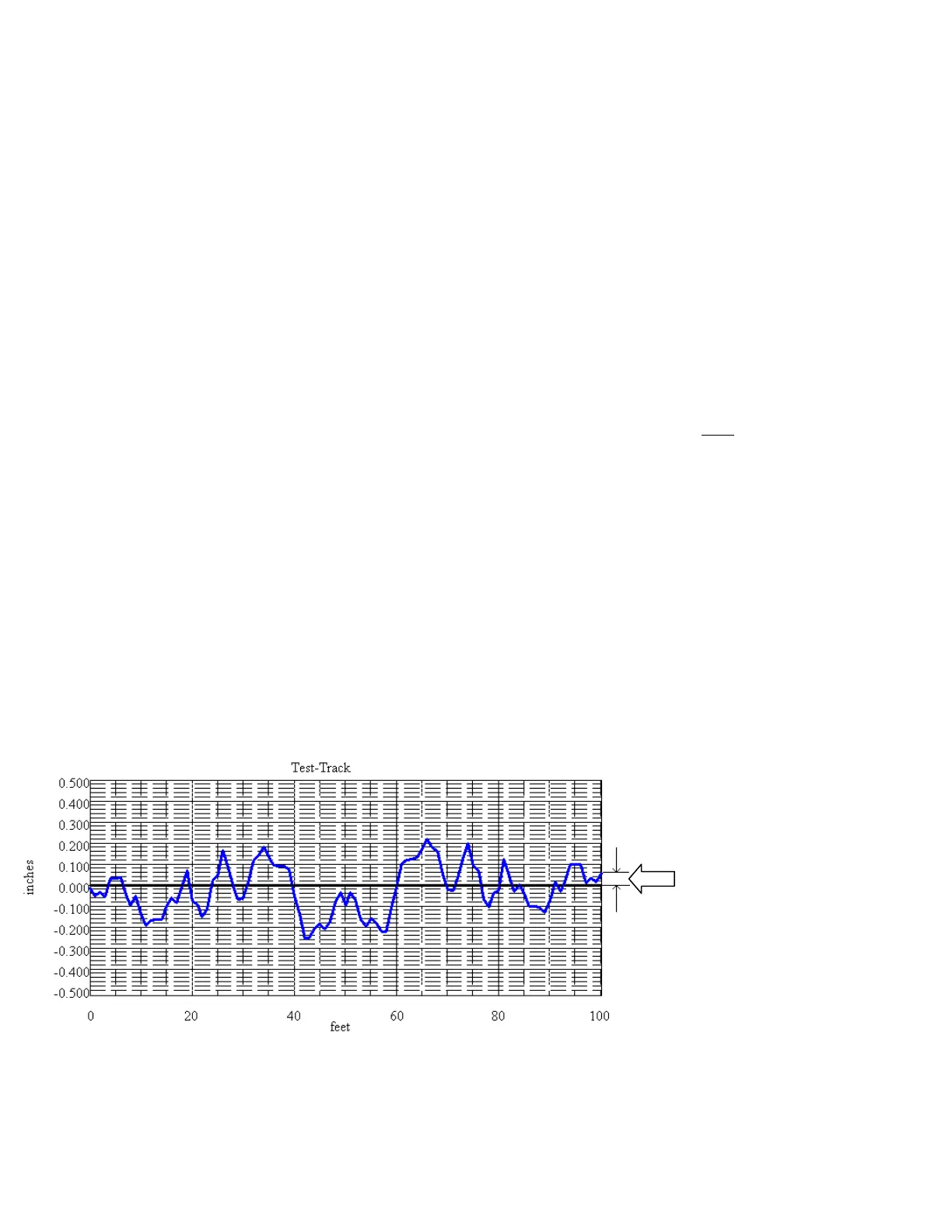
The end of the run should be
slightly higher than the start, as
shown here. This, by the way, is
Data Collection Bias.
Read about Data Collection Bias
in Chapter 9.


 To Next Page