CHAPTER 3 QUICK START
3-4
START A NEW RUN
To begin data collection, tap COLLECT/NEW RUN. Type in a run name that will identify this run
of data for you. Choose a name that will help you remember where this data came from, perhaps a
station number and direction of travel. Verify that the other information (from SETTINGS/RUN
INFORMATION) is correct. Change anything that you need to change, and tap OK to bring up the
Data Collection Screen.
When the next screen appears, you are ready to collect data.
Place the Dipstick
®
battery end foot on the start point of the survey line with the start arrow (the
switch end of the Dipstick
®
) pointed forward.
WALK THE DIPSTICK
®
DOWN THE TEST LINE
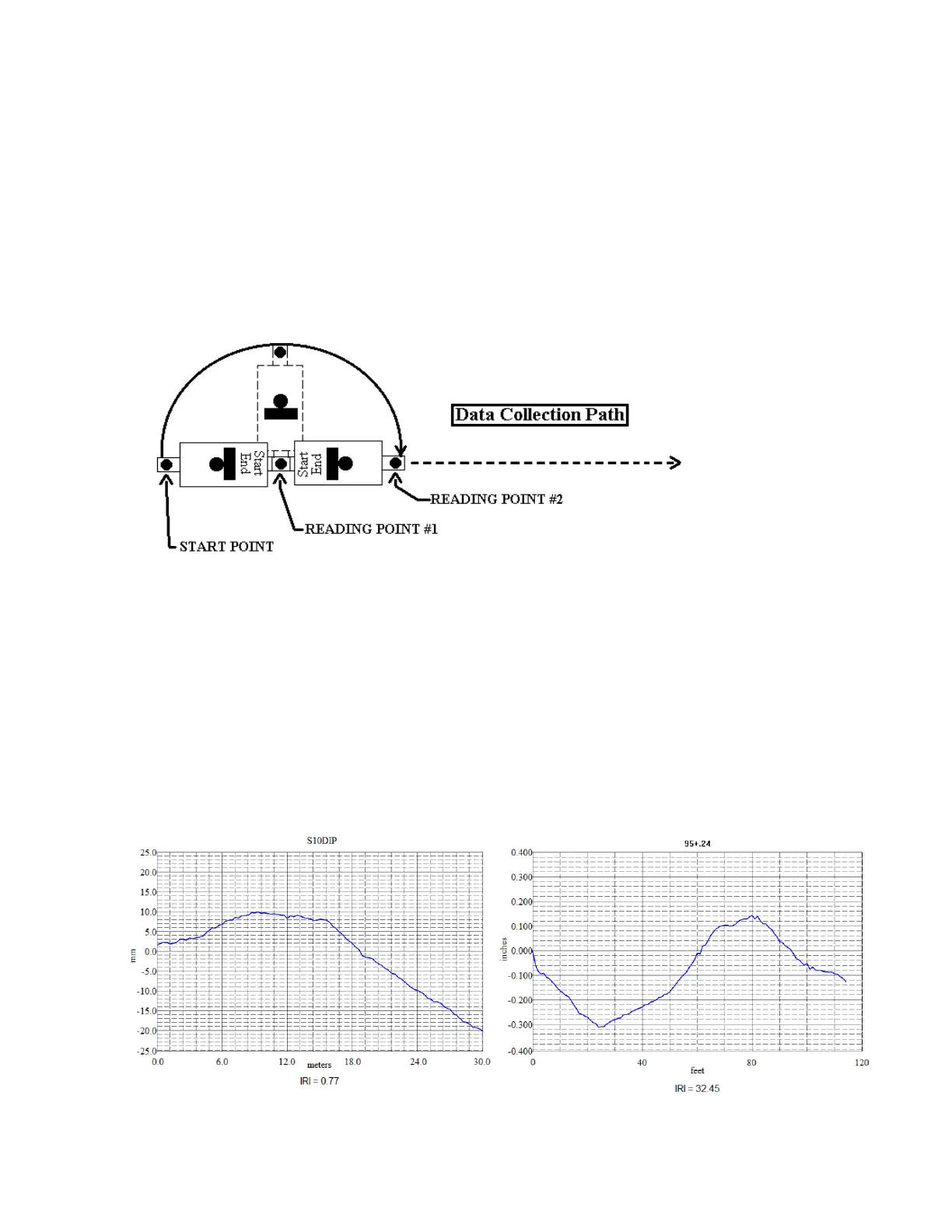
Single-tap the "Start" button on the screen and hold the Dipstick steady, then press the Trigger and
wait until the Dipstick
®
takes the first reading. You always press the trigger from front to rear. Once
a reading has been captured, the beeper will sound. This is the signal for you to rotate the Dipstick.
The large reading number tells you how many steps you have taken. You must press the Trigger
button before the Dipstick will attempt to collect the next reading. The Dipstick will produce a
graph from any length line, as small as 1 step (normally 1-ft, 300mm, or 250mm) but you must
collect at least 37 ft or 11.1 meters of data for the Dipstick to have enough data to produce an IRI.
END THE RUN
To terminate data collection and view the graphic display and IRI for the run, tap the "Stop" button
on the screen. The 2277 will automatically display a graph of the data you have just collected.
The name of the Run is shown at the top of the graph and the IRI is shown at the bottom of the
graph.
Tap the "Close" box at the upper right corner to close the graph display.



 To Next Page