CHAPTER 5 PROCESS
5-14
PROCESSING BOX DATA - DETAILS
UnBox the first Box
You can view the Run Notes by highlighting the first Box and using REPORT/NOTES to
display the Run Notes. You will NOT need to write the numbers down. Highlight the first Box
and use EDIT/UNBOX to unbox the Run. You will need to type in the step numbers at each of
the three corners of the box, then tap “OK” or press <Enter>.
But ithen tap “OK” or press <Enter>.
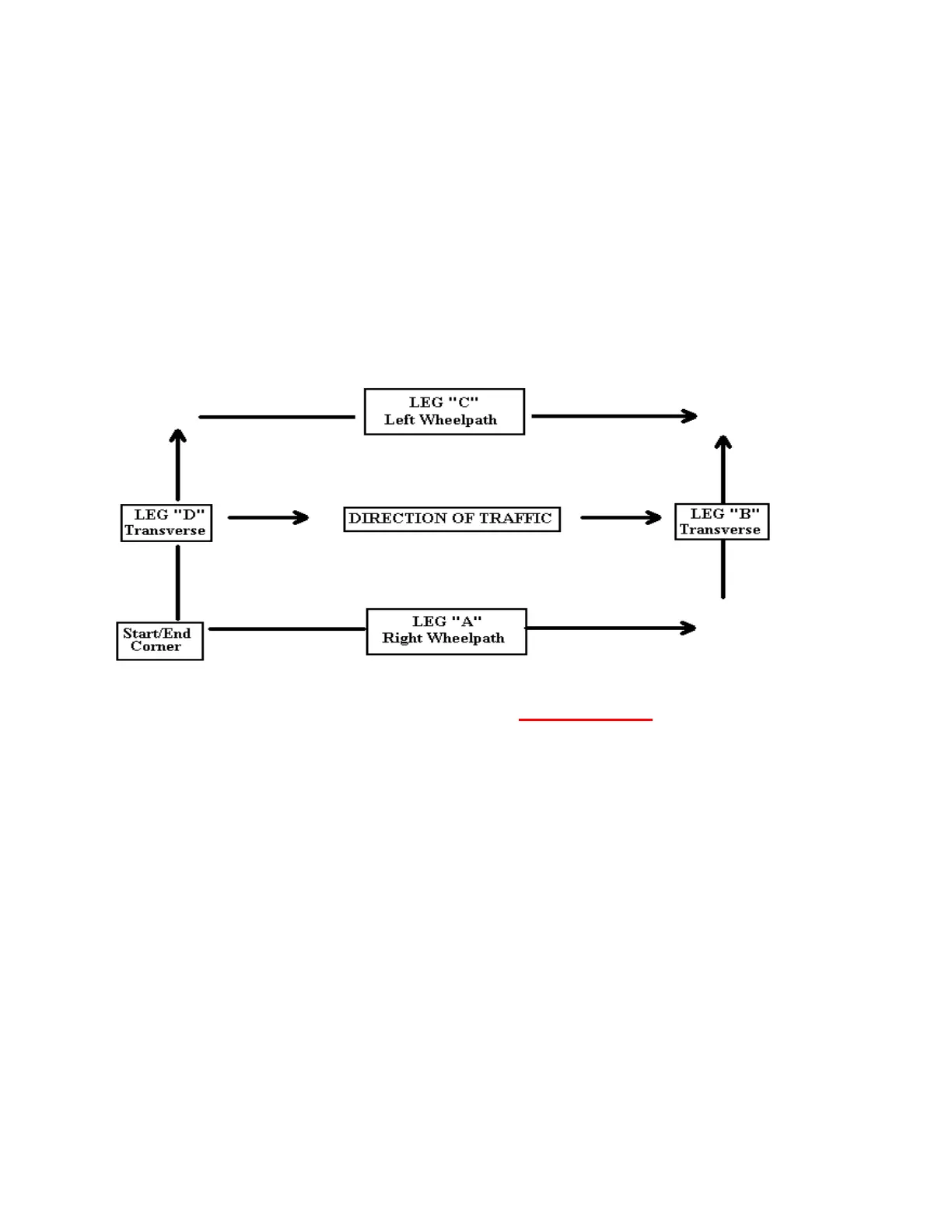
The computer does the work for you, creating Box1_A, (250 steps); Box1_B, (6 steps); Box1_C,
(250 steps) and Box1_D (6 steps).
Note: Arrows now show the profile layout after UNBOXing. Since you will
probably want to compare the A and C legs (The two long runs) and perhaps
the B and D legs (the two transverse runs), the program automatically reverses
the C and D legs so they correspond to the direction of the A and B legs.
UNBOX SUBSEQUENT BOXES
Now UnBox Box2 in the same way you did Box1 above. Continue UnBoxing in
this fashion until you have UnBoxed all boxes into their legs.



 To Next Page