Chapter 7 MAINTENANCE
7-7
HOW TO CHARGE THE HANDLE BATTERY:
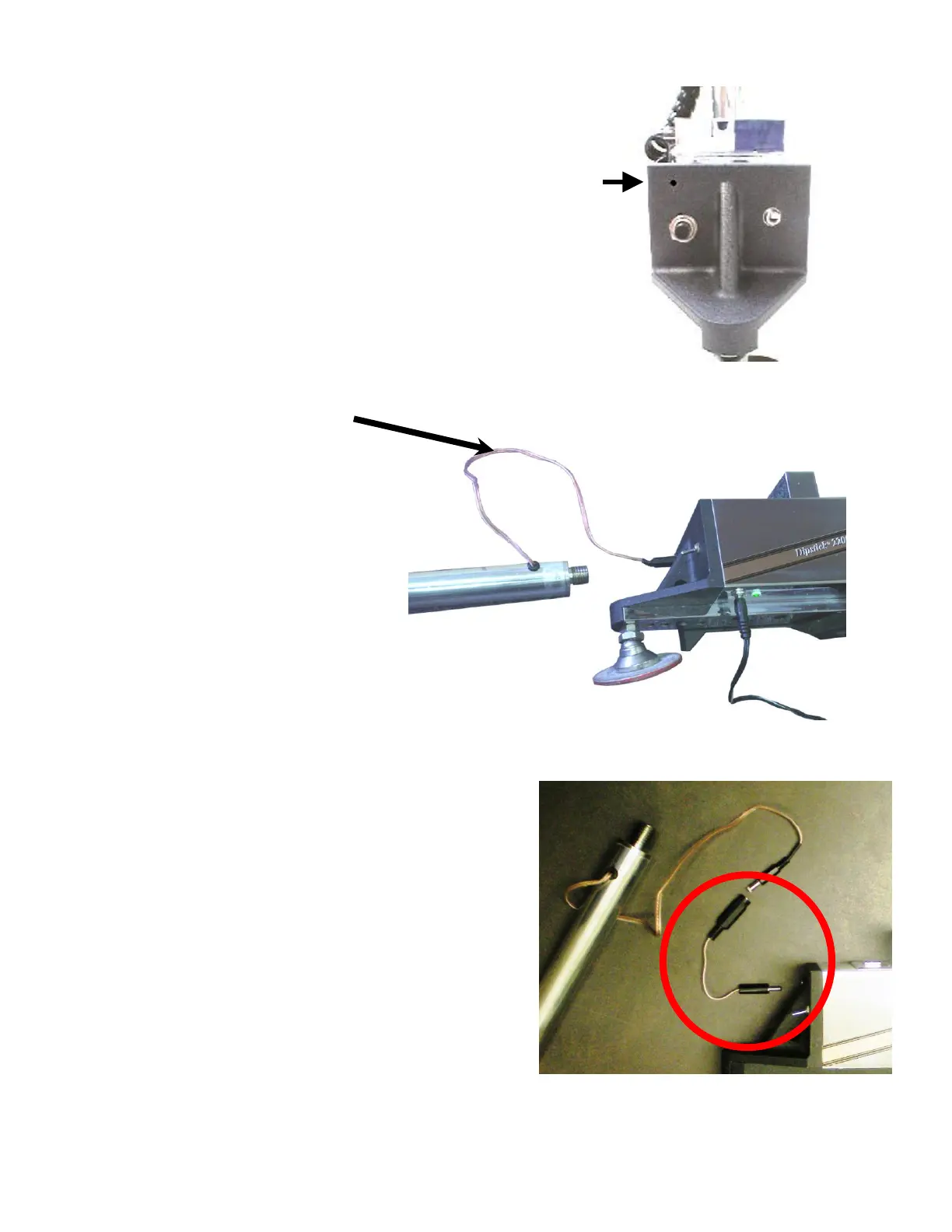
On the Handle Battery, take the wire that normally powers the
2277 Tablet and plug it into the Dipstick Switch End Cap
right above the zeroing button. Right here
Let the kit charge overnight. You can get a good charge in
about 5 hours, but overnight is better.
Here's what the Dipstick looks like while you are charging it:
Note that the AC Adapter is plugged into the bottom of the Dipstick next to the green light, and the
light is "on." Also note that
the Handle Battery is plugged into
the front of the Dipstick Switch End
Cap, right above the Zeroing button.
The Dipstick gets its charge from the
AC Adapter, and the Handle Battery
gets its charge from the Dipstick
Switch End Cap.
Note: if you own a DS2277 that has
been converted from an earlier model,
you may need to use a short "Pig-tail"
wire with a plug and a jack to match
your Dipstick's port. The version
shown above is a new Dipstick 2277,
which does not need a "Pig-tail" connector.
The "Pig-tail" is shown in the photo to the right.
If you have a "Pig-tail", you must always use it! The
"Pig-tail" is designed to allow you to mate the Handle
Battery’s connector (which must fit the Handle Mount)
to your old Dipstick body, which has a port for the older
model computer that you used to have before it was
upgraded. An upgraded Dipstick 2272→2277 does not
need a pigtail because the connectors on the 2272 and
2277 are the same.



 To Next Page