CHAPTER 2 - ZEROING
2-3
You may check the Zero if you like:
Set the Dipstick
®
on two fixed points and note the L.C.D. readings. (You may use the
two lines you already have drawn.) Then pick up the Dipstick
®
and reverse it end for
end, taking care to place the feet down on the exact same spots where they were
before. Now check the L.C.D. reading values again. If the L.C.D. readings are the same
with the Dipstick
®
in either position, then the Dipstick
®
is zeroed. If the zeroing is not
within .003” (0.1mm) it should be rezeroed before data is collected.
If zeroing is not within +/- .003” (0.1mm):
Check for loose feet or a loose jam nut.
Also check for dirt or other debris on the bottom of the feet or the surface,
Ensure that you are placing the Dipstick
®
in exactly the same location.
Repeat the zeroing process until both L.C.D. screens measure the same reading (within +/-
.003” or 0.1mm) with the Dipstick
®
in either position.
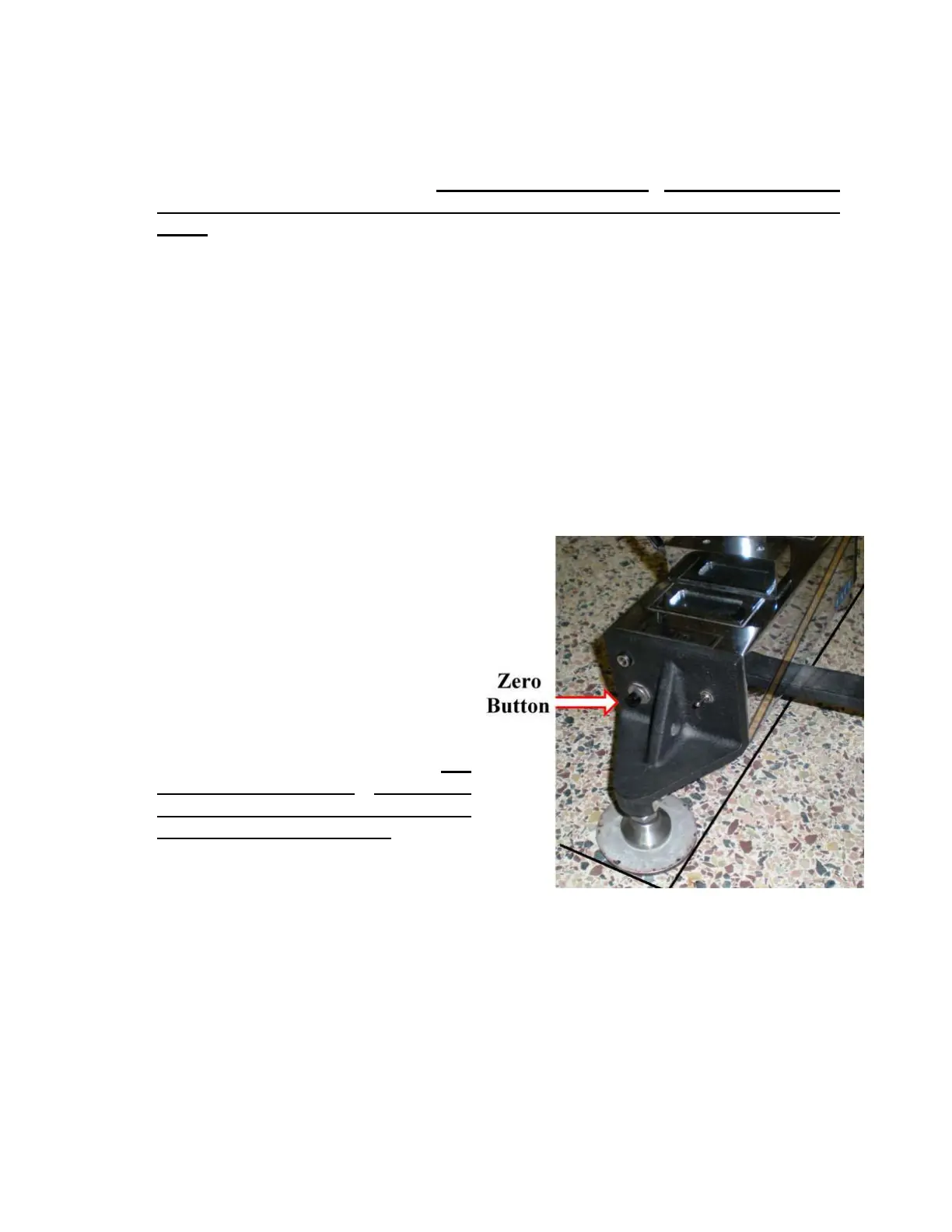
ZEROING WITH THE BUTTON
The Dipstick
®
unit may be zeroed using the black zeroing button located on the switch end
of the unit. This method can be used even if the 2277 Tablet is not attached or is not
turned on.
Place one Moon foot tangent to both
lines, and place the other Moon foot
tangent to the other line. Press the
zeroing button.
The L.C.D. screens will flash
“CAL - CAL - CAL” Once the reading
is taken, the L.C.D. screens will turn back
on and the Dipstick
®
may be rotated. Lift
and rotate the Dipstick
®
180 degrees
(end for end) placing the “Moon Feet”
tangent to the two lines again. It is very
important to get the Dipstick
®
aligned
exactly as it was before.
Press the zeroing button again.
The Dipstick
®
will flash “CAL - CAL - CAL” again. Once the Dipstick
®
has finished
zeroing itself, the L.C.D. screens will turn back on.
Something to Remember: After zeroing by using the zeroing button, you cannot re-zero
until you turn the Dipstick
®
off and then back on. Turning the Dipstick
®
off momentarily
and then back on resets the zeroing algorithm stored on a microchip inside the Dipstick
®
.
This enables you to re-zero with the button.



 To Next Page