CHAPTER 4 COLLECT
4-11
COLLECTING ELEVATION PROFILES IN WHEELPATHS
The best way to collect elevation profile data in wheelpaths is to use a series of "boxes" that are
collected end-to end.
OVERVIEW OF COLLECTING DATA IN WHEELPATHS
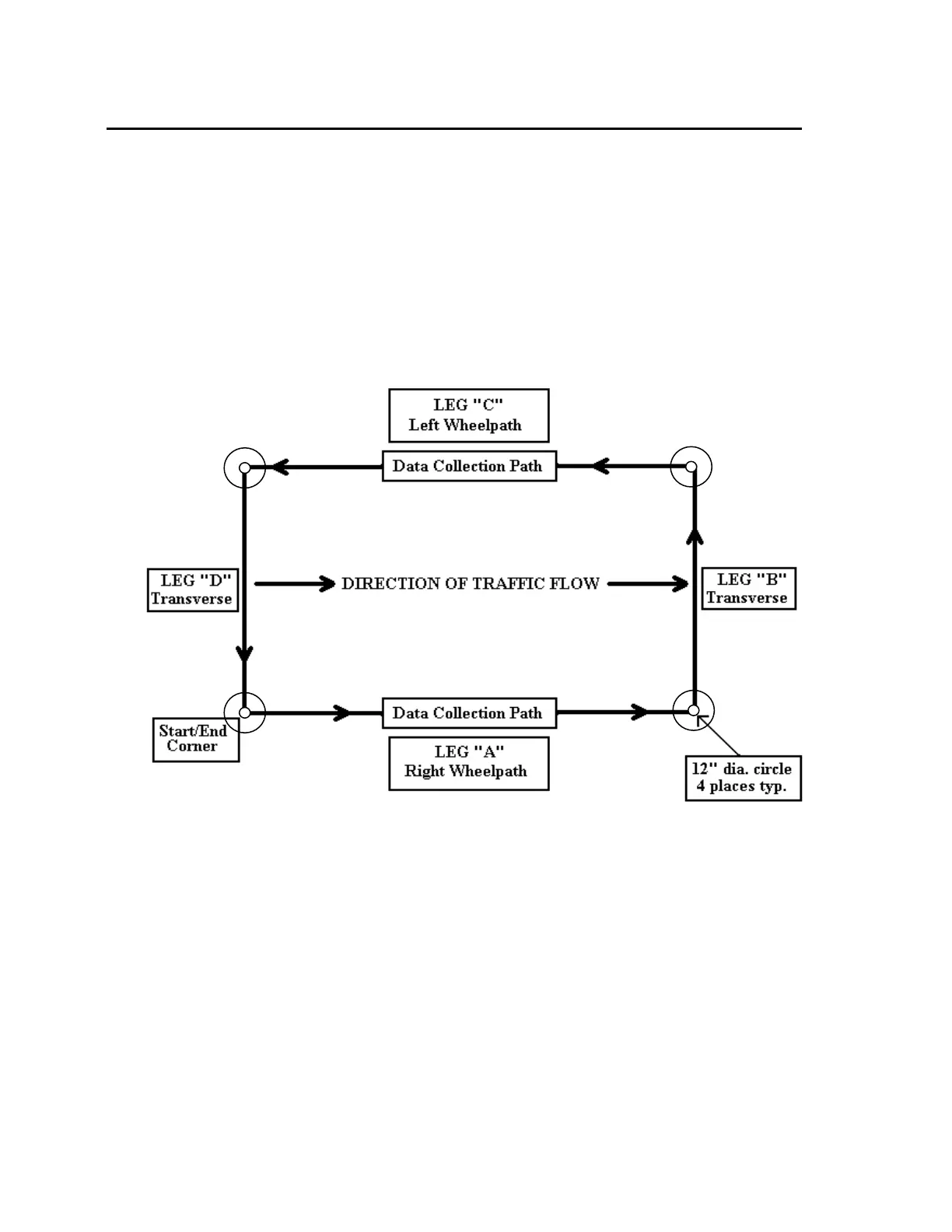
You will walk a "box" pattern on a test site, starting on the right wheel path, walking down the
right wheel path in the direction of traffic some convenient distance (we suggest 250 steps), turn
left, walk across the lane to the left wheelpath, turn left again, walk back in the left wheelpath
against the direction of traffic flow, and turn left once more to walk back to finish the run at the
same spot where you started it. You go all the way around the “Box” on one run. This is
absolutely (by far) the best way to collect longitudinal profile data. Here’s what it looks like:
Arrows show the path taken by the Dipstick operator as data is collected.
COLLECTING IN BOXES - DETAILS:
Collecting the first Box
1. Mark the start/end point of the box by drawing a circle around the "moon" foot on the
pavement. You can use chalk or crayon to do this. Write the name of the box on the
pavement next to this small circle. Draw an arrow in the direction you will walk. This
information will be useful to you if you need to return to this spot later to correct errors or
gather additional data.
2. Now draw a 1-ft (300-mm) circle around the start/end point. You can do this by just
setting the Dipstick foot on the start/end spot and holding a crayon next to the other foot of
the Dipstick and turn it in a circle. After you do this process several times, you will find



 To Next Page