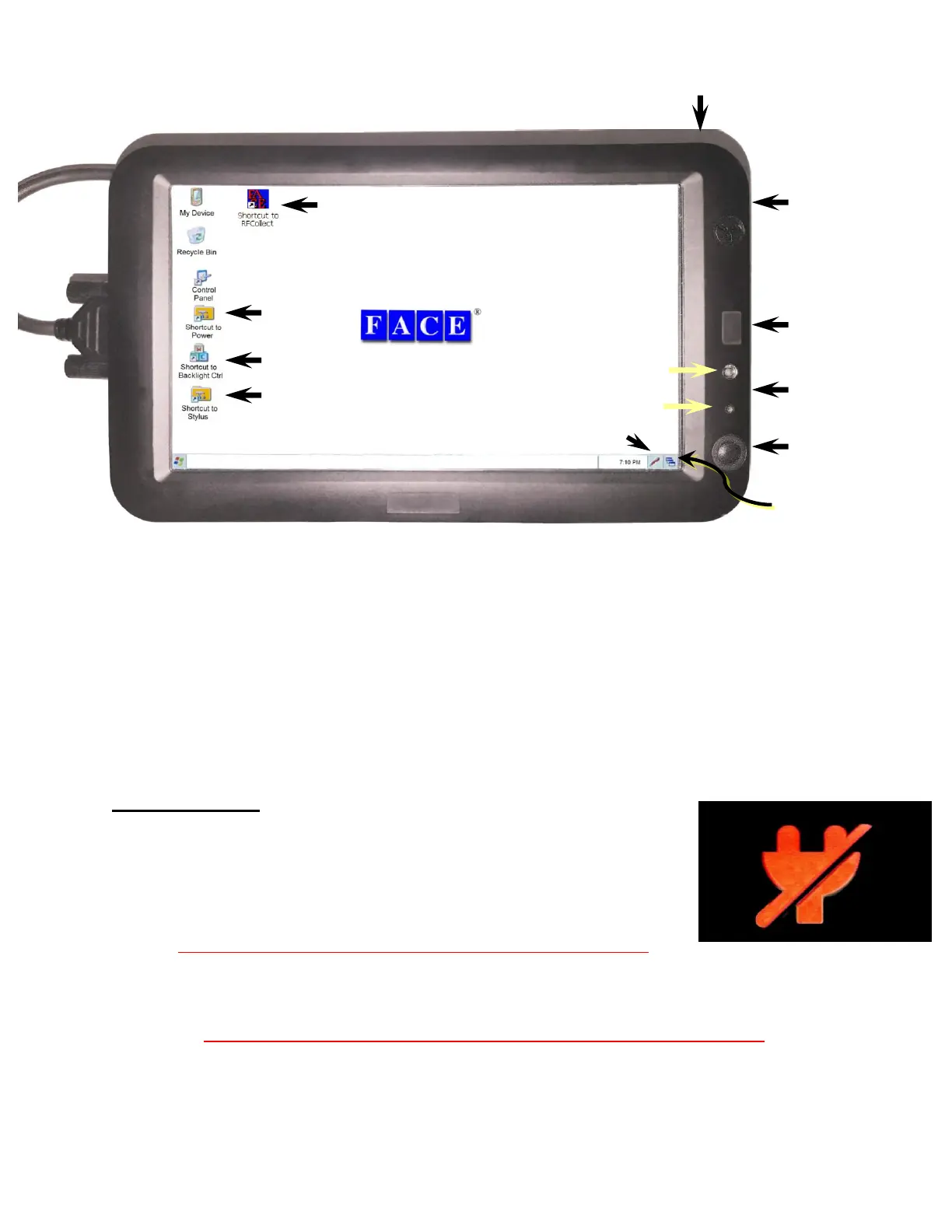
Chapter 6 The 2277 Tablet Computer
6-1
The 2277 tablet computer used on the Dipstick
®
is a Windows CE 6 computer with Samsung
6410 processor, touch screen, a slot for an SD card, and two USB ports. It comes from the
FACE
®
Companies with an SD card installed, which has been pre-loaded with the RFCollect
program.
The 2277 tablet has a built-in ROM chip that contains the Windows CE 6.0 operating system and
a built-in Flash drive (“NandFlash”) If you ever lock up the computer, and if pressing the "reset"
button doesn’t work, you can unplug the battery and start from scratch. None of your settings
will be lost because the RFCollect program and settings are saved on the Flash Drive. The data
you collect are stored on the tablet’s removable SD card, which is non-volatile Flash Memory.
Four Quick Notes:
1. When you turn off the computer,
press and hold the On/Off button until you see this icon.
This is very important. Remember this and do this.
If you simply press and release the ON/Off button, the tablet will close the
screen but will keep running and will burn up power while it does this.
If you try to turn it on but it does not come on when you press the On/Off button, almost
certainly you have not actually turned it off, but you have only turned off the screen and the
Tablet has used up the battery accidentally.
To turn it off, press and hold the On/Off button until you see this icon.
2. Use the "reset" button frequently. This ensures that the computer restores all its RAM and
the programs will run more smoothly. You will NOT lose any data or programs when you
reset the tablet. Resetting the tablet is like rebooting your desktop PC.
Power Indicator
(green/red/black)
Face Co. SD Card
(on side)
AC Power Socket
(on side)



 To Next Page