CHAPTER 2 - ZEROING
2-1
ZEROING THE DIPSTICK
®
WHAT IS ZEROING?
Zeroing is the process that insures that a Dipstick
®
reads accurately by making it read the
same when it is turned “end-for-end.” It is similar to the zeroing process done with
precision “bubble” type levels.
WHEN TO ZERO THE DIPSTICK
®
The Dipstick
®
should be either checked for zeroing or zeroed before each data gathering
session – every time you turn it on. If you shut your Dipstick
®
off for more than a couple
of hours, you should rezero. You do not need to rezero between Runs.
MANUAL OR COMPUTERIZED ZEROING
Your Dipstick
®
can be zeroed from within the Data Collection Program by using the
zeroing routine. It can also be zeroed without the computer attached by using the
electronic zeroing button. There is no difference in accuracy between the two methods.
We'll show you both ways.
PREPARE THE DIPSTICK
®
AND THE SURFACE
Be sure that the Dipstick
®
unit is fully charged and has warmed up for at least 5 minutes.
Turn the Dipstick
®
on as soon as you open the case. This way, it will be fully warmed up
when you are finished assembling it and are ready to zero it.
Assemble the Dipstick
®
as described earlier.
Place the Dipstick
®
on a firm, flat, smooth, solid surface and extend the kickstand.
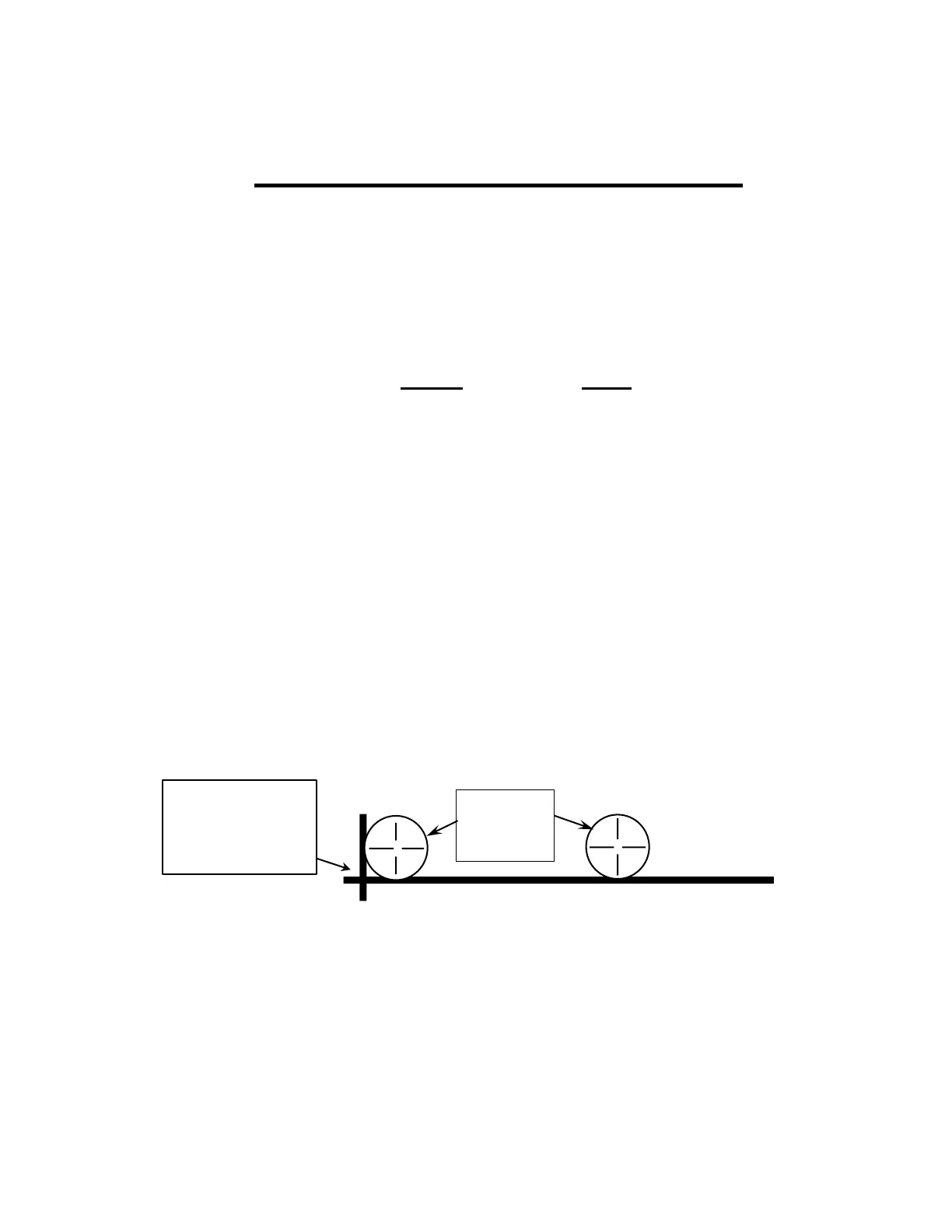
Use a felt tip marker or “keel” (provided) to draw one long straight line (longer than the
Dipstick
®
) and a shorter line perpendicular to the long line at one end. You may also use
an intersection of sawcut joints or the joints between ceramic tiles.
One of the “Moon Feet” will be placed tangent to both lines, and the other moon foot will
be placed tangent to the long line. In this way, you will be able to relocate the Dipstick
®
to
the exact same position during the zeroing process.
Lines made with
marker or “keel” or
two intersecting
sawcut joints



 To Next Page