CHAPTER 9 - BIAS
9-5
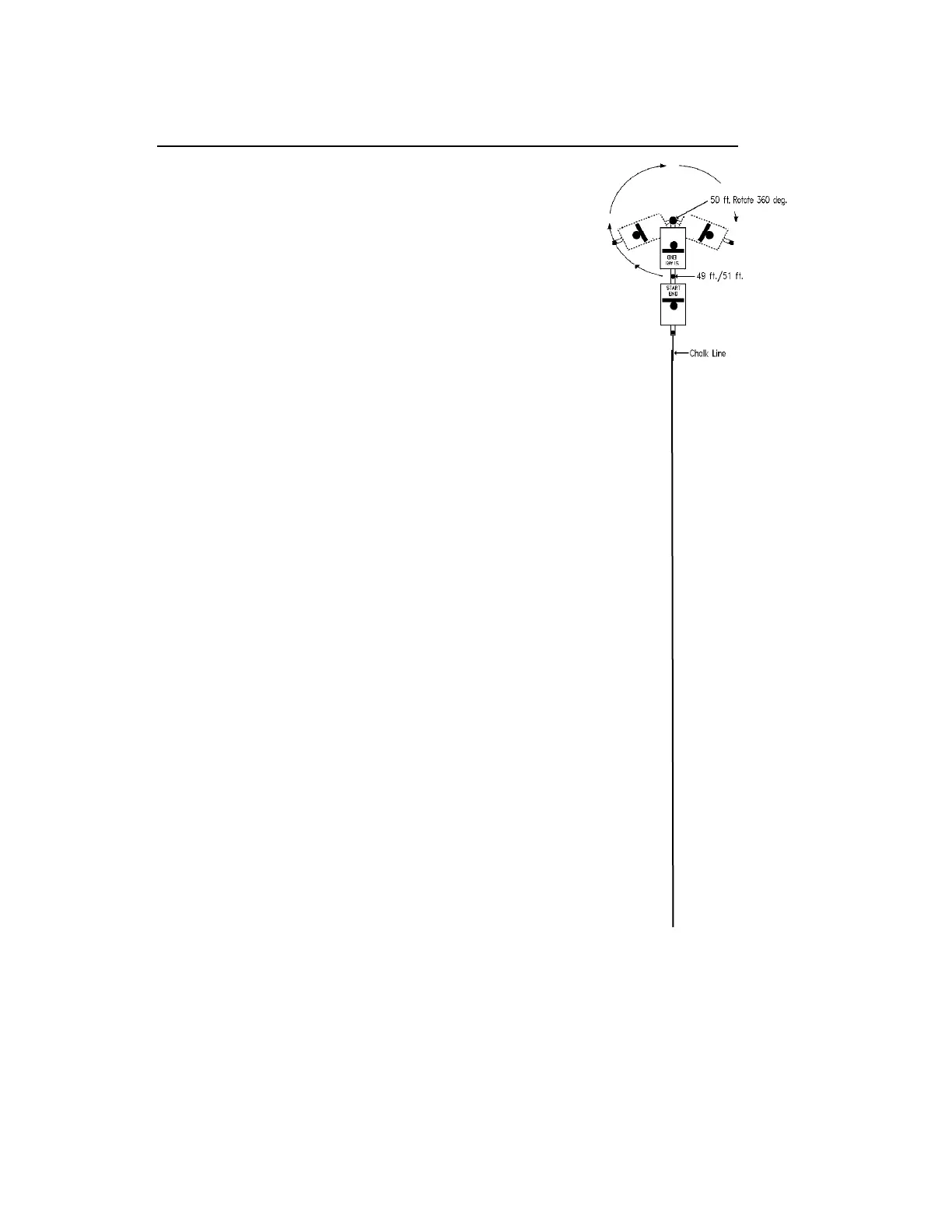
How To Determine Data Collection Bias Using An "Out-And-Back" Run
To determine Bias, the Dipstick must be walked in
a closed loop, where the first reading and the last
reading finish on the exact same spot. This can be
a box, circle or straight line.
Here’s how to do it using an “Out and Back” Run:
The surface must be uniformly clean and have
no obstructions on it.
Mark a line ~50 feet long down the surface.
At one end of the chalk line, carefully mark a
starting point using the crayon provided in the
Dipstick Kit.
Assemble and zero the Dipstick.
Start a new run.
Place the Battery end foot of the Dipstick on
the starting point of the line and begin
collecting data, walking the Dipstick along the
line.
After the Dipstick beeps at the ~50 foot (15 m)
mark and a reading is taken, pick up one end
and set it back down in exactly the same place,
then collect a second reading in exactly the
same place.
Continue taking readings going back down the
same chalk line in the opposite direction.
Rotate the Dipstick back to the starting point to
take the final reading.
Be sure to take the final reading exactly on
the original starting point.
Tap “STOP” at the end of the run.
This will produce an Elevation Graph and the
IRI for the run (if 37 or more steps have been
collected). Tap the “Close” box to clear the
graph.
Use CALCULATE/BIAS.
Remember, the normal way to deal with Bias is to collect the data in “Boxes”.



 To Next Page