CHAPTER 5 PROCESS
5-3
TO PROCESS DATA IN EITHER PROGRAM:
To use any of the routines in RFCollect or in RoadFace 6, you must first open a Job.
OPEN A JOB
When you start either the RoadFace program for Windows
laptops and desktops or the RFCollect program on the 2277
Tablet, the program will always automatically open your last
Job, whether you want to use it or not. If you want to open a
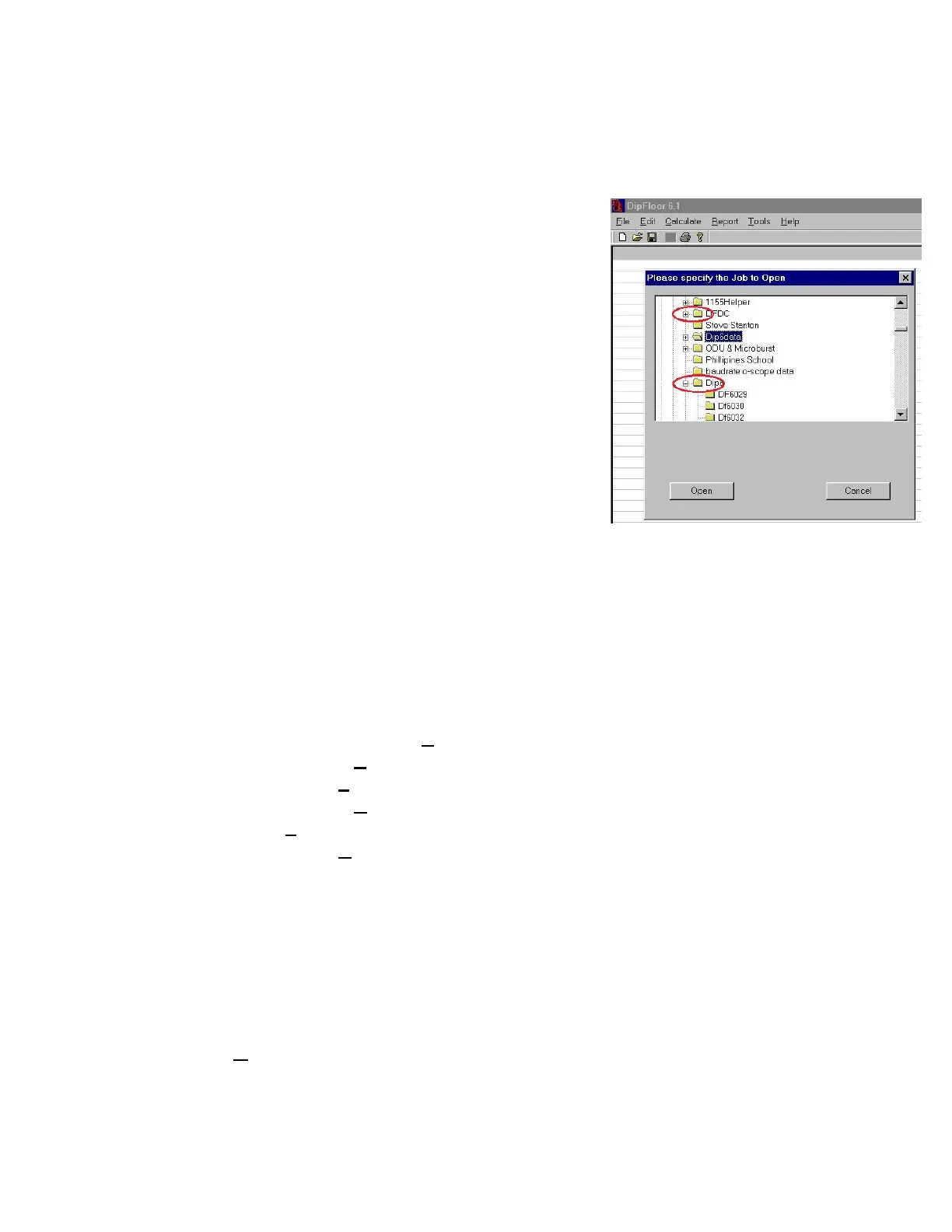
different Job, use FILE/OPEN JOB. To open a Job on your
desktop PC: If the Job you want to open is in a subdirectory
(sub-folder) below the top level, the folder above the Job will
show a "plus mark" (+).
To open these folders so you can see your Job folder that is
hidden below, you must either click on the "plus sign" or press
the right arrow. Either method will open the top folder,
allowing you to see the Job folder you want to open. The plus
mark will change to a minus sign as shown in these pictures.
RUN NAMES
The original Run Names are the names you supplied when you started to collect each run. You
should try to choose names that will mean something to you later. A name such as "Run_1"
doesn't convey very much information. If a run has been edited, the name is automatically
changed by the program to give you a hint as to the nature of the change. You may also change
the names of the runs by using EDIT/RUN HEADER.
The name extensions automatically added by the program after editing include:
^E = Dipstick® readings were EDITed on this Run
^L = Two Runs were LINKed together
^S = This Run was SEGMENTed
^A = Two Runs were AVERAGEd
^F = The DIFFERENCE between two Runs was calculated
^R = This Run was REVERSEd
^U = This Run was ROTATEd
_A _B _C _D = This Run was UNBOXed into its four legs.
You can see that the name extensions are sort of a shorthand "history" for what happened to the
Run during editing.
RUN FLAGS
The "Run Flags" at the right of each row also provide useful information about each Run.
O = This is an ORIGINAL Run. It has not been Edited. The program will not allow you to
delete or make a permanent change to an original run. Whenever you edit an original run, a copy
of the run will be created automatically, and it will be given a name extension as shown above.



 To Next Page