Introduction to the 2277 Tablet Computer
2. The 2277 Tablet is brighter than anything you have ever used before. You can read it easily
in bright sunlight. It takes power to keep the screen this bright, so you’ll need to keep track of
the power in the computer battery and the Handle Battery. You can check the computer’s
power by double-tapping the Power Properties icon, and you can see the power in the
Handle Battery by watching the LED voltmeter. You can get a quick check on the computer
power by looking at the Red/Green/Black power indicator. Green means the tablet is fully
charged, red means that the computer is being recharged from an outside source, (the AC
Adaptor or the Handle Battery) and black means that the tablet is running on its own power.
(no external power available) The Power Properties and the LED voltmeter provide the
details. The Red/Green/Black power indicator is only a rough quick check.
3. You should adjust the brightness by double-tapping the Backlight Control. Turn it all the
way up for use outside in bright sunlight, and turn it down for use indoors. Turning it down
will greatly extend the life of the computer battery and Handle Battery.
4. The most important thing to remember is to press and hold the On/Off button until you
see this icon.
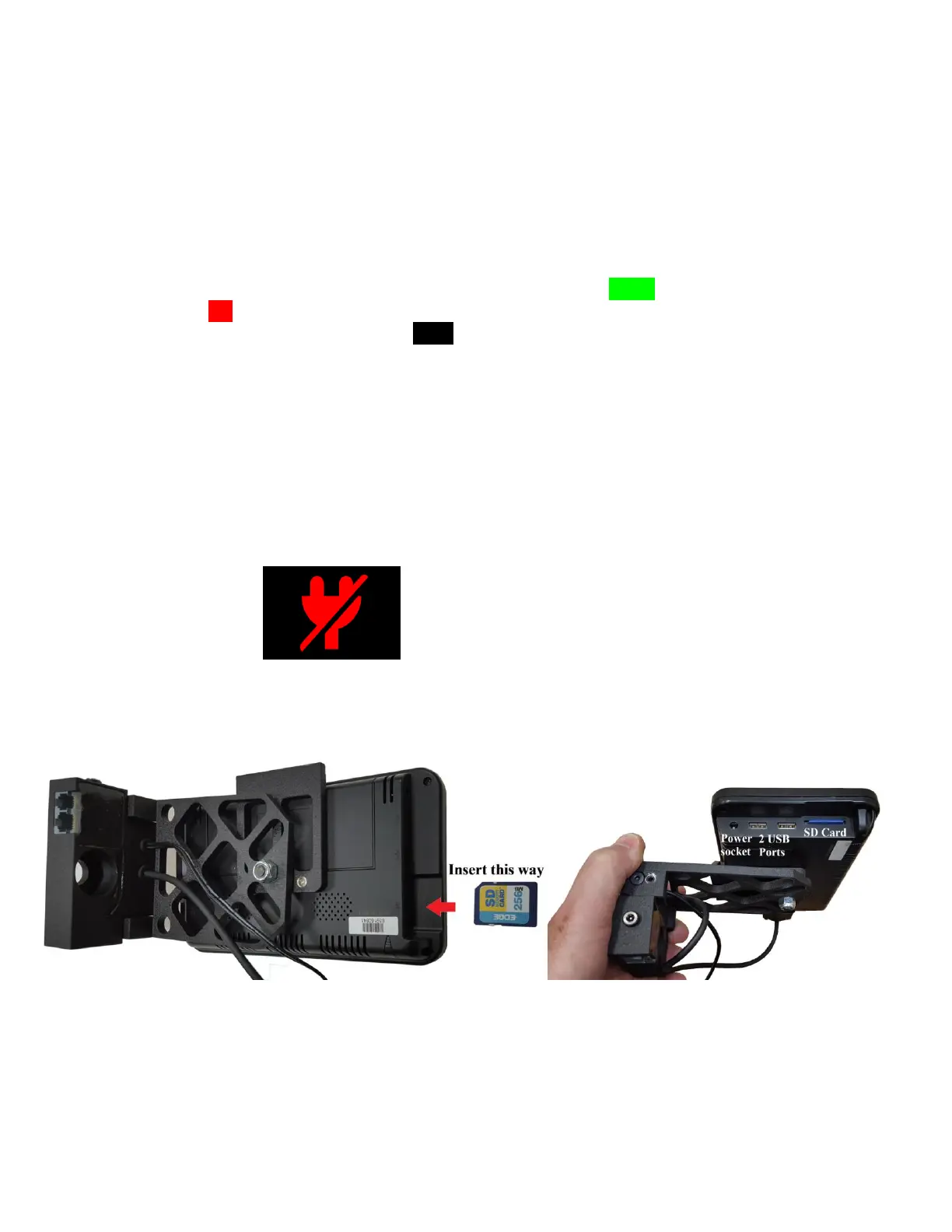
5. Any time you remove and replace the Face Company SD card, be sure to put the card in as
shown in the photos below, with the face of the SD card towards the ground.



 To Next Page