31
Always press OK button at the end of the setting or the
changes will not be saved.
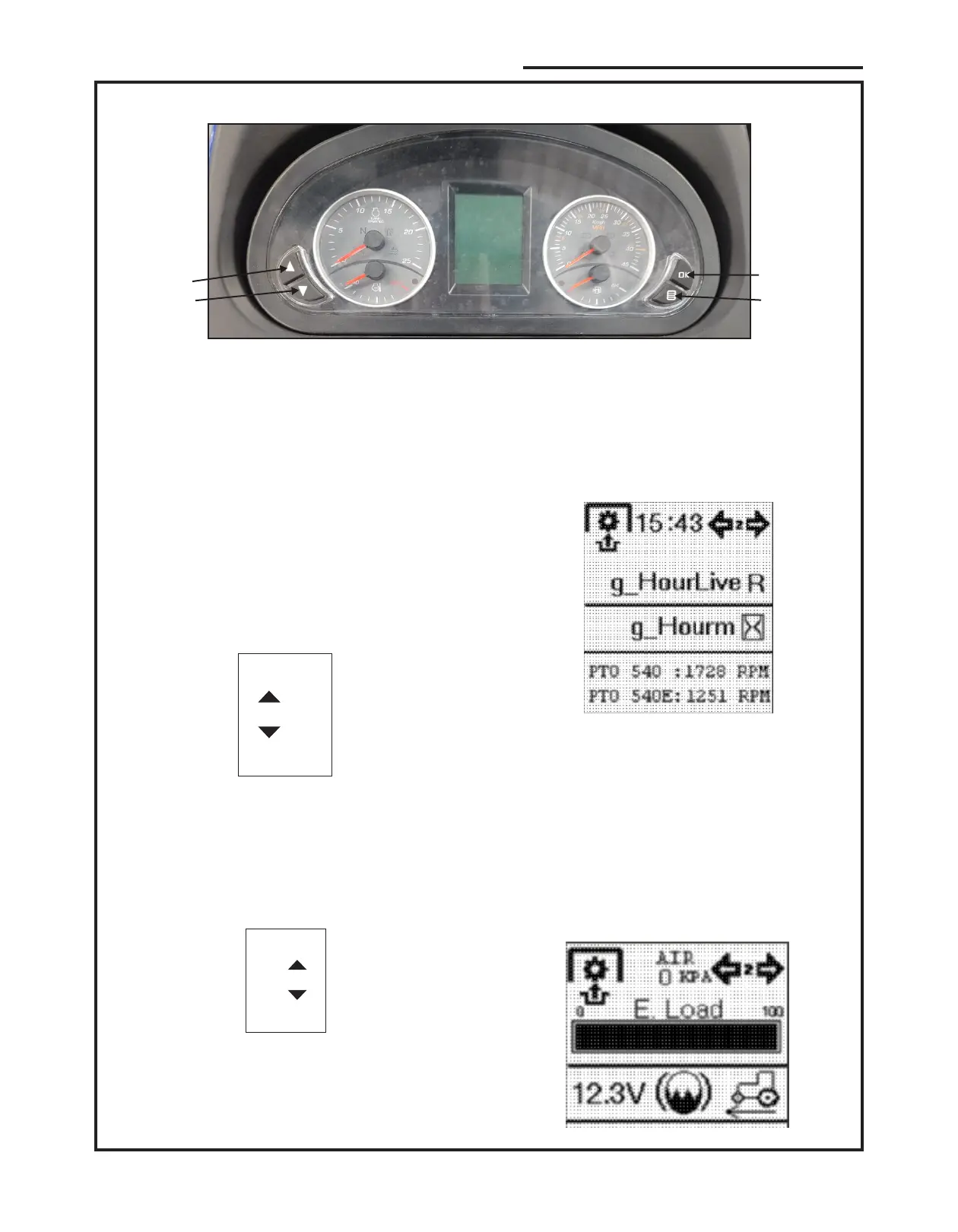
1. Up 3. Ok
2. Down 4. Menu
Set time
10:30
Set time
10:30
3.10 Instrument Cluster Settings
There are 4 buttons on the instrument cluster with
following functions.
Two Settings can be done on the instrument cluster.
1. Time 2. Tyre Option
3.9.1 Time Setting
Press main menu button, you can access the main
menu in which you can setup the time. Hour eld is
selected automatically as shown in image blow.
Range of time in hour meter is from 0 to 23. By
pressing up button number is incremented by 1 & by
pressing down button number is decremented by 1. If
button is held pressed increment / decrement is fast.
Now press OK button.
By pressing the menu button, the hour value is
conrmed and the selection is moved to the minute’s
eld.
The procedure to set minutes is the same as described
for the hours. Data range is 0-59.
At end press OK button, the time setting is completed
& saved the instrument cluster goes back to normal
operating screen.
1. Up 3. Ok
2. Down 4. Menu
Figure-21
1
2
3
4
Press Up/down (1,2) button above image will appear on
instrument cluster screen.
1) On top of screen time will be displayed.
2) G hour live, g hour m indicates total engine hours.
3) Below the hour indication PTO 540 and PTO 540E
RPM are indicated with respect to engine rpm.
CONTROL, INSTRUMENTS AND OPERATION



 To Next Page