FARO
®
Laser Scanner Focus
3D
X 130 Manual
January 2014
34
Chapter 5: Getting Started
Supplying Power with the External Power Supply Unit
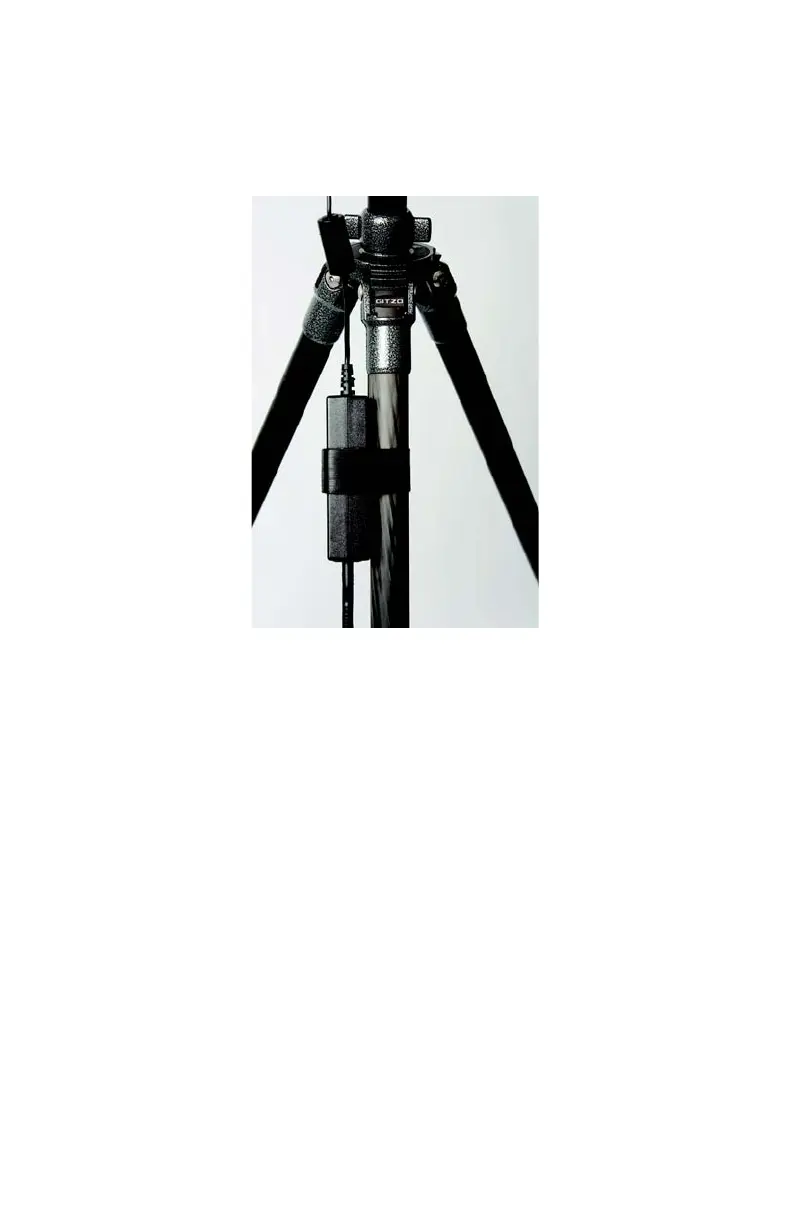
1 Attach the power supply to one of the tripod's legs.
2 Connect the power supply unit cable to the power socket of the Focus
3D
X 130.
Confirm the direction of the power supply's plug (see Figure 5-7). If you
Figure 5-6 Power Supply Attached to the Tripod's Leg


 To Next Page