FARO
®
Laser Scanner Focus
3D
X 130 Manual
January 2014
87
Chapter 6: The Focus
3D
X 130 Controller Software
download them to your remote device by simple file operations. Note that
copying the files from the scanner via WLAN may take a while, depending on
connection speed and signal strength.
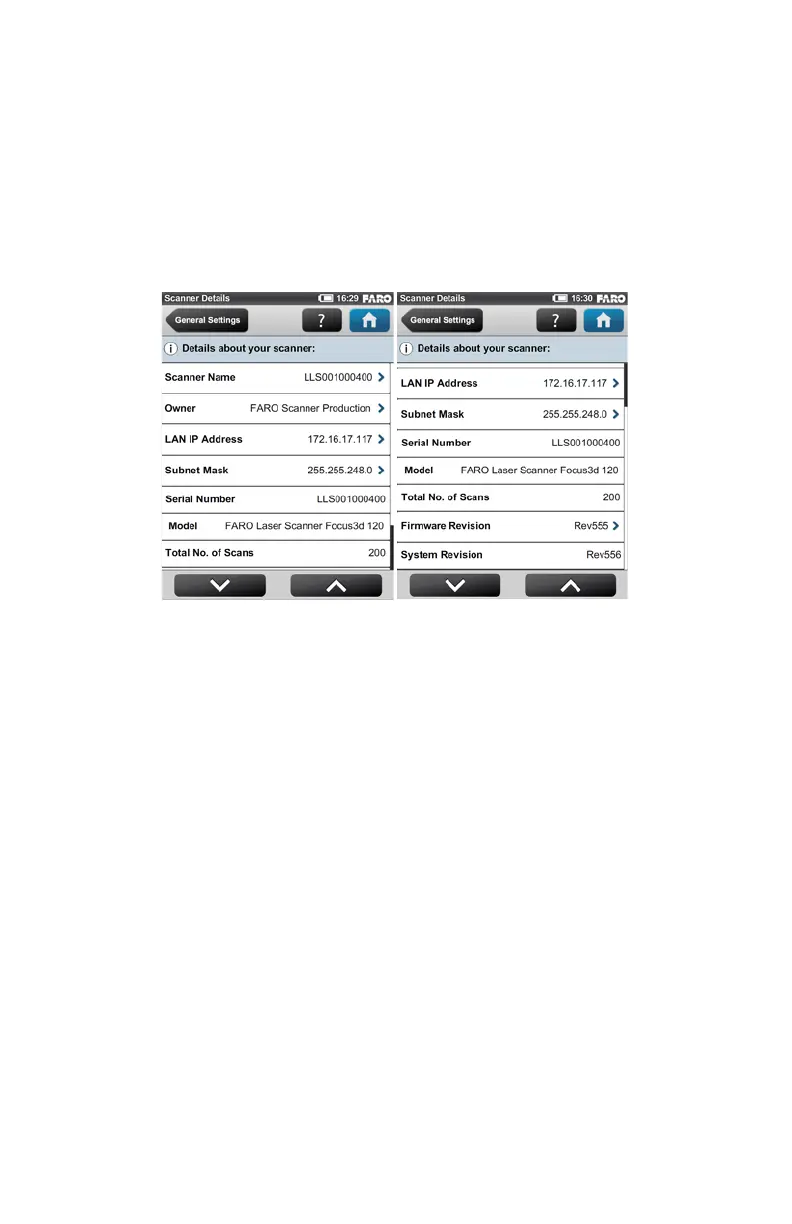
Scanner Details
(Home > Manage > General Settings > Scanner Details)
Scanner Name - Give your scanner a name.
Owner - Enter the owner of the scanner.
LAN IP Address - The Ethernet IP address of the scanner.
Subnet Mask - The Ethernet subnet mask of the scanner.
Serial Number - Serial number of the scanner. This number is individual for
each scanner.
Model - The scanner type.
Total No. of Scans - The total number of scans captured with this scanner.
Firmware Revision / System Revision - The revisions of the currently installed
firmware and system software.
Figure 6-23 Scanner Details



 To Next Page