FARO
®
Laser Scanner Focus
3D
X 130 Manual
January 2014
83
Chapter 6: The Focus
3D
X 130 Controller Software
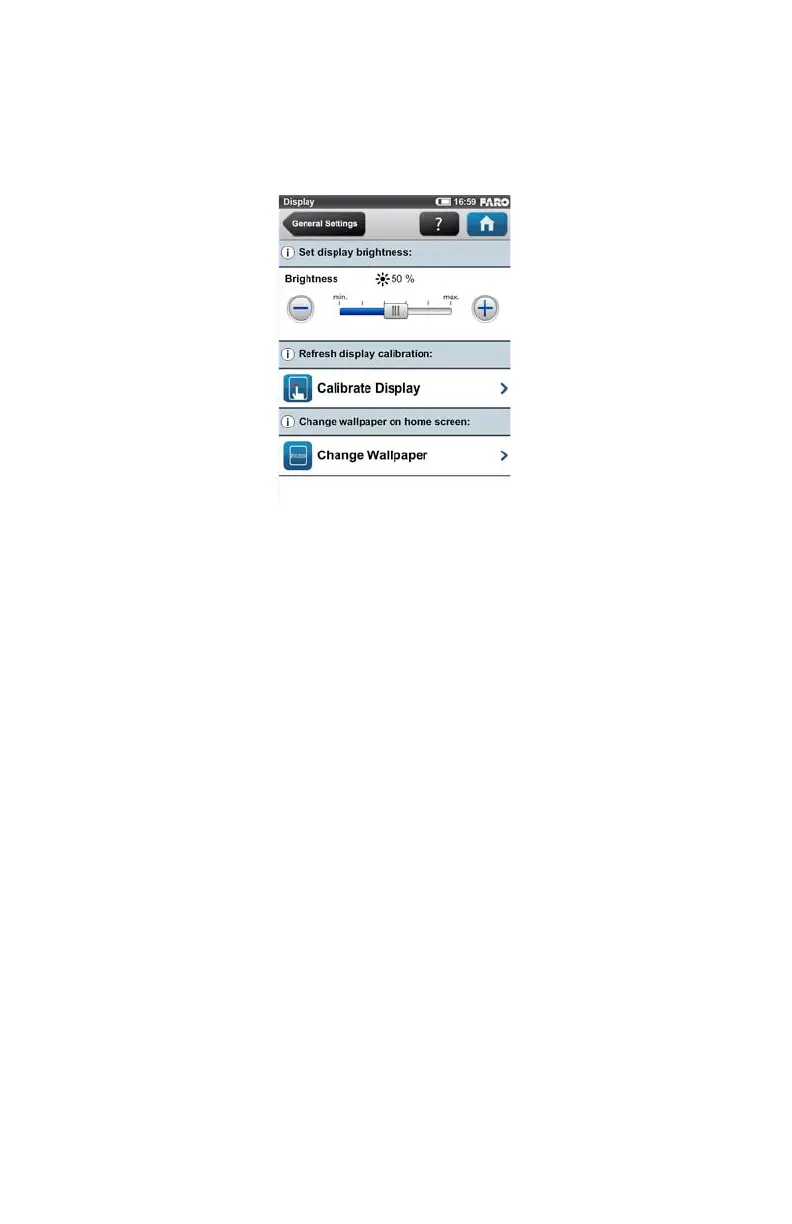
Display
(Home > Manage > General Settings > Display)
Brightness - Set the brightness of the screen.
Calibrate the display - If you experience the touch screen to be slightly
misaligned, you may have to recalibrate it. Press this button and follow the
instructions on the appearing screen. We recommend using a stylus to calibrate
the display. If the calibration of the touch screen got corrupted so that it is
unusable, you should reset the calibration of the display to its factory settings. To
do this, shut down the scanner using the Power button. Wait until the scanner has
shut down, then press and hold down the Power button for at least five seconds
until the LED on the sensor side of the scanner illuminates yellow, then release
the button again. The scanner will then boot up and reset the calibration of the
touch screen to its factory settings.
Change the wallpaper - Change the wallpaper of the Home screen. Click to get
a list of available wallpapers which are stored on the scanner. To import new
wallpapers to the scanner, please use the backup option.
Date and Time
(Home > Manage > General Settings > Date & Time)
See “Setting the Date and Time” on page 38.
Language
(Home > Manage > General Settings > Language)
Figure 6-20 Display



 To Next Page