FARO
®
Laser Scanner Focus
3D
X 130 Manual
January 2014
65
Chapter 6: The Focus
3D
X 130 Controller Software
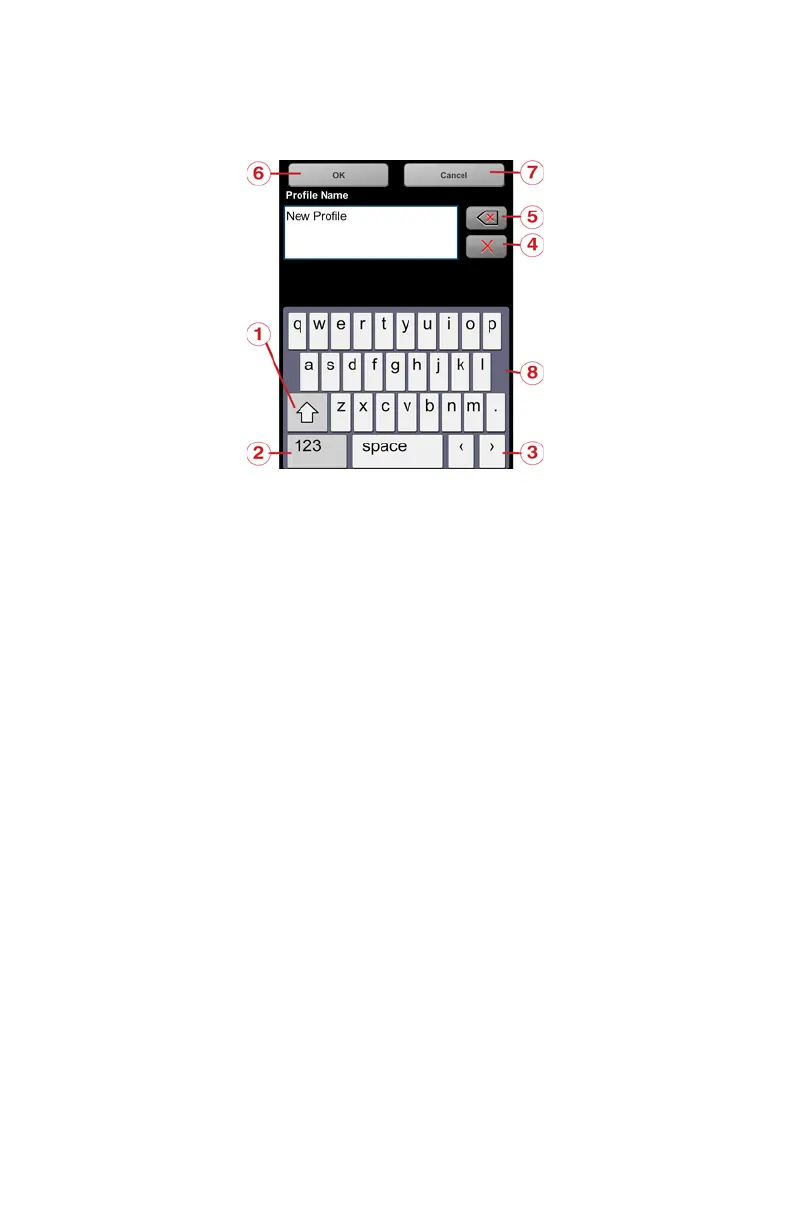
Onscreen Keyboard
Shift key to toggle between capital and lower case letters
Key to toggle keyboard between standard and special characters
Moves the cursor in the text field right or left
Delete button - deletes the complete text
Backspace
OK button - applies your input and returns to the previous screen
Cancel button - returns to the previous screen without applying your changes
Clicking on a character of the keyboard will enlarge it as well as its
neighboring characters. Choose between the enlarged characters by dragging the
Figure 6-3 Onscreen Keyboard



 To Next Page