FARO
®
Laser Scanner Focus
3D
X 130 Manual
January 2014
48
Chapter 5: Getting Started
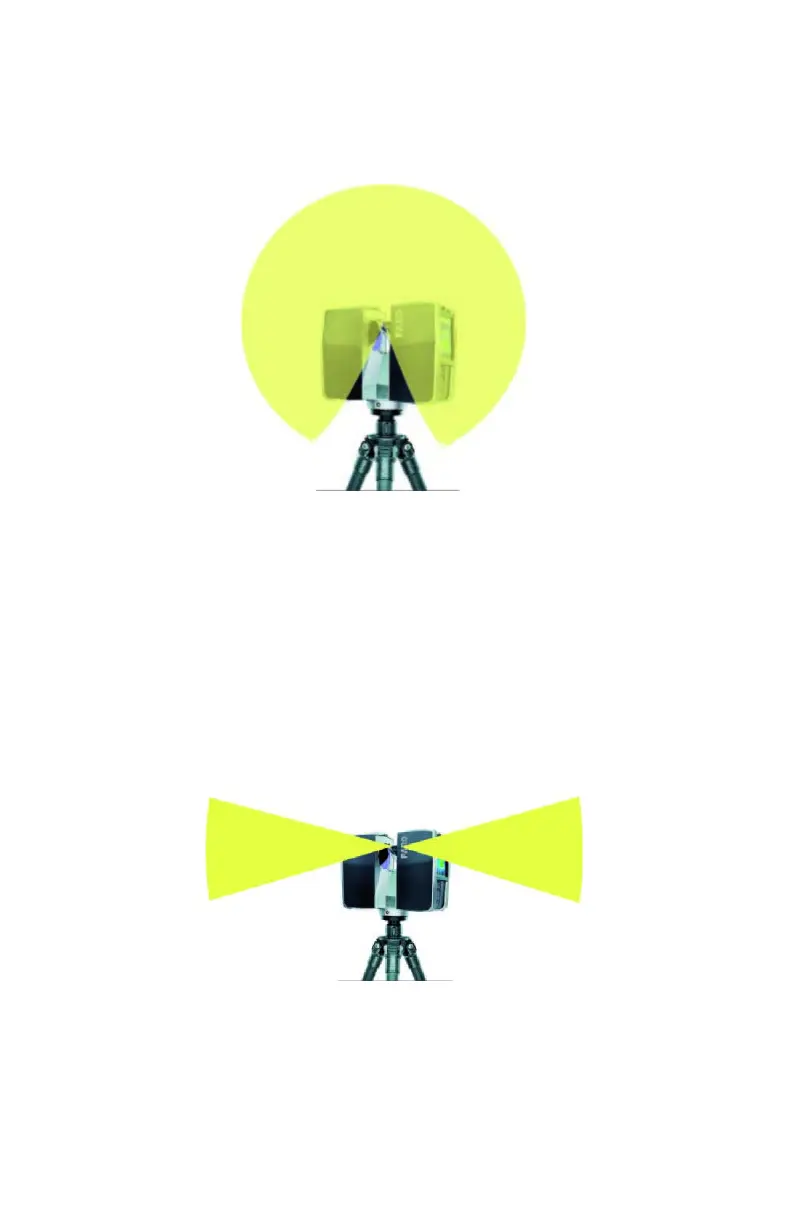
giving special weighting to a particular area. Use this setting in scenarios with
even lighting conditions.
Horizon Weighted Metering - With horizon weighted metering mode, the
camera will use the light information coming from the horizon to determine its
exposure setting. This mode is commonly used in scenarios with bright light
coming from directly above (e.g. indoors with bright ceiling lighting or outdoors
with bright sunlight coming from directly above) and if you want to achieve the
most correct balance of light and exposure for objects at the horizon. This mode
is the default setting. Compared to even weighted metering, this mode will
increase scan duration by approximately 14 seconds.
If the vertical scan area is limited, then the area used to determine the exposure
(exposure metering area) might move away from the horizon. This is the case if
the vertical start angle is set to a value > -30° or if the vertical end angle is set to
Figure 5-22 Even weighted metering
Figure 5-23 Horizon weighted metering



 To Next Page