FARO
®
Laser Scanner Focus
3D
X 130 Manual
January 2014
71
Chapter 6: The Focus
3D
X 130 Controller Software
soon as you make changes to it or as soon as a scan has been started. If the new
SD Card contains projects too, they will be added to the projects list.
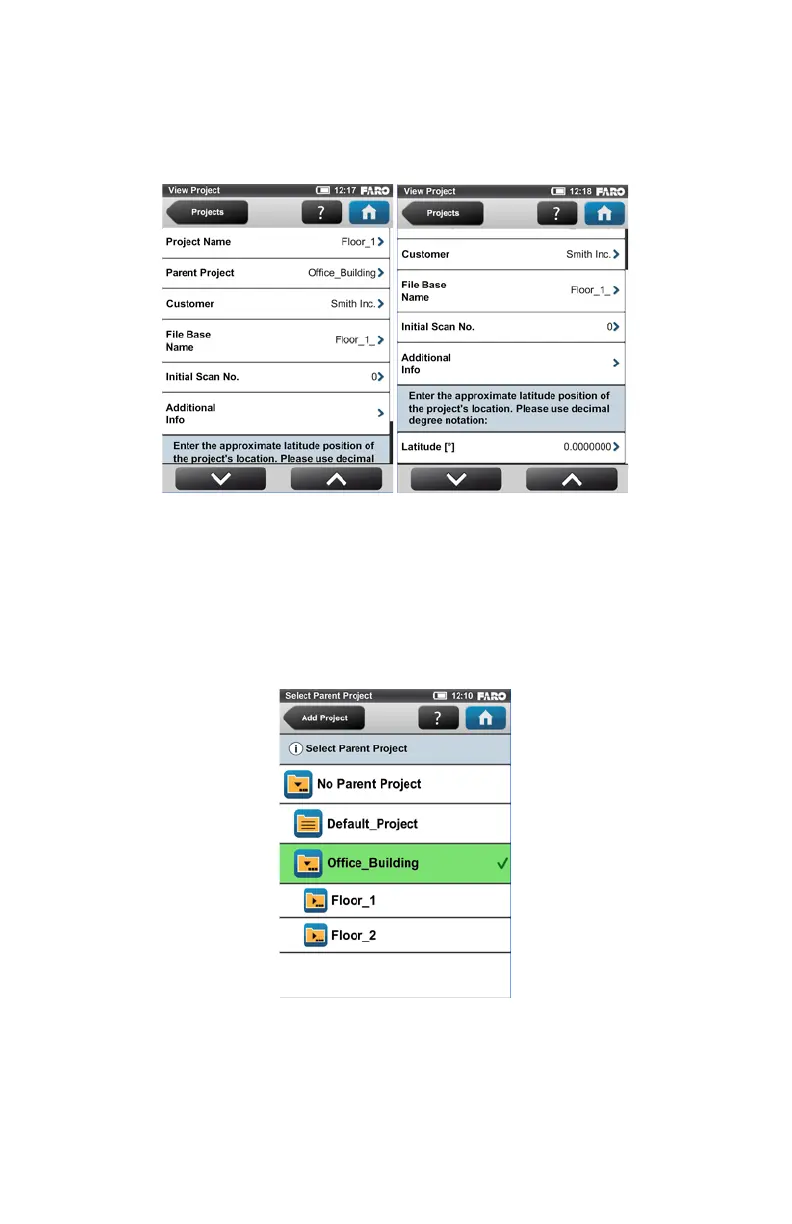
Project Name - The name of the project. Click to change the name.
Parent Project - The parent project of the displayed project, “No Parent Project”
means that the current project is a main project and not a subproject. Click this
button to change the parent project. A new screen appears with a list of all
available parent projects. Select the parent project from this list. The currently
edited project will then be assigned as a subproject to this project.
This view shows all available projects that are applicable to be a parent
project. Click on a button to select the parent project. The selected parent
project will be highlighted and marked with a check mark.
Figure 6-9 Project Details
Figure 6-10 Select Parent Scan Project



 To Next Page