4-23
1
2
3
4
Settings Menu
[S7] Detection
Adjust the value of Edge hys. for a range of received light amount below the operation difference to hold the
output on.
For example, if you want to reduce the detection fluctuation caused by vibration, set a larger Edge hys., and
if you want to detect small objects, set a smaller Edge hys.
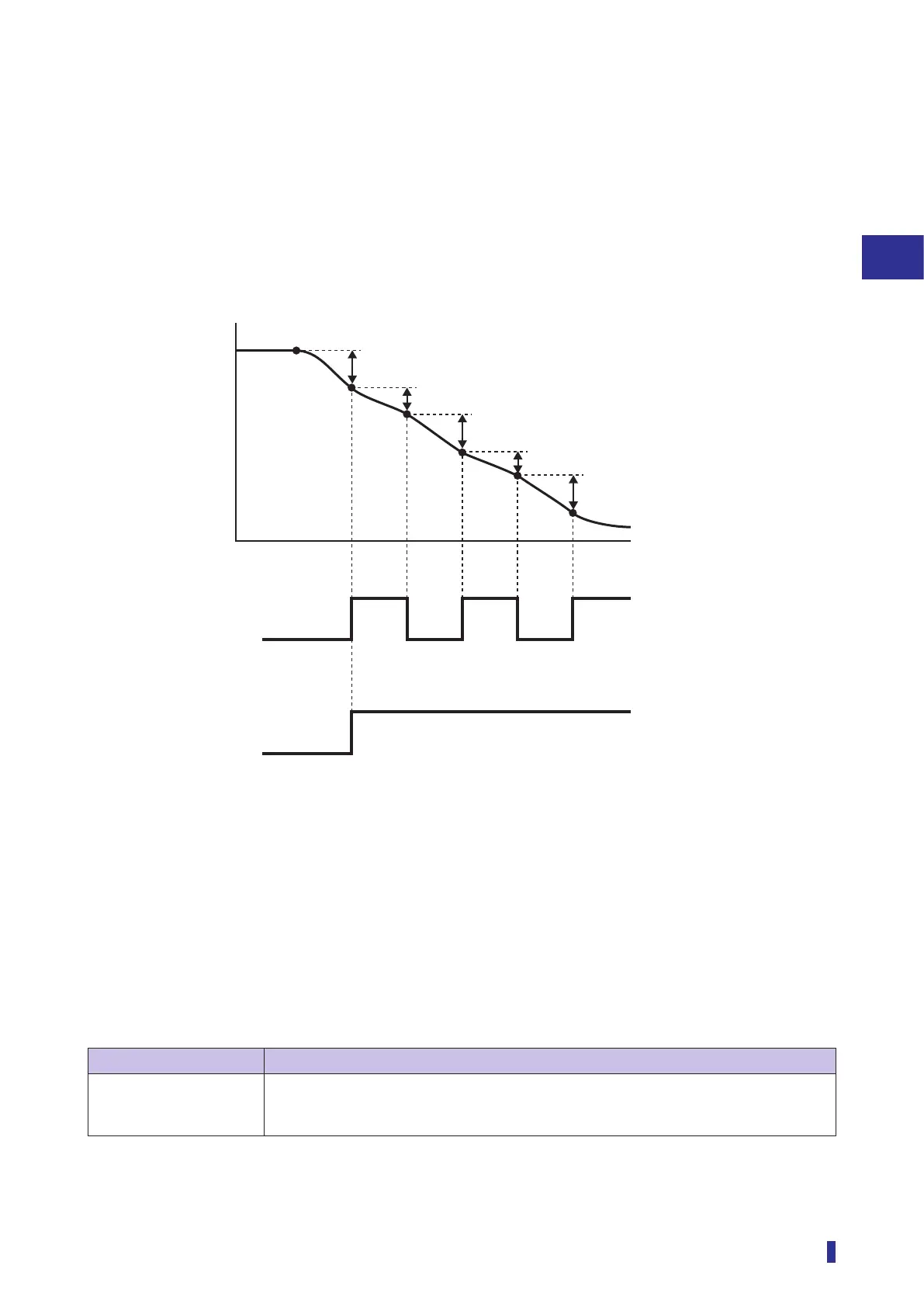
Example) Output results using the Edge hys. setting (with a through-beam fiber unit)
When the value of Edge hys. is increased, the reset difference of the received light amount
becomes smaller, thus the on output is maintained for a larger range of received light amounts
compared with the operation difference.
ON
OFF
ON
OFF
Received light amount
Time
With a smaller
value of Edge hys.
The output turns OFF, when the
difference of the received light
amount becomes less than the
reset difference. (
➁
and
➃
).
The output on is maintained
while the difference of
received light amount stays
above the reset difference.
With a larger
value of Edge hys.
➀
to
➄
: Amount of change in the received light amount
➄
➄
➃
➃
➂
➂
➁
➁
➀
➀
➀
to
➄
This setting parameter is only displayed when Threshold mode ([S7] - [D2]) is set to Edge height.
For details on Edge height, refer to “3-7-5 [S7] - [D2] Threshold Mode “Edge height”” (page 3-47).
Selectable Parameters
Selectable parameter Function description
Edge hys. (default value:
5)
1 to 9999
The reset difference set with Edge hys. is set by subtracting the set value from the
operation difference.


 To Next Page
 Loading...