4-30
[SA] All devices
4-9 [SA] All devices
Various operations can be performed on the connected main units and expansion units.
This setting menu is displayed when an expansion unit is connected to the inter-connection main unit.
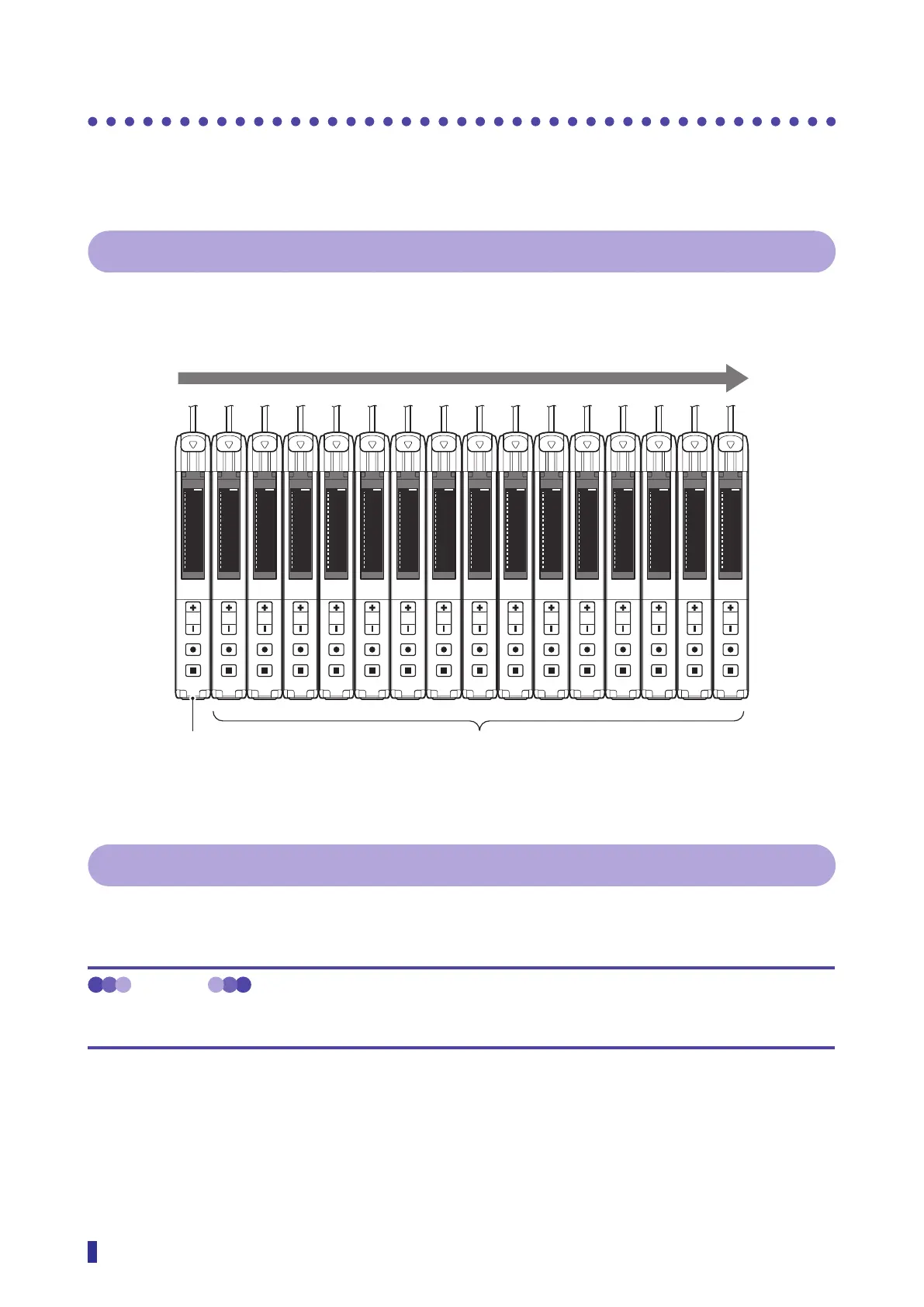
4-9-1 [SA] - [A1] Copy to all
This copies the settings of the main unit to all the connected expansion units.
S
R
1
2
MENU
OK
TEACH
ESC
103100
S
R
1
2
MENU
OK
TEACH
ESC
103100
S
R
1
2
MENU
OK
TEACH
ESC
103100
S
R
1
2
MENU
OK
TEACH
ESC
103100
S
R
1
2
MENU
OK
TEACH
ESC
103100
S
R
1
2
MENU
OK
TEACH
ESC
103100
S
R
1
2
MENU
OK
TEACH
ESC
103100
S
R
1
2
MENU
OK
TEACH
ESC
103100
S
R
1
2
MENU
OK
TEACH
ESC
103
100
S
R
1
2
MENU
OK
TEACH
ESC
103
100
S
R
1
2
MENU
OK
TEACH
ESC
103100
S
R
1
2
MENU
OK
TEACH
ESC
103100
S
R
1
2
MENU
OK
TEACH
ESC
103100
S
R
1
2
MENU
OK
TEACH
ESC
103100
S
R
1
2
MENU
OK
TEACH
ESC
103100
S
R
1
2
MENU
OK
TEACH
ESC
103100
4-9-2 [SA] - [A2] Zeroing all
This sets the present received light amount of each connected expansion unit to 0.
To cancel the Zeroing all function, execute Zero reset all ([SA] - [A3]).
MEMO
The received light amount when Zeroing is executed is set to 0, so the threshold and received light amount may be
displayed as negative values.
Inter-connection expansion units (up to 15 can be connected)Inter-connection
main unit
Settings are copied from the main unit to the expansion units as a batch.



 To Next Page