4-19
1
2
3
4
Settings Menu
[S7] Detection
Selectable Options
Selectable option Function description
Max (default value) The emitter power can be selected from three options.
The received light amount with the selected emitter power is displayed on the right of the
screen.
Mid
Min
Auto The emitter power is automatically adjusted to prevent saturation upon teaching.
4-6-6 [S7] - [D6] Counter
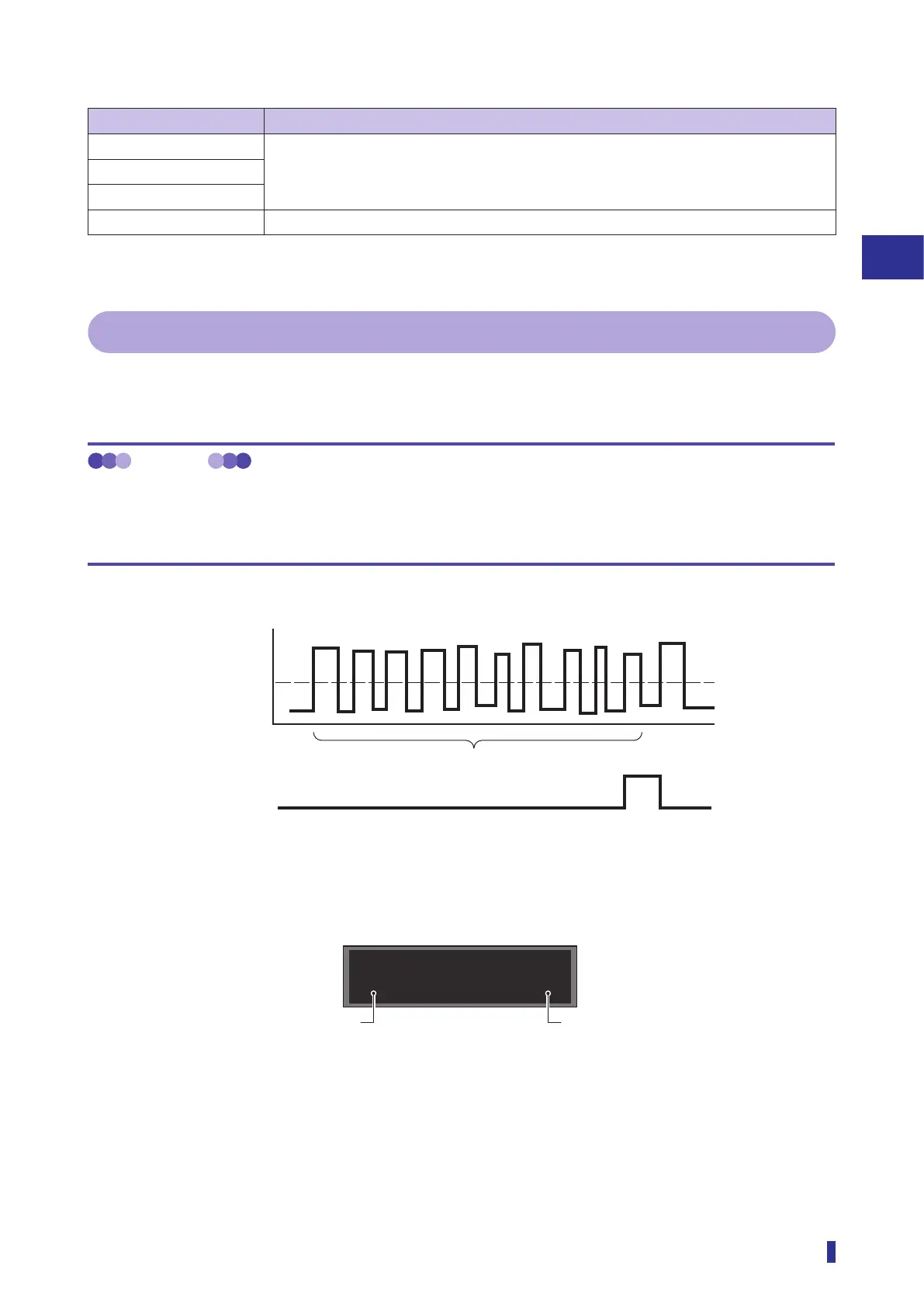
This mode counts the number of times that objects are detected, and generates output when the target count
specified with “[S7] - [D7] Set count” is reached.
MEMO
Counter usage example
If the number of products to be contained into a package box is set to 10, setting Set count to 10 generates output when
the 10th product is detected.
This allows output to be generated once per box.
Example) Counter output example (Set count of 10)
ON
OFF
Counter Display
In place of the received light amounts, the set count and the present count are displayed.
10
* When the counter value reaches the set count, it is reset to 1 when the next object is detected.
Count (10)
Output
Threshold
Received light amount
Counter
Set count (default value: 10)



 To Next Page