3-30
Shortcut Function
3-6-2 Switching to the Hold Display
You can switch the display of the received light amount from the present value display to the hold display
(where the peak and bottom received light amounts are displayed).
Multiple hold display modes are available.
For details on the hold display, refer to “3-7-3 [P2] Hold Display” (page 3-40).
MEMO
This makes it easier to check the received light amounts when the object is present and not present, so switching to the
hold display is useful when making adjustments to the threshold.
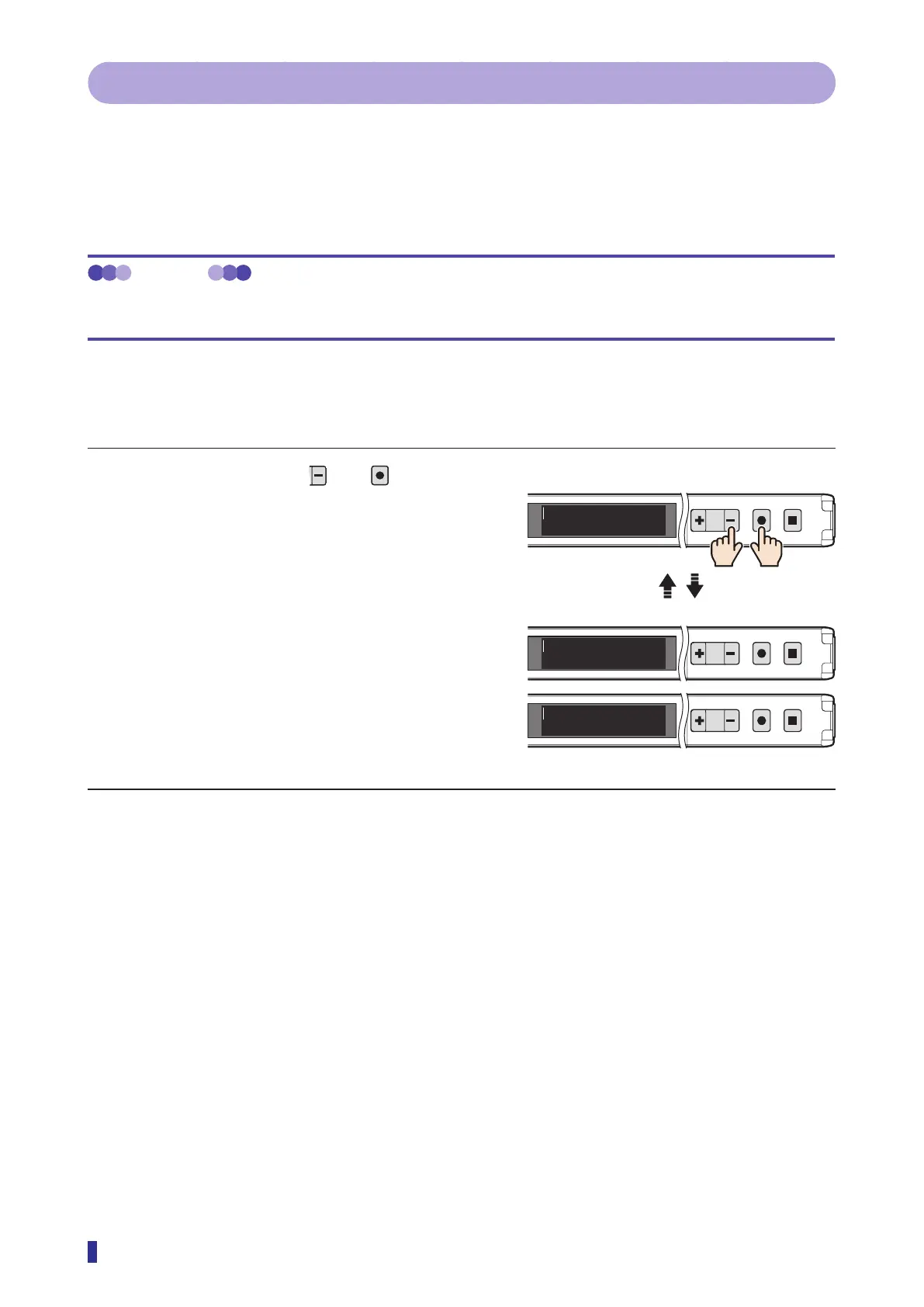
Operation Procedure
Simultaneously hold down and
for 1
second or more.
The values displayed on the screen change between the
“Present value display” and “Hold display” modes each
time these keys are pressed.
* The display settings are applied to the display details
that are switched with this function.
→ Refer to “4-5-1 [S6] - [P1] Display mode” (page
4-9).
→ Refer to “3-7-3 [P2] Hold Display” (page 3-40).
1
2
MENU
OK
TEACH
ESC
1
2
MENU
OK
TEACH
ESC
1
2
MENU
OK
TEACH
ESC
200
220
240
220
200
220
ڂ
ڃ
Present value display (Value display mode)
Hold display (Peak/bottom)
Press simultaneously
for 1 second or more.



 To Next Page