3-10
Setting the Threshold (Teach Function)
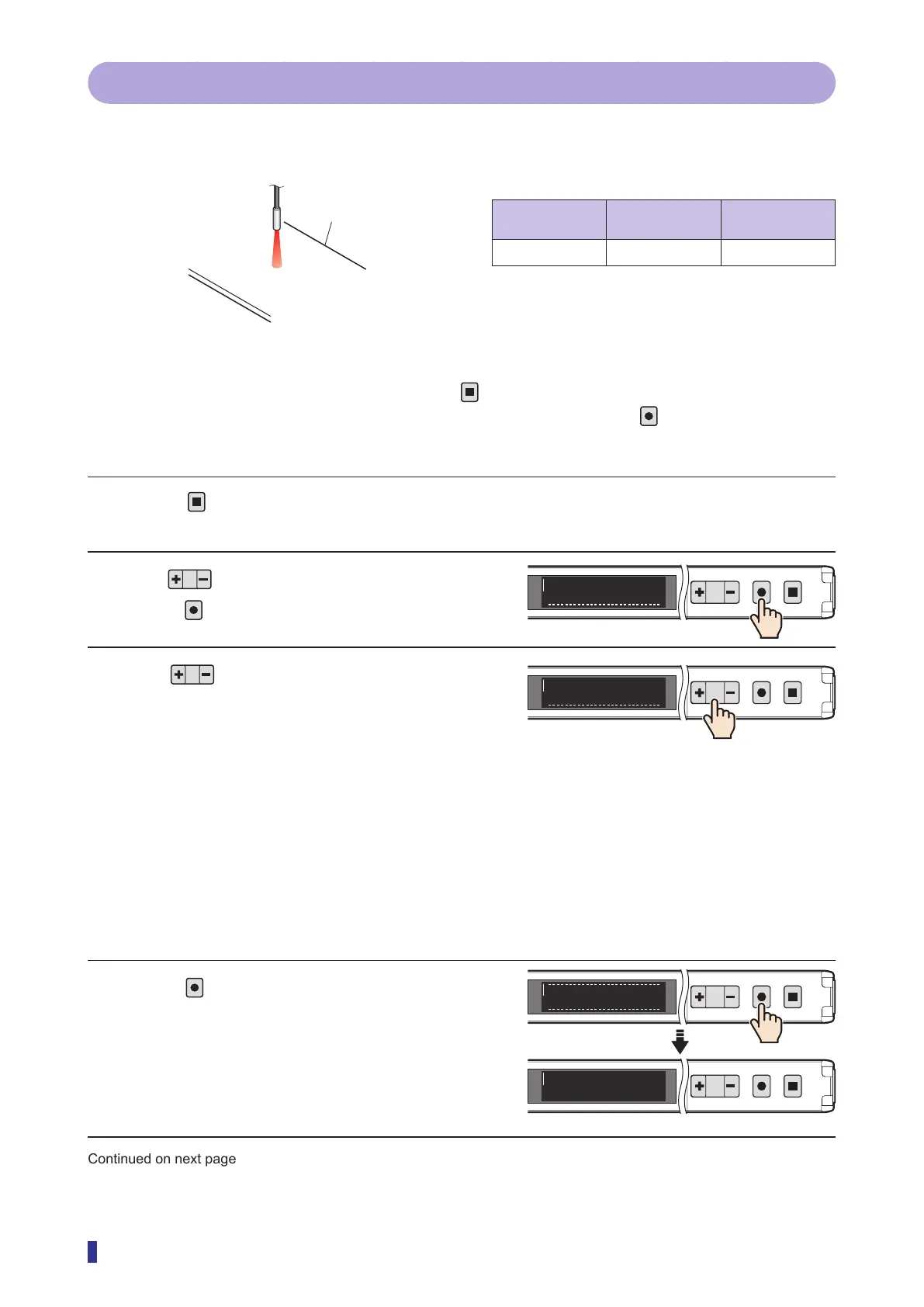
3-4-3 1 point
The teach function is executed with no object present. The threshold is set to a value that does not detect the
background. The threshold can be set easily with a single teach operation.
Setup for 1-point teach
Through-beam/
retro-reflective
Diffuse reflective Object
× ✓
Not required
Operation Procedure
* To cancel the setting of the teach function, press the
key.
* To select the channel to teach (output 1 or output 2) in advance, hold down the
key for 1 second or
more.
1 Press
for less than 1 second.
The teach mode selection screen appears.
2 Use to display “1 point”, and then
press
.
3 Use to adjust the detection margin
to set the thresholds.
As a percentage (0 to 99%), set how high the
received light amount must increase from the
background level (when no object is present) to
judge the presence of the object.
A small value will lead to detection when the
received light amount increases even slightly. A
larger value reduces the influence of vibrations,
fluctuations, etc.
* With the default value (10%) the threshold is set
to a value of +10% compared to the background
received light amount (when no object is present).
4 Press
to set the teach mode and the
detection margin.
The OLED display returns to the RUN screen and
the received light amount appears.
Continued on next page
[Diffuse reflective]
Background
1
2
MENU
OK
TEACH
ESC
1 point
E1
1
2
MENU
OK
TEACH
ESC
10%
E1
1
2
MENU
OK
TEACH
ESC
Mode selected
1
2
MENU
OK
TEACH
ESC
1000
100



 To Next Page