2-2
Installation
2-1 Installation
2-1-1 Mounting the Fiber Unit
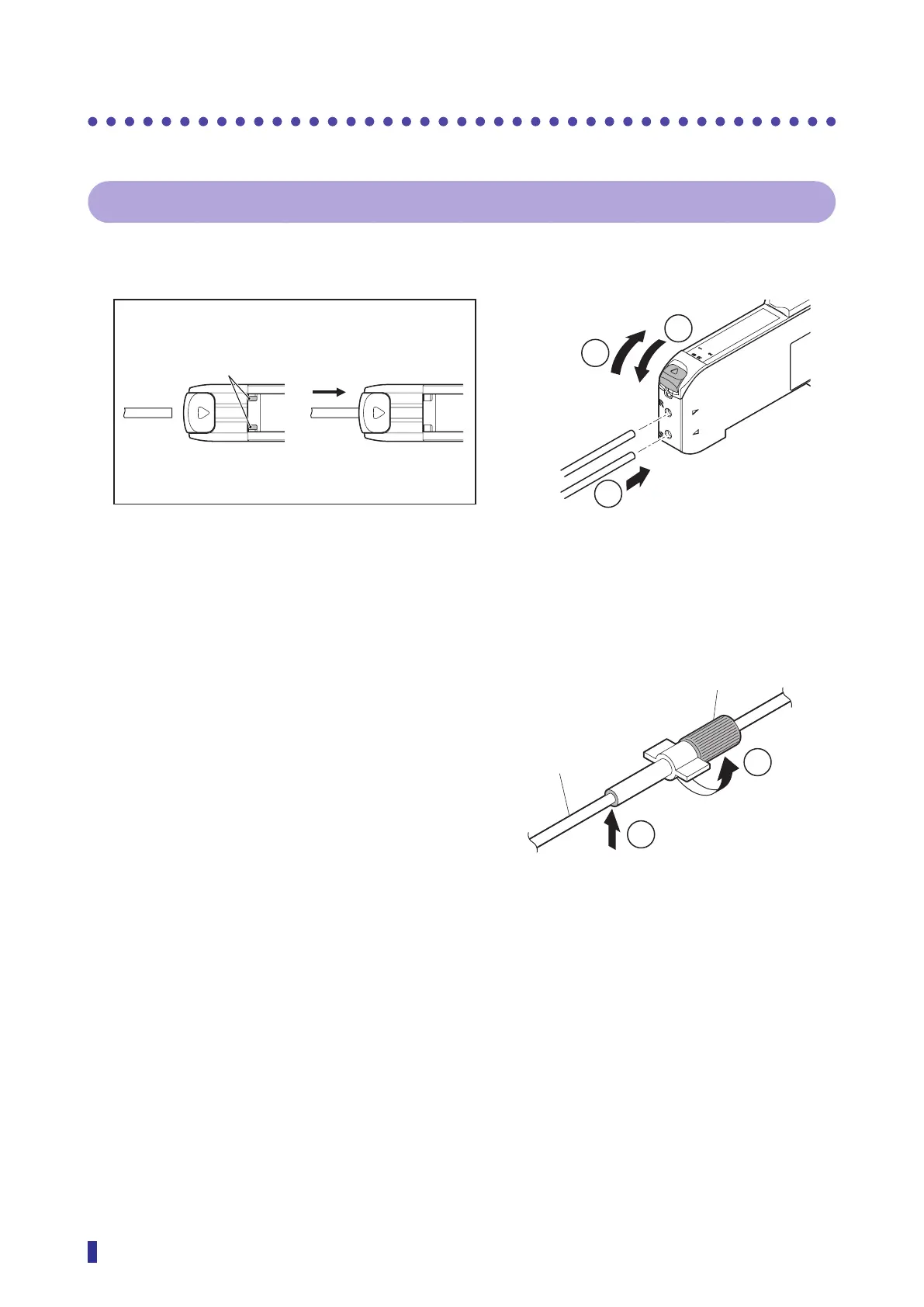
① Slide the lock lever down.
② Insert the fiber wires in the holes to the end.
S
R
1
2
S
R
1
2
1
3
③ Raise the lock lever to the stop position.
How to Use the Fiber Adapter (Included with the Thin Fiber
Units)
① Turn the adapter cap fully counterclockwise to
unlock, and then align the ends of the adapter
pipe and fiber. Turn the cap fully clockwise to
lock the adapter.
② Cut the fiber to the desired length, using the fiber
cutter included with the free-cut fiber unit.
When inserted correctly, the
fiber insertion indicators will
turn from white to black.
Fiber insertion indicators (White)
Check that the fibers are inserted correctly with the
fiber insertion indicators.
1
2
Adapter cap
Thin diameter fiber
Cutting position
(Adapter end surface)



 To Next Page