3-27
1
2
3
Basic Usage
Manual Adjustment of the Threshold
3-5 Manual Adjustment of the
Threshold
The threshold set with the teach function can be changed manually.
Use this operation to make adjustments to the threshold when actual detection is unstable, when the
detection conditions change, and other similar situations.
This operation can also be used to set the threshold directly without executing the teach function.
Operation Procedure
(1 point, 2 points, Auto, and Through modes)
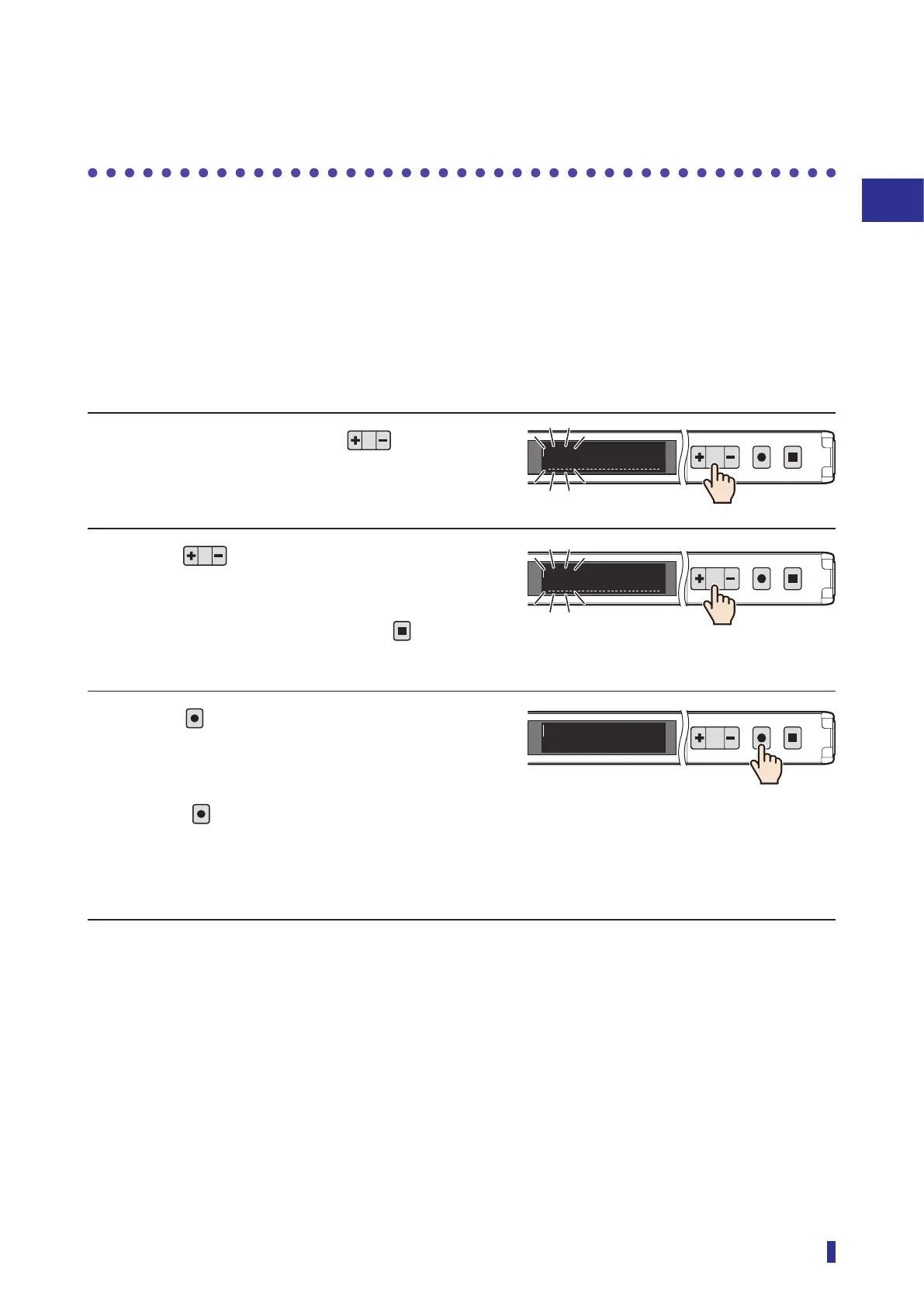
1 On the RUN screen, press .
A line appears at the bottom of the OLED display,
and the upper section threshold blinks.
2 Press to change the threshold.
Pressing [+] increases the threshold and pressing
[−] decreases it.
* If no adjustment is necessary, press
to
cancel.
3 Press
.
The line at the bottom of the OLED display
disappears. This completes the threshold
adjustment.
* Even if
is not held down, the threshold will be
set to the changed value if approximately 30
seconds elapse, and the OLED display will return
to the RUN screen.
1
2
MENU
OK
TEACH
ESC
100
100
1
2
MENU
OK
TEACH
ESC
100
150
1
2
MENU
OK
TEACH
ESC
100
150



 To Next Page