3-28
Manual Adjustment of the Threshold
Operation Procedure
(1-point Zone and 2-point Zone modes)
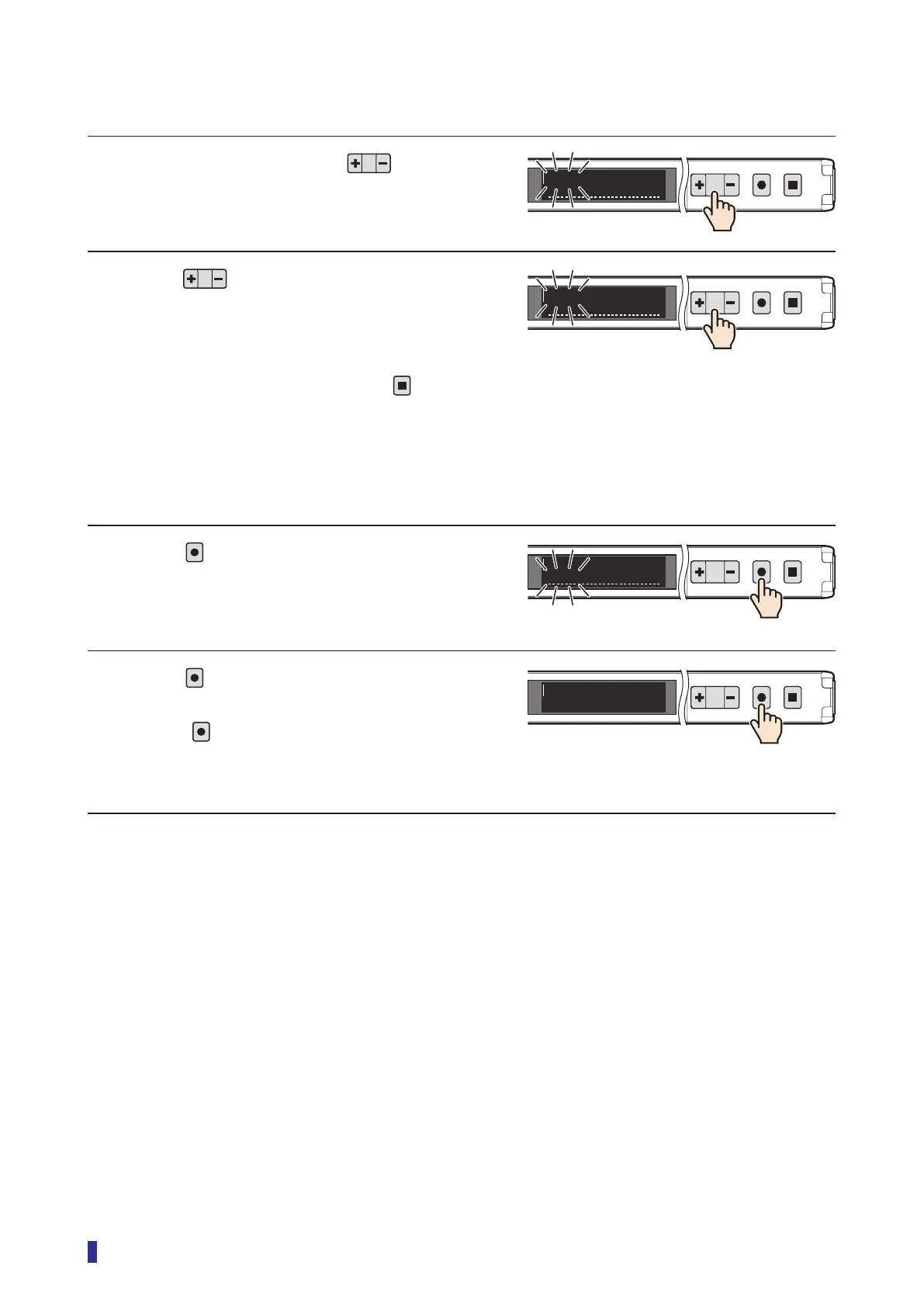
1 On the RUN screen, press .
A line appears at the bottom of the OLED display,
and the threshold blinks.
2 Press to change the upper row
threshold.
Pressing [+] increases the threshold and pressing
[−] decreases it.
* If no adjustment is necessary, press
to
cancel.
* The threshold will be set to the changed value if
approximately 30 seconds elapse, and the OLED
display will return to the RUN screen.
3 Press
.
The lower row threshold blinks, so change it in the
same way as the one in the upper row.
4 Press
.
This completes the settings.
* Even if
is not held down, the threshold will be
set to the changed value if approximately 30
seconds elapse.
1
2
MENU
OK
TEACH
ESC
1900
1000
2000
1
2
MENU
OK
TEACH
ESC
1900
1700
2000
1
2
MENU
OK
TEACH
ESC
1900
1700
2200
1
2
MENU
OK
TEACH
ESC
1900
1700
2200



 To Next Page