3-16
Setting the Threshold (Teach Function)
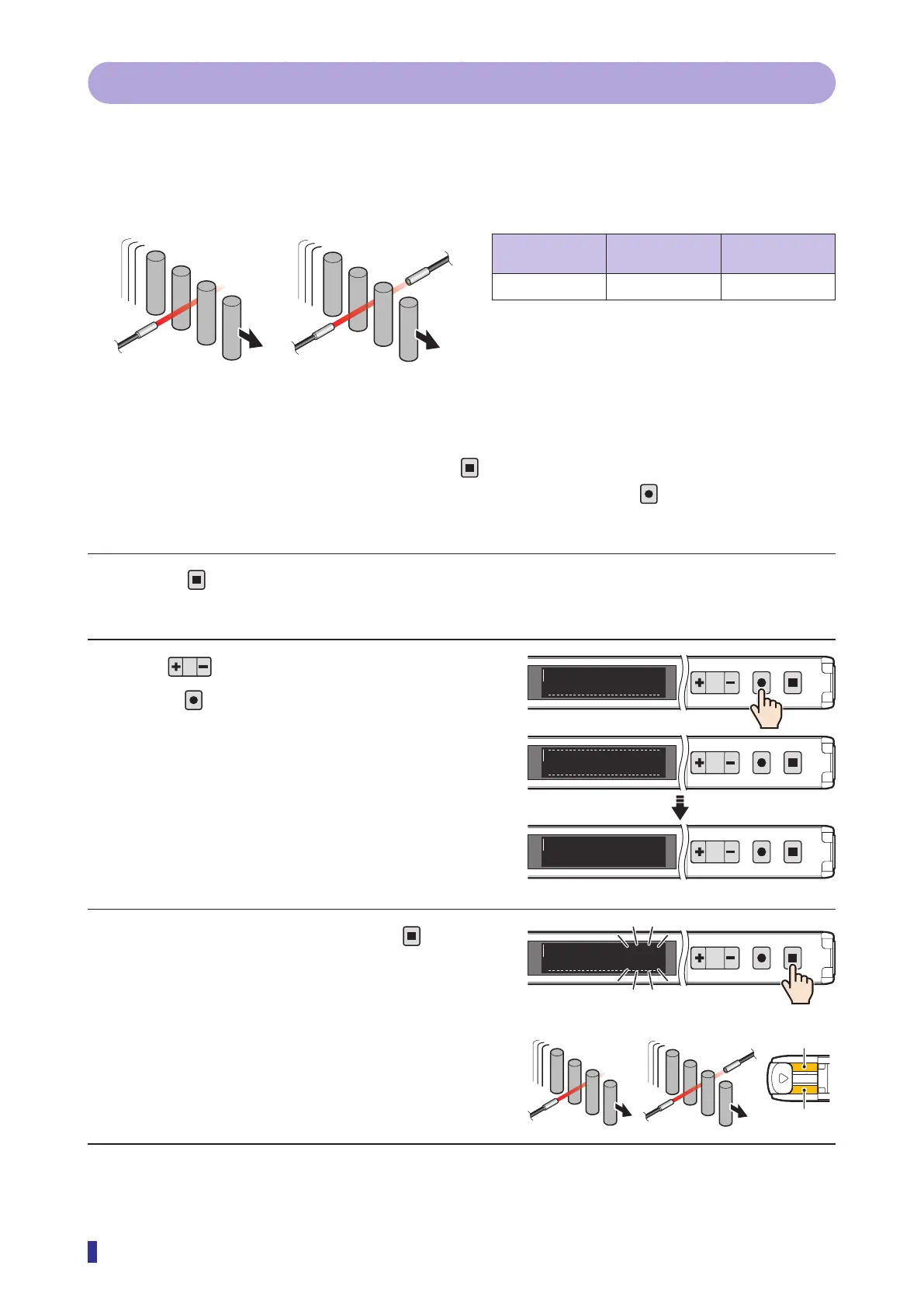
3-4-5 Auto
The threshold is set by executing the teach function with moving objects.
This threshold can be set with the optimal sensitivity when the objects are small, making it difficult for them to
block the light or when it is not possible to stop the production operations.
Setup for Auto teach
Through-beam/
retro-reflective
Diffuse reflective Object
✓ ✓
Required
Operation Procedure
* To cancel the setting of the teach function, press the
key.
* To select the channel to teach (output 1 or output 2) in advance, hold down the
key for 1 second or
more.
1 Press
for less than 1 second.
The teach mode selection screen appears.
2 Use to display “Auto”, and then
press
.
The teach mode is set.
The OLED display returns to the RUN screen and
the received light amount appears.
3 With objects moving, hold down
for 1
second or more.
The numeric value blinks, and the monitoring of the
received light amount starts.
The output indicator of the channel (output 1 or
output 2) for which the teach function is being
executed blinks in orange.
Continued on next page
[Through-beam][Diffuse reflective]
1
2
MENU
OK
TEACH
ESC
Auto
E3
1
2
MENU
OK
TEACH
ESC
Mode selected
1
2
MENU
OK
TEACH
ESC
1200
100
S
R
indicator
Output 2
[Through-beam]
[Diffuse reflective]
1
2
MENU
OK
TEACH
ESC
Start
200



 To Next Page