3-17
1
2
3
Basic Usage
Setting the Threshold (Teach Function)
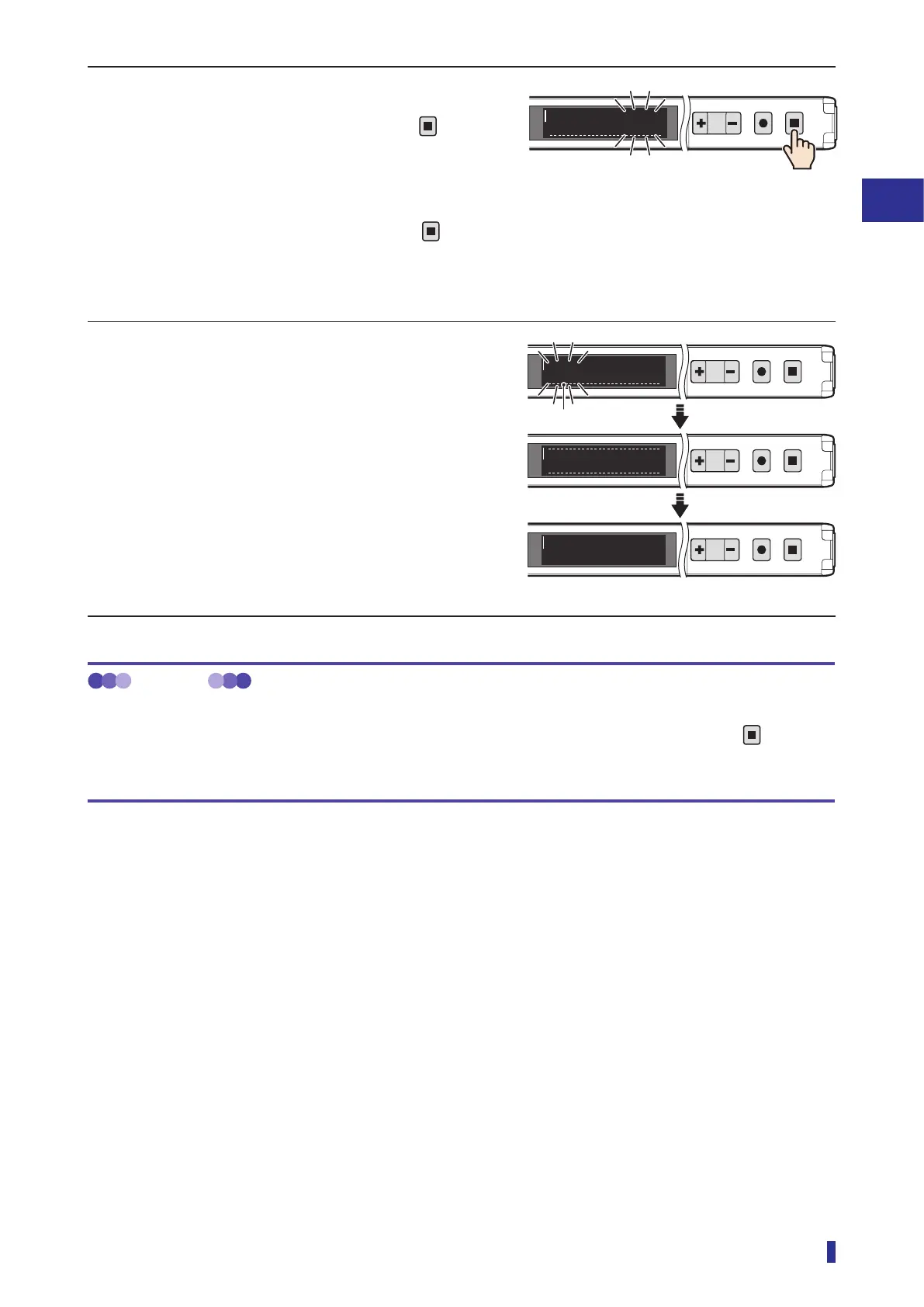
4 After a certain amount of time has passed
(less than 30 seconds), hold down
for 1
second or more.
This completes the measurement of the received
light amount.
* If approximately 30 seconds elapse with
not
being held down, the teach function will be
canceled, and the threshold will not be set.
5 The confirmed threshold blinks.
This completes the execution of the teach function.
The OLED display automatically returns to the
RUN screen.
* If the received light amount does not meet the
conditions required for the teach function, “Teach
error” will be displayed. If this error is displayed,
refer to
“5-1 Error Displays” (page 5-2) for
troubleshooting.
MEMO
Operations when executing the teach function again
After executing the teach function, to reset the teaching with the same mode again, simply hold down the
key for
1 second or more. (The operations in steps 1 and 2 of the operation procedure are not necessary.)
In this situation, the teach function is executed with the previously set mode.
1
2
MENU
OK
TEACH
ESC
Stop
1400
RUN screen
1
2
MENU
OK
TEACH
ESC
Refresh
1
2
MENU
OK
TEACH
ESC
600
1
2
MENU
OK
TEACH
ESC
To run mode
1400
600
Threshold



 To Next Page