3-33
1
2
3
Basic Usage
Shortcut Function
3-6-4
Switching the Display between Output 1 and 2
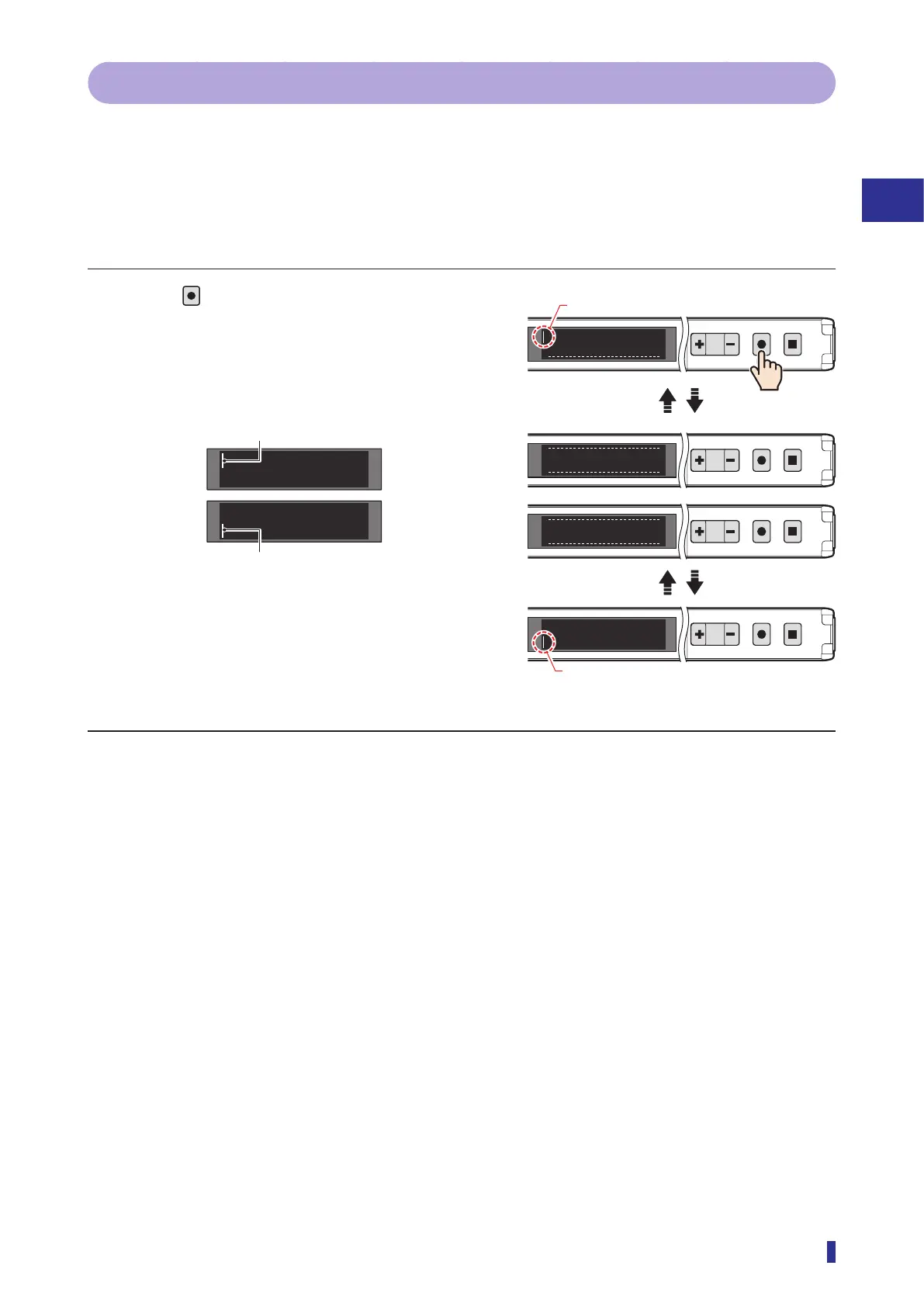
This function switches the display between output 1 (channel 1) and output 2 (channel 2).
Doing so allows you to configure settings for output 1 and 2 separately.
Operation Procedure
Hold down
for 1 second or more.
The display switches between output 1 and output 2 each
time this key is pressed.
The currently displayed output is indicated by the vertical
line on the right side of output numbers.
1
2
1
2
500
600
100
110
1
2
MENU
OK
TEACH
ESC
1
2
MENU
OK
TEACH
ESC
1
2
MENU
OK
TEACH
ESC
Channel 1
1
2
MENU
OK
TEACH
ESC
Channel 2
500
600
100
110
Output 1 indicator
Output 2 indicator
Hold down for
1 second or more.
Output 2 indicator
Output 1 indicator



 To Next Page