4-27
1
2
3
4
Settings Menu
[S8] I/O
4-7-5 [S8] - [O5] Lock mode
This sets the target settings of this product to be locked.
For details on the Lock function, refer to “3-6-3 Lock Function” (page 3-31).
4-7-6 [S8] - [O6] Preset setting
You can register (save) up to five sets of parameters on this product.
Preregistered setting parameters of different operations can be loaded according to operation changes.
Settings [S1] to [S8] in the main menu and the thresholds can be registered.
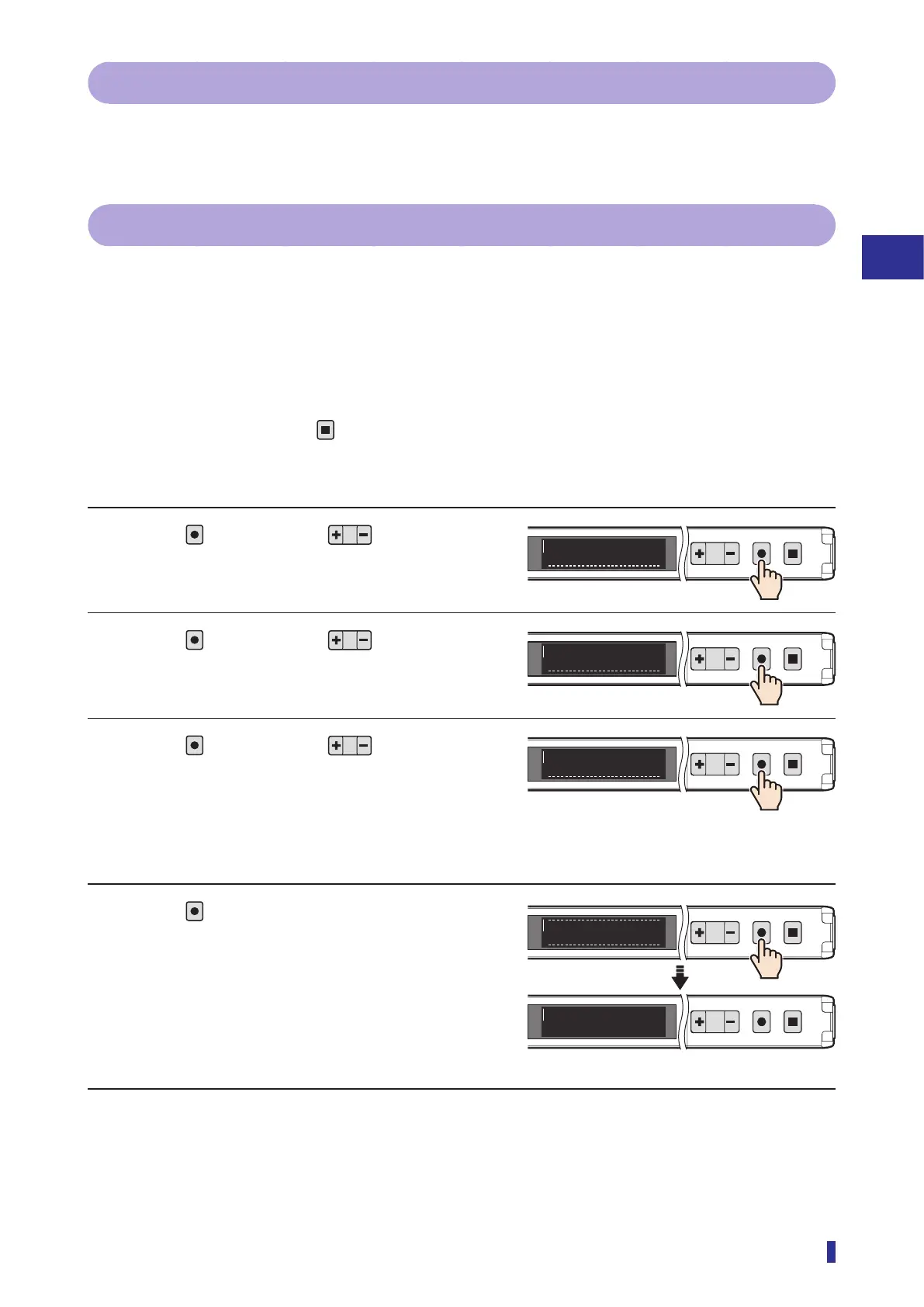
Operation Procedures
* To cancel the setting, press the
key.
* Set the threshold and the parameters according to “3-4 Setting the Threshold (Teach Function)” (page
3-7) and the information for [S1] to [S8] on the main menu (Page 4-5 to Page 4-28).
1 Press
, and then use to select the
menu.
Select “I/O” on the main menu.
2 Press
, and then use to select the
menu.
Select “Preset setting” on the sub menu.
3 Press
, and then use to select the
preset number to save.
You can select “Preset 1” to “Preset 5”.
4 Press
.
This completes the settings.
The OLED display returns to the RUN screen.
1
2
MENU
OK
TEACH
ESC
I/OS8
1
2
MENU
OK
TEACH
ESC
Preset setting
O6
<Options>
Preset 1, Preset 2, Preset 3, Preset 4,
Preset 5
1
2
MENU
OK
TEACH
ESC
Preset 1
O6
RUN screen
1
2
MENU
OK
TEACH
ESC
Completed
1
2
MENU
OK
TEACH
ESC
900
1000



 To Next Page