3-14
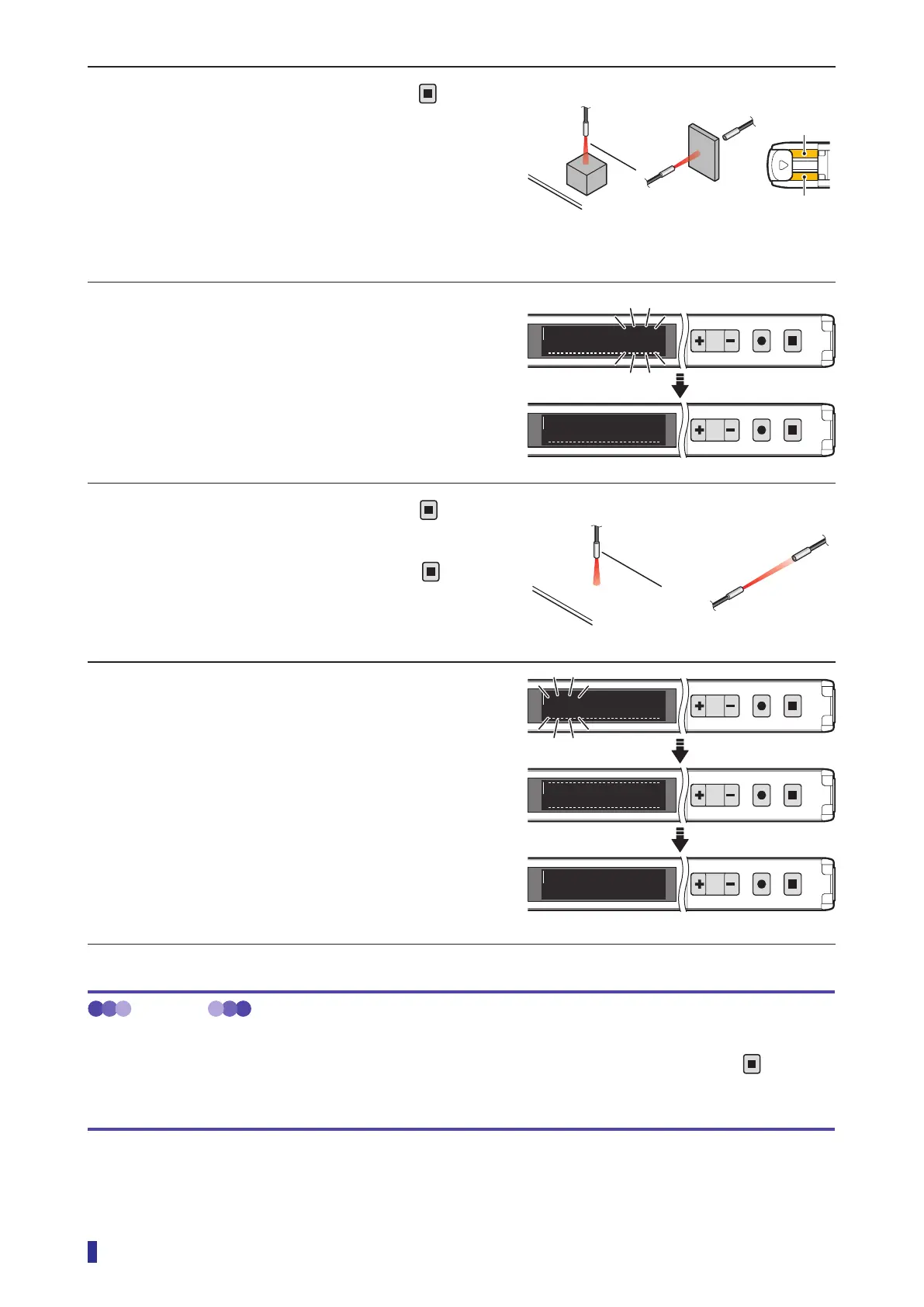
Setting the Threshold (Teach Function)
3 With an object present, hold down
for 1
second or more.
The output indicator of the channel (output 1 or
output 2) for which the teach function is being
executed blinks in orange.
* Steps 3 and 5 can be performed in any order.
4 When the product is taught the received
light amount of the first point, the numeric
value blinks, then the product is set for the
execution of the teach function at the
second point.
5 With no object present, hold down
for 1
second or more.
* If approximately 30 seconds elapse with
not
being held down, the teach function will be
canceled, and the threshold will not be set.
6 The product is taught the received light
amount of the second point, and the
threshold blinks.
This completes the execution of the teach function.
The OLED display automatically returns to the
RUN screen.
* If the received light amount does not meet the
conditions required for the teach function, “Teach
error” will be displayed. If this error is displayed,
refer to “5-1 Error Displays” (page 5-2) for
troubleshooting.
MEMO
Operations when executing the teach function again
After executing the teach function, to reset the teaching with the same mode again, simply hold down the
key for
1 second or more. (The operations in steps 1 and 2 of the operation procedure are not necessary.)
In this situation, the teach function is executed with the previously set mode.
Execute the teach function with an
object present.
[Through-beam]
[Diffuse reflective]
S
R
indicator
Output 2
indicator
1
2
MENU
OK
TEACH
ESC
1ptok
1
2
MENU
OK
TEACH
ESC
1000
200
2pt
[Through-beam][Diffuse reflective]
Execute the teach function with no object present.
RUN screen
1
2
MENU
OK
TEACH
ESC
Refresh
1
2
MENU
OK
TEACH
ESC
600
1
2
MENU
OK
TEACH
ESC
To run mode
1000
600



 To Next Page