3-50
Frequently Used Functions
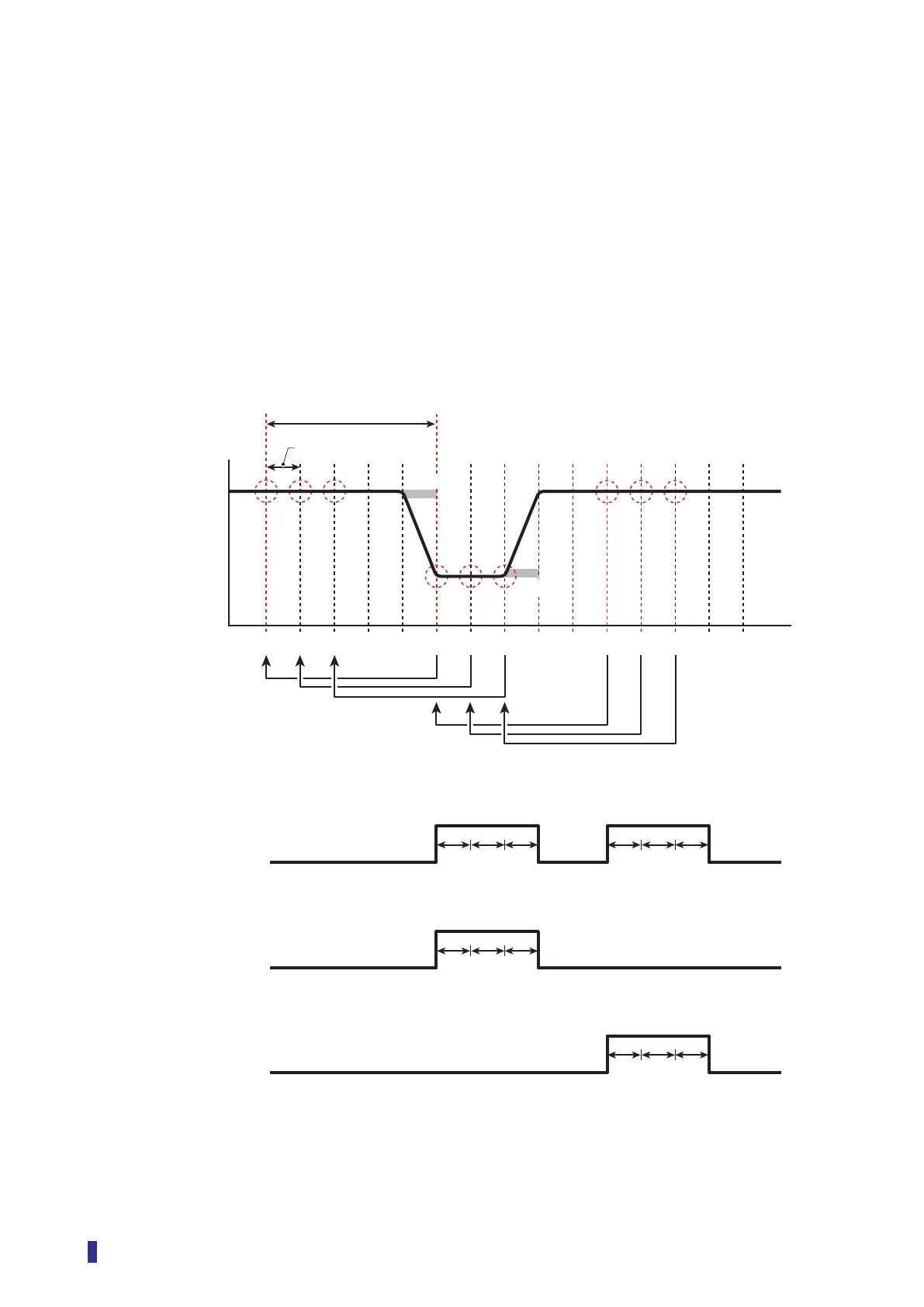
Edge Offset ([S7] - [D2], [S7] - [D9])
Edge offset sets the length of time to compare for changes to the received light amount.
Set it as follows together with “Response time”.
• Edge offset: Sets the length of time to compare the present received light amount and the monitored
received light amount.
• Response time: Sets the cycle time (interval) to monitor the received light amount.
Example) With Response time set to 250 µs and Edge offset set to 1250 µs
The received light amount is monitored for the cycle set with Response time (an interval of
250 µs), and then the received light amount from the time set with Edge offset (1250 µs) before is
compared with the present received light amount.
➀➁➂➃➄➅➆➇➈➉⑪⑫⑬⑭⑮
Received light
amount
Time
Edge offset (1250 µs)
Response time (250 µs)
Threshold
Threshold
Comparison target
(Both/Positive)
Comparison target
(Both/Negative)
ON
OFF
ON
OFF
ON
OFF
Output signal
Output signal
Output signal
• Edge direction: “Both”
• Edge direction: “Positive”
• Edge direction: “Negative”
➂→➇➁→➆➀→➅
Negative edge: ON
➂→➇➁→➆➀→➅
Negative edge: ON
➇→⑬➆→⑫➅→⑪
Positive edge: ON
➇→⑬➆→⑫➅→⑪
Positive edge: ON



 To Next Page