Festo — EMCS-ST — 2021-03b
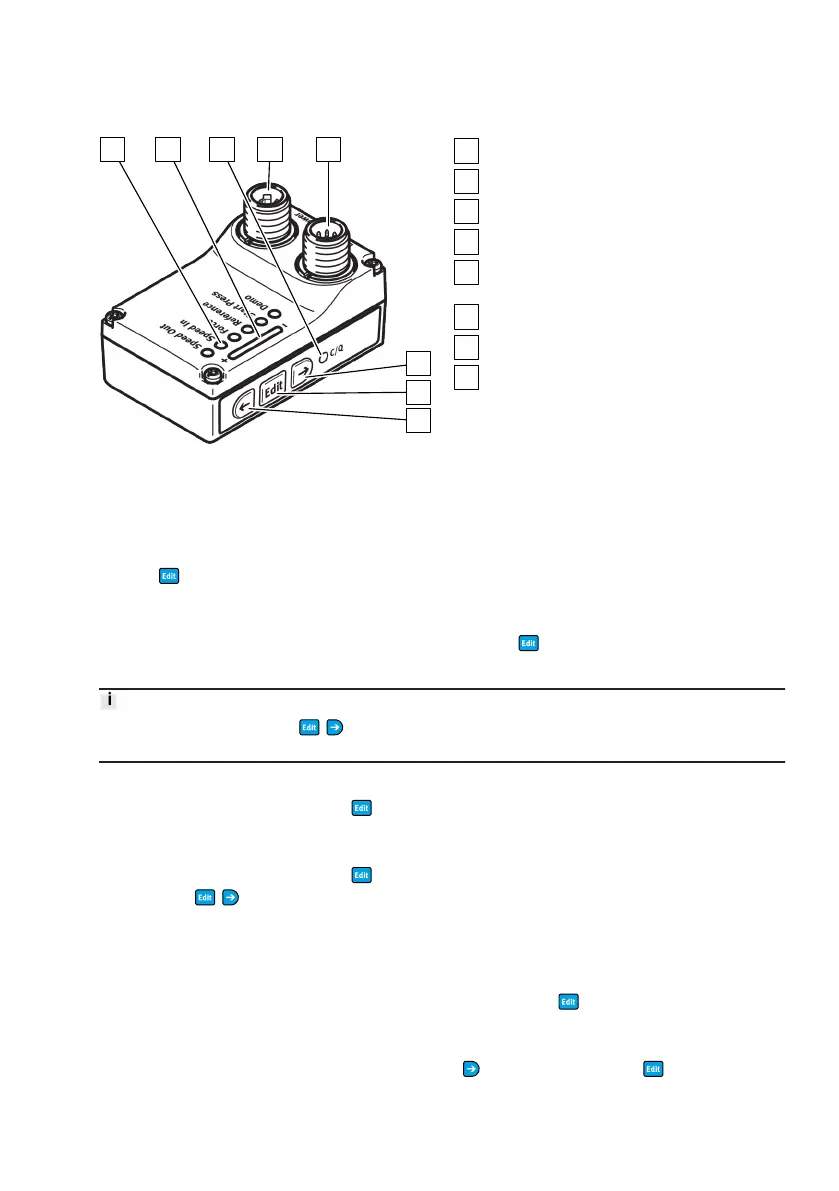
Display and operating components (HMI)
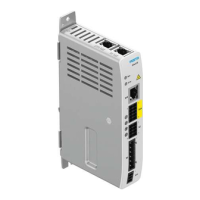
Fig. 4: Electrical connections, display and
operating components (HMI)
LED display menu (Speed Out, ..., Demo)
LED parameter display
LED C/Q
Connection for load voltage [Power]
Logic voltage connection and digital I/O or
IO-Link connections [Logic]
Pushbutton actuator (right arrow)
Pushbutton actuator (Edit)
Pushbutton actuator (left arrow)
5.2 Master control
The master control of the display and operating components (HMI) is controlled via the "Unlock/lock
pushbutton actuators" function. Unlocking the pushbutton actuators (press and hold pushbutton
actuator
for 3 seconds) automatically sets the "Display and operating components (HMI)" as the
master control for the integrated drive EMCS-ST. The master control is automatically returned to the
active digital inputs and outputs (DIO) or IO-Link (LK) control interface if the pushbutton actuator
lock is reset (by pressing and holding the pushbutton actuator
for 3 seconds or if the pushbutton
actuators are not pressed for 15 seconds).
The function of the three " / / " pushbutton actuators can be blocked or enabled via the IO-Link
parameter "Device access lock" (0x000C.4).
Unlocking pushbutton actuators
Press and hold pushbutton actuator " " for at least 3 seconds to disable the pushbutton actuator
lock.
Locking pushbuttons
Press and hold pushbutton actuator " " for at least 3 seconds or do not press any pushbutton
actuators (
/ / ) for 15 seconds to activate the pushbutton lock.
5.3 HMI menu
The display and operating components (HMI) can be used to perform the following functions in the
HMI menu:
– Unlock pushbutton actuators (Unlock HMI), press and hold for 3 s — an active positioning task
in DIO or IO-Link mode is stopped
(Condition for IO-Link operation: IO-Link parameter 0x000C.4 = false)
– Select menu function with pushbutton actuators (selecting menu), press
– Parameterise Speed Out, Speed In and Force setpoint values




 To Next Page