Configuration COM ET200 Windows V2.x/
COM PROFIBUS
Prerequirements
• The type files must be in the directory of your
PC/programmer
• The mask BUS PARAMETER must be pro-
cessed
- bus profile
- baud rate
• The station type must be selected
• The slave station number must be assigned
• The mask CONFIGURE must be accessed
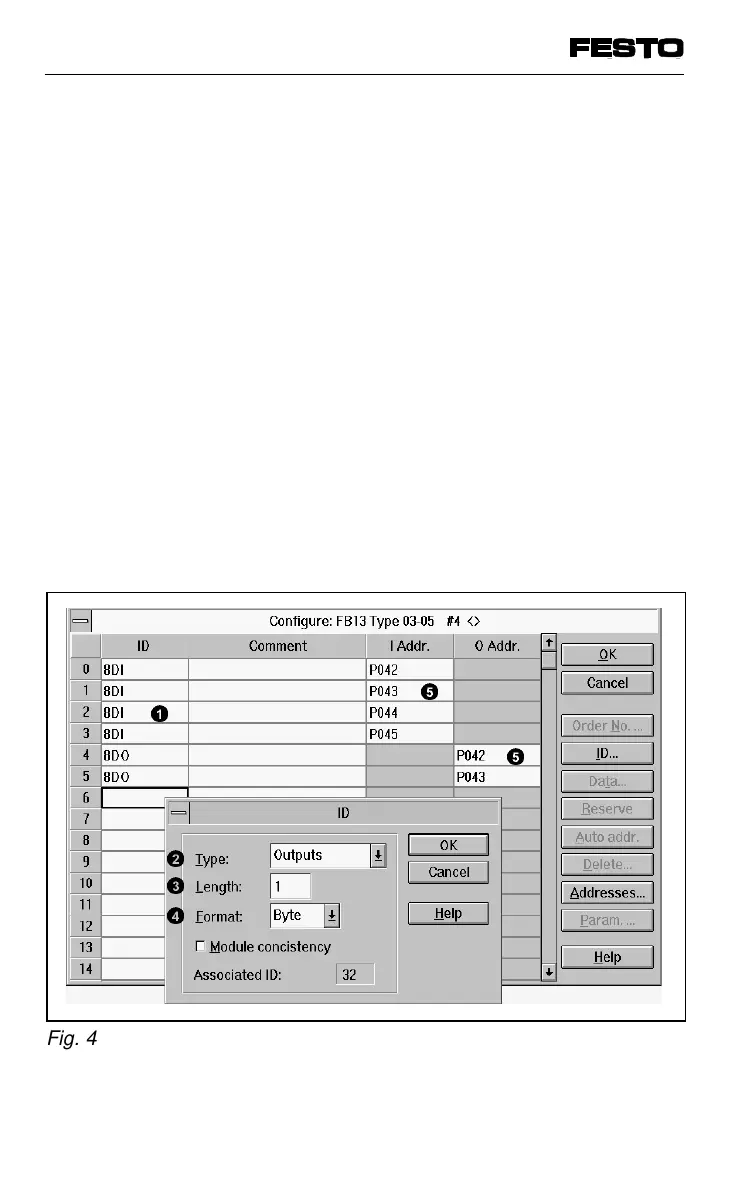
The diagram below shows the entries for a
typical valve terminal configuration.
1
2
3
4
5
5
Fig. 4/11: Configuration with COM ET200 Windows
VIFB13 - 03/05 4. Commissioning
9701 NH 4-33



 To Next Page