FLAMIC S.R.L. 5 Via dell’Artigianato, 36035 Marano Vicentino (Vicenza) - Italy
12
Dough sheeter SF450 - SF500 - SF600 Operation and maintenance manual (translation of original instructions) – Ed. 10/2016
Rev.02 10/2017
All rights reserved. Reproduction in whole or in part of this manual is prohibited.
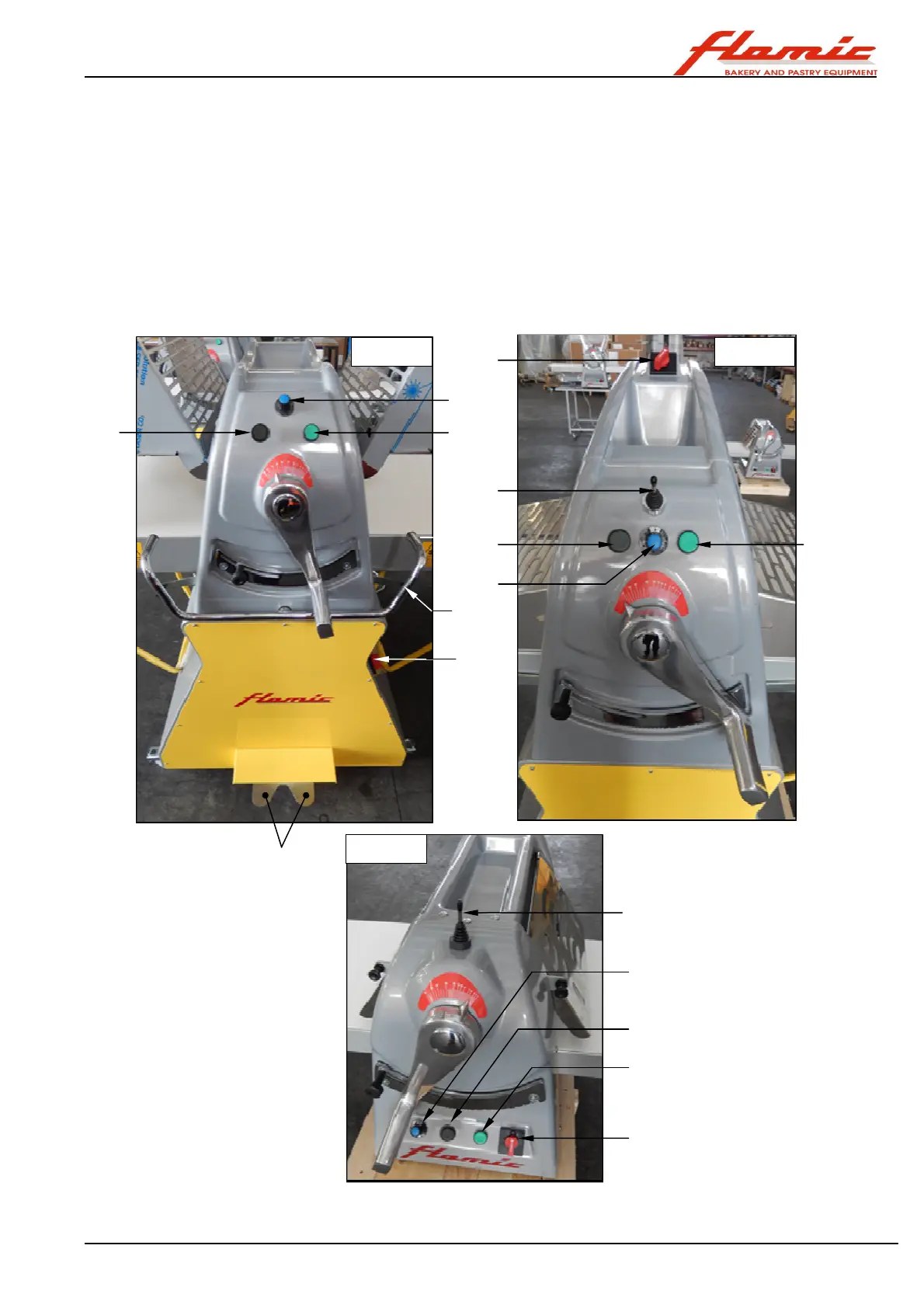
2.4 CONTROL DEVICES
With reference to Figure 4, the machine's control devices are as follows:
ref. 1 main switch (selector), two-position: 0 = OFF I = ON
ref. 2 main enable/START push-button (green): before pressing it make sure that the start and reverse device(s)
ref. 5 and ref. 6 are in neutral.
ref. 3 stop button: pressing it stops the machine and disconnects power to the motor.
ref. 4 (only version “V”) graduated continuous operating speed adjustment knob.
ref. 5 manual start and reverse control device (ref. 5/L lever, ref. 5/J joystick)
ref. 6 start and reverse control pedal (excluding version “B”, bench top)
The conveyors move towards the side to which the lever ref. 5/L has been lowered, the joystick has been
moved ref. 5/J or the pedal ref. 6 has been pressed. Bringing the lever, the joystick or control pedal to the
central neutral position, or pressing the button ref. 2, stops the machine if it is moving.
Figure 4 - Control devices
3
1
2
4
5 /J
1
3
2
4
5 /J
1
2
3
4
5/L
6



 To Next Page