FLAMIC S.R.L. 5 Via dell’Artigianato, 36035 Marano Vicentino (Vicenza) - Italy
41
Dough sheeter SF450 - SF500 - SF600 Operation and maintenance manual (translation of original instructions) – Ed. 10/2016
Rev.02 10/2017
All rights reserved. Reproduction in whole or in part of this manual is prohibited.
4.5.2.2 MOD. SF500
IMPORTANT! In order to remove the scraper to the left of the roller (looking at it from the controls side),
the upper roller scraper unit has to be removed (see section 4.5.1).
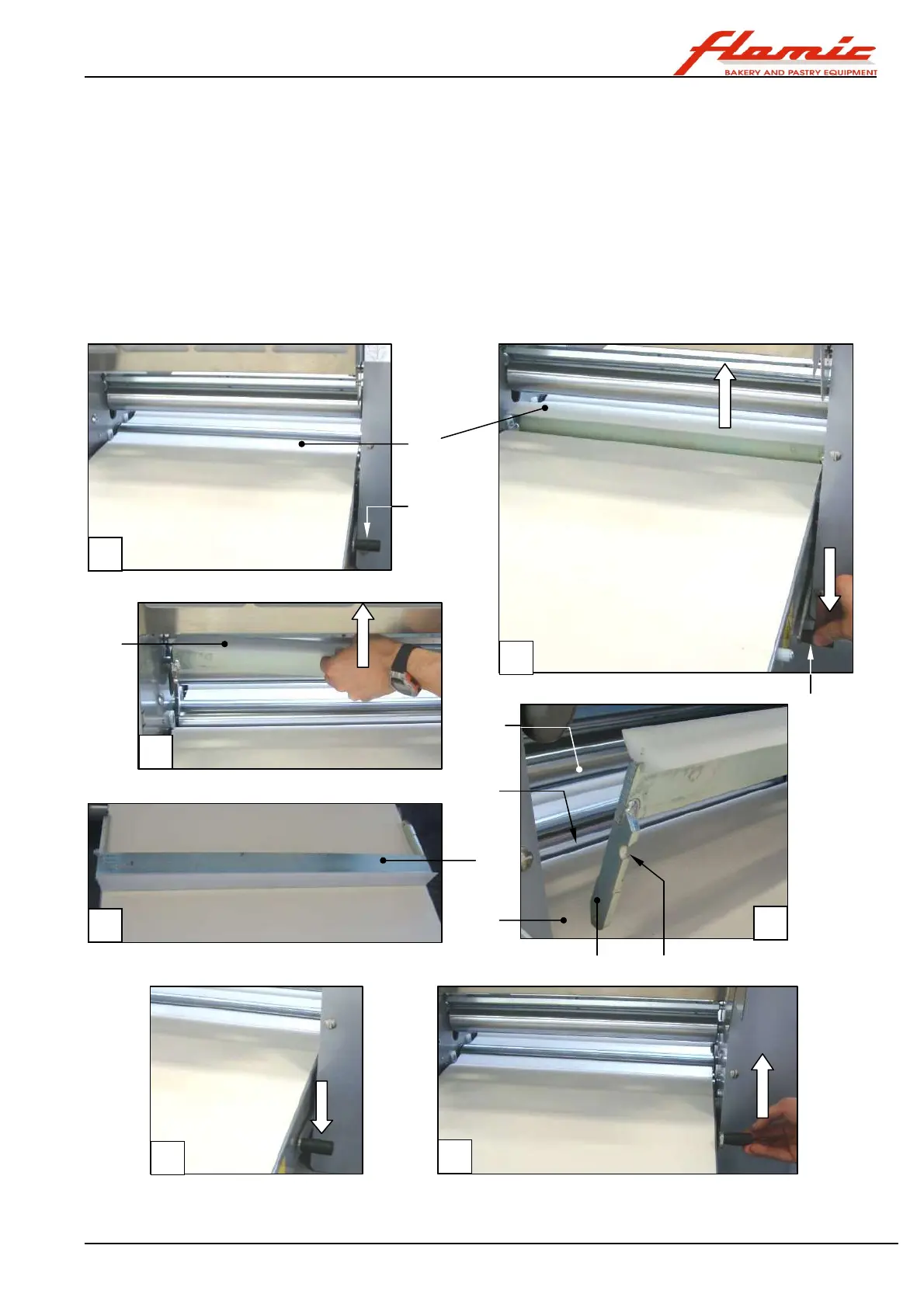
With reference to Figure 35, to remove a scraper ref. 1, lower the lever ref. 2 completely (photos A - B). The
scraper will move away from the belt and the thicknessing roller and can then be removed by pulling it upwards
(photo C - D).
To install a scraper ref. 1:
- lower the scraper unit ref. 4 into the space ref. 5 between the belt ref. 6 and the roller ref. 7. The notch ref. 8 of
the plates ref. 9 must be facing the side opposite the roller ref. 7 (photo E).
- bring the scraper ref. 1 to rest in its lowest position (photo F), then lift the lever ref. 2 until you hear a click
(photo F). If the lever is accidentally raised too far beyond the position of the first click, lower it again until you
hear the first click again (photo F).
Figure 35 - Mod. SF500: removing/installing the lower roller scrapers
1
2
A
B
C
D
E
G
F
2
1
5
4
6
7
8 9



 To Next Page