Operation
Operators manual 25
FDS 400-301
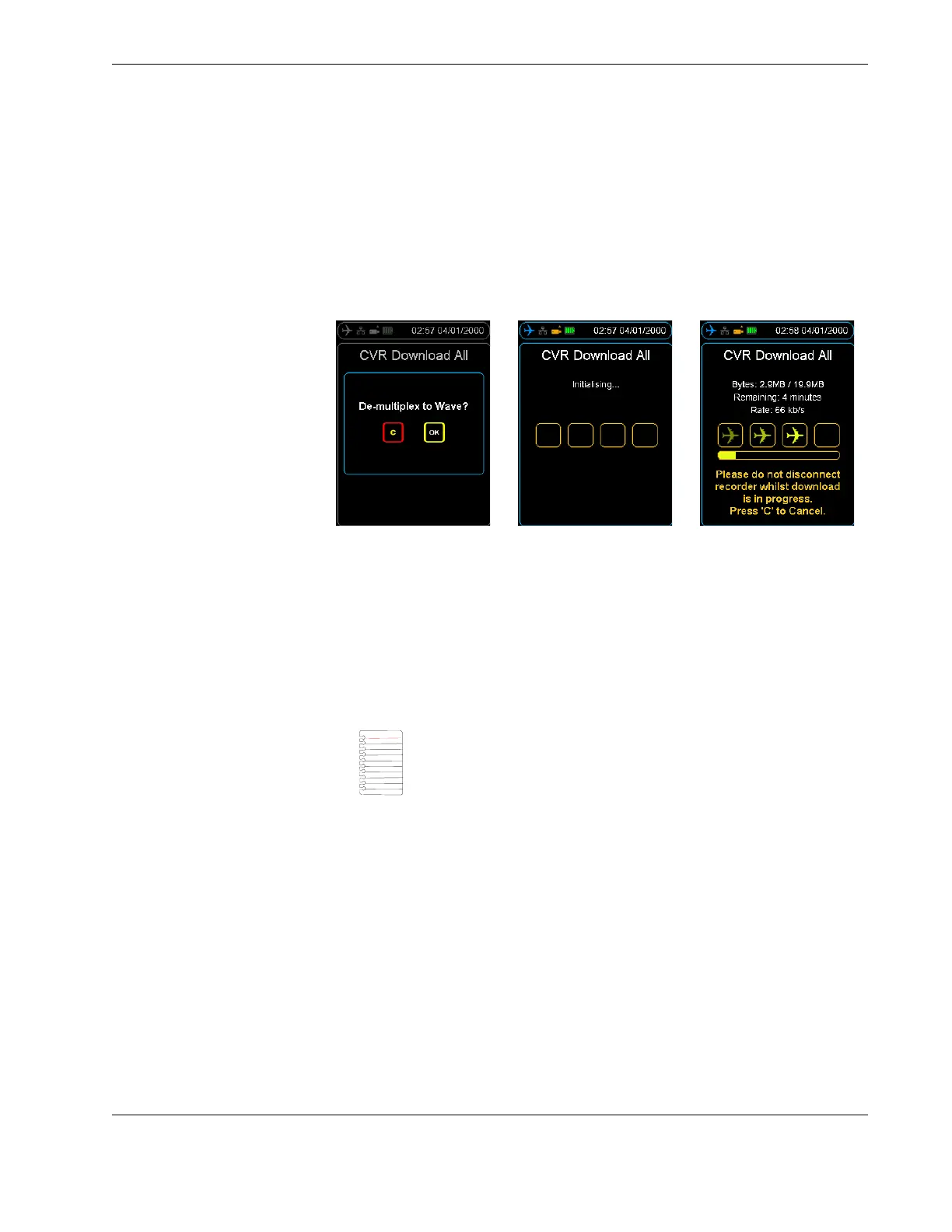
CVR file to waveform files, press the cancel button. See Section Figure 14.0, ”Download-
ing and decompressing CVR data” on page 25.
After the download completes, the raw CVR file and the waveform files from each chan-
nel will be available on the nominated storage device. These files can be transferred to a
computer or another device where they can be replayed. A codec may need to be
installed, this is included as part of the HHMPI kit.
Figure 14.0 Downloading and decompressing CVR data
4.3.3 Decompressing CVR away from the aircraft
From the home screen, press right to access the Main Menu, scroll down to the Utilities
command, and then press OK.
On the Decompress DLU command, press OK, and then select the raw .dlu file to
decompress and the decompression process will begin.
▼▲
Main Menu > Utilities > Decompress DLU
Note To decompress CVR data away from the aircraft, the de-multi-
plexing feature needs to be enabled on the HHMPI. Contact Flight
Data Systems for more information about this feature. Decompres-
sion of CVR data away from the aircraft also only applies to Honey-
well CVRs.



 To Next Page