Configuring an FTP connection
40 Operators manual
Handheld Multi-Purpose Interface (HHMPI)
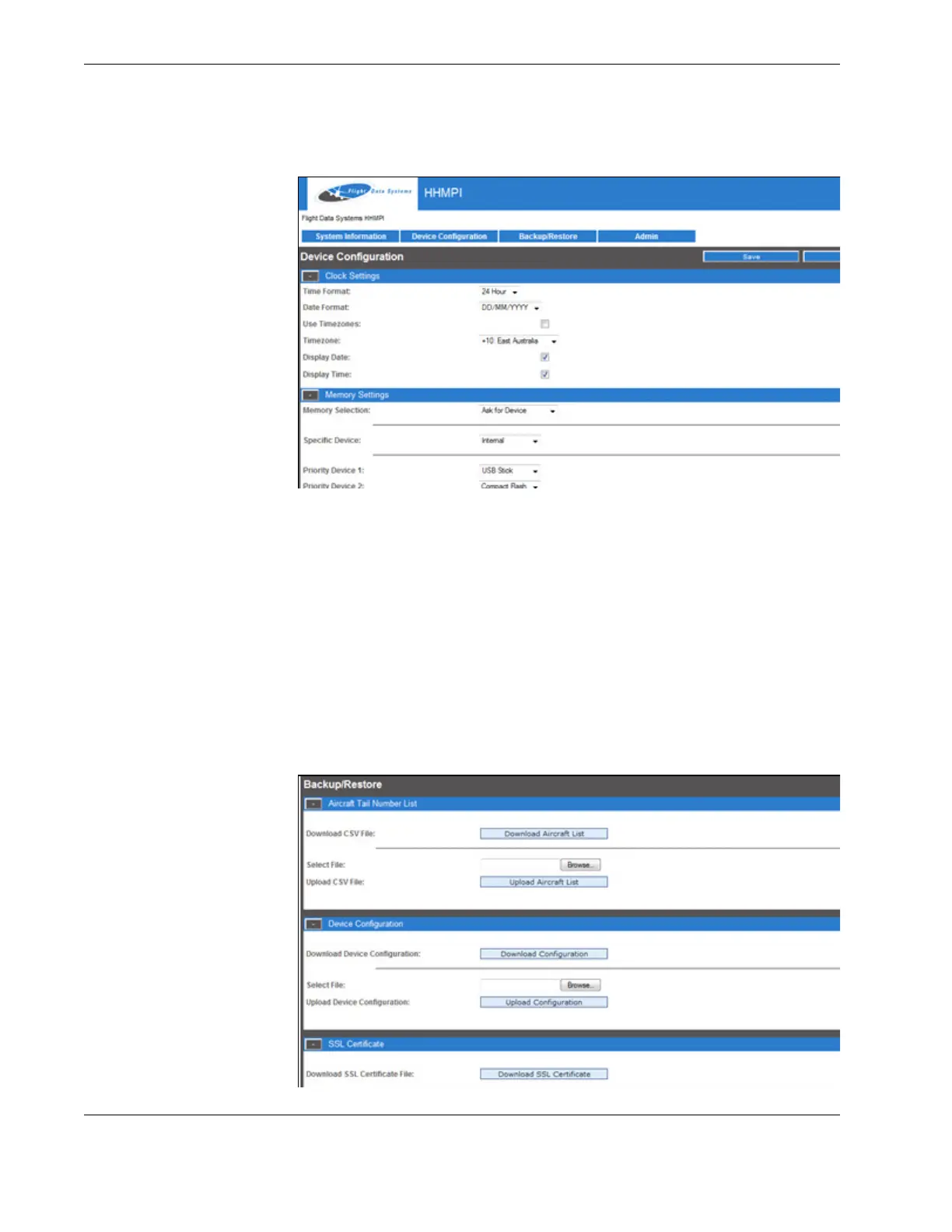
Figure 31.0 Device configuration screen
5.4.2 Backing up the HHMPI configuration
To back up the HHMPI settings, aircraft list and SSL certificate (if installed) through the
web interface, in any web-browser:
1. Log on to the HHMPI web interface per Section 5.4, ”Setting up an FTP connection
from the web interface” on page 37.
2. Click the Backup/Restore tab, see Figure 31.0, ”Device configuration screen”, on
page 40. The Backup/Restore screen allows you to back up the device configuration,
aircraft list and SSL certificate (if installed) in order to restore it later.
3. Click Aircraft List, and then click Save.
4. Repeat steps 1 to 3 to back up the configuration file and the SSL certificated (if
installed).
Figure 32.0 Device configuration screen



 To Next Page