Configuring an FTP connection
Operators manual 41
FDS 400-301
5.4.3 Restoring backup files via the web interface
To reload aircraft.csv or an SSL certificate follow these steps:
1. Select the file to be uploaded, e.g. aircraft.csv or hhmpi.conf.
2. Press the Upload button. Press Apply once the upload has finished, and the changes
will be saved in flash memory in the HHMPI.
5.4.4 Administration settings
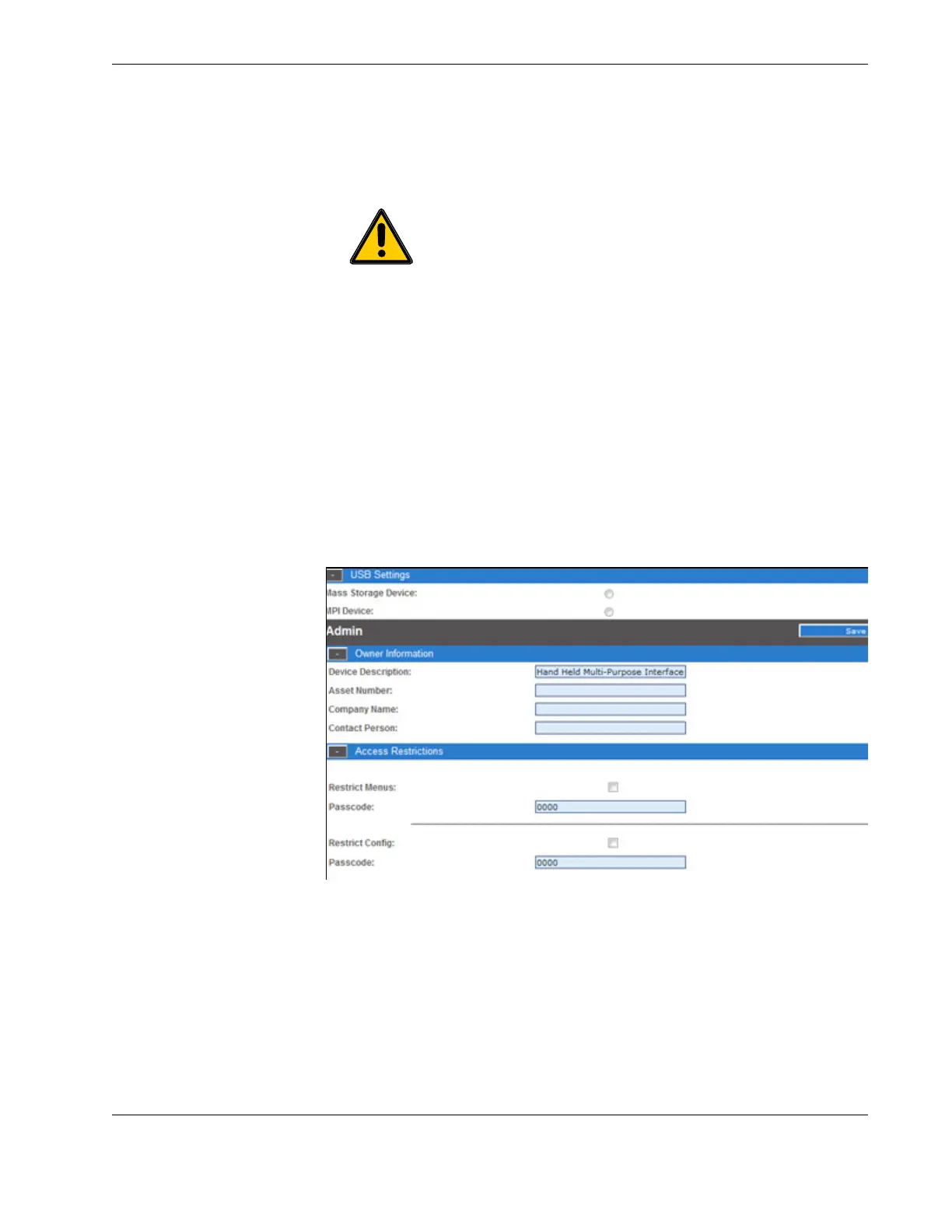
The Admin Screen allows users to:
Add owner information.
Enter pass codes for restricting configuration or restricting main menu access.
Change the administrator login.
Reset the device or restore back to factory settings.
Figure 33.0 Device configuration screen
To change admin settings follow these steps:
1. From the Access Restrictions collapsible menu, set the new passcode and then click
Save.
2. The next time you turn on the HHMPI the new passcode will take effect when
attempting to access the main menu.
5.4.5 Logging out of the web interface
To log out of the web interface press the Logout button below.
Important The Aircraft List is saved to the USB flash drive as air-
craft.csv.bkp. To transfer this file to the HHMPI again, it must be
renamed aircraft.csv.



 To Next Page