Operation
32 Operators manual
Handheld Multi-Purpose Interface (HHMPI)
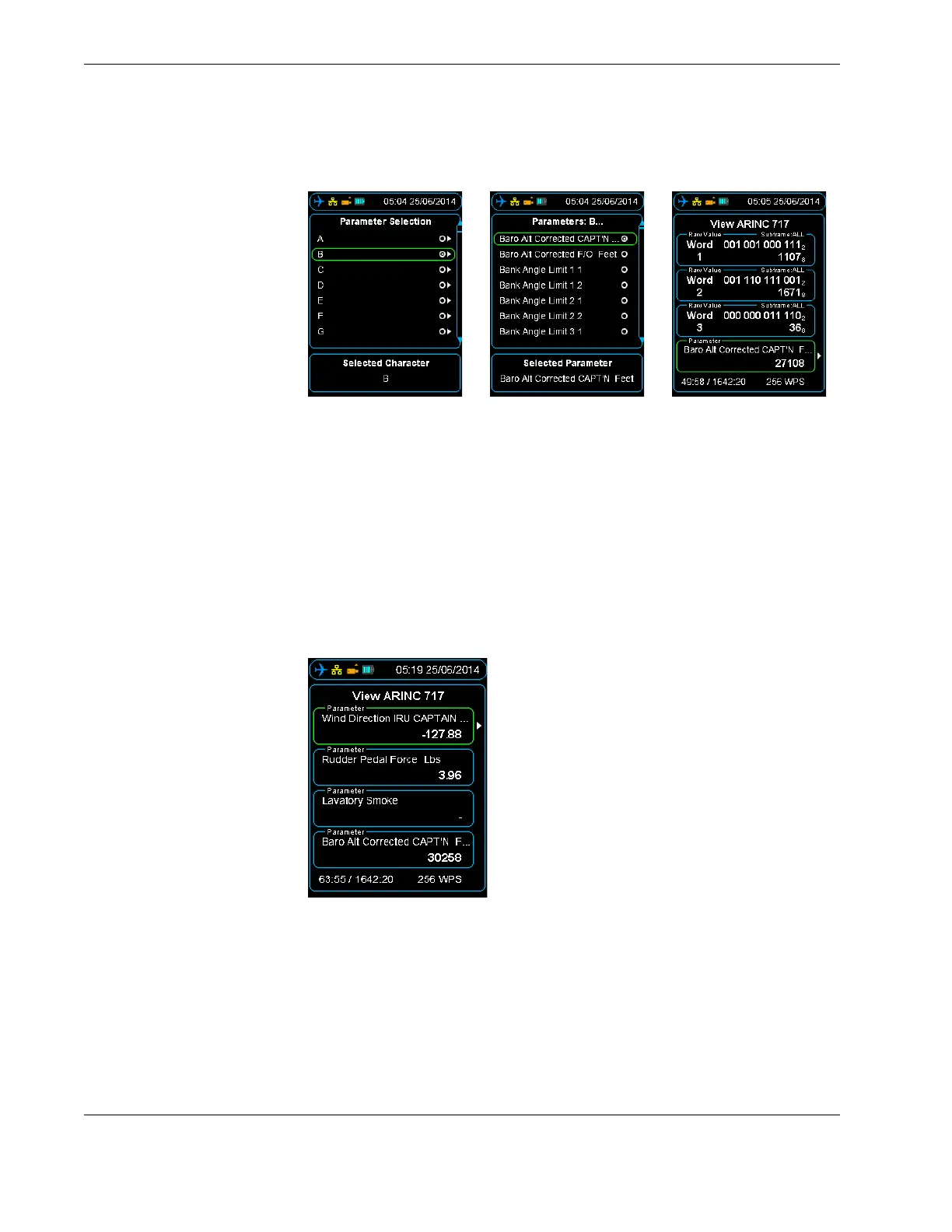
Figure 22.0 Accessing aircraft parameters alphabetically
6. Press right on the first letter of the parameter you want to look at, and then press
right again. This command will display all the parameters starting with the letter you
have selected.
7. Press OK twice to return to the ARINC 717 view. The selected parameter / word cell
will now display live data according to the algorithm in the configured database.
As in the raw data view, up to four parameters / word cells can be displayed and con-
figured independently. Values will update once per sub-frame and SAMPLING will
flash green and white for each update. See Section Figure 23.0, ”Four parameters
populated with Engineering Units” on page 32.
Figure 23.0 Four parameters populated with Engineering Units
4.6 File transfer
operations
4.6.1 File transfer between HHMPI storage locations
The general method of transferring files between connected memory devices is:
From the Main menu press the down button until you reach the Storage Operations
command, and then press the right button on either the Select Files or Select All
Files command, and then select the preferred memory device.
▼▲
Main Menu > Storage Operations > Select Files | Select All Files



 To Next Page