Operation
Operators manual 31
FDS 400-301
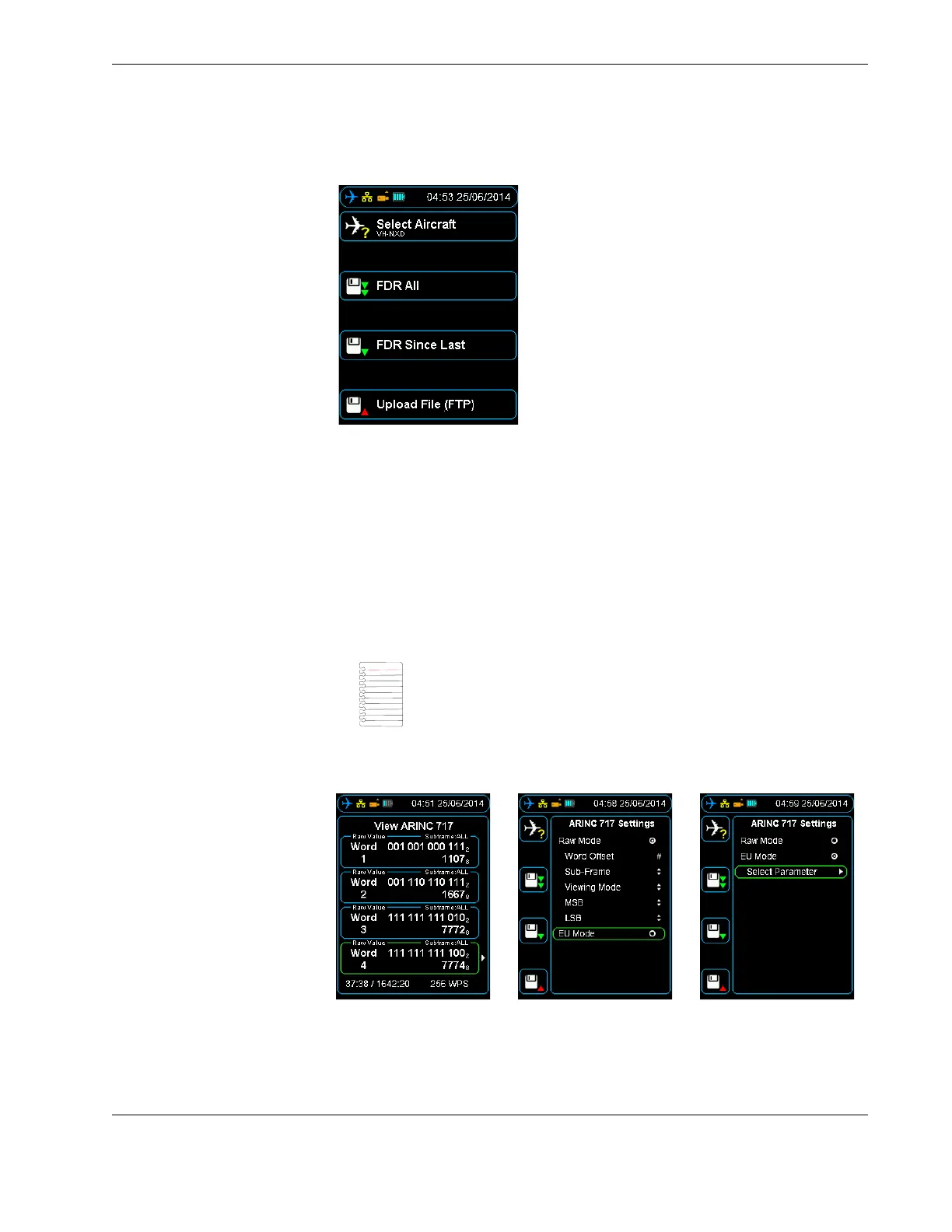
Figure 20.0 Selected tail number on the shortcut screen
2. Follow the procedure in Section 4.4, ”Viewing live flight data” on page 26 and wait
until the HHMPI synchronizes with the FDR, while synchronizing, UNKNOWN is dis-
played on the screen.
3. Press a shortcut button to select a parameter / word cell.
4. Press right to display the ARINC 717 settings menu.
5. Enable the EU Mode radio button, then press down until you reach the Select
Parameter command, and then press right. An alphabetical list will be displayed, see
Figure 22.0, ”Accessing aircraft parameters alphabetically”, on page 32.
Figure 21.0 Changing from Raw Mode to EU Mode
Note The EU Mode radio button will only appear if an aircraft had
been selected that has an Aircraft Definition file (database) assigned
to it.



 To Next Page