Operation
Operators manual 27
FDS 400-301
Binary (Base 2)
Octal (Base 8)
Decimal (Base 10)
Hexadecimal (Base 16)
Engineering units (EU)
The Live Data View display options are accessible via the shortcut buttons 1–4.
To view live data from the FDR:
1. Connect the HHMPI to the FDR with an interface cable, see Figure 7.0, ”Connecting
the HHMPI to the FDR or CVR”, on page 14.
2. Turn on the HHMPI and the FDR. Once turned on, the start-up process begins and the
power-on self-test is carried out. If connected to the HHMPI, the interface cable is
detected automatically, and correct connection to the FDR is indicated by a blue air-
craft icon found in the status bar of the display.
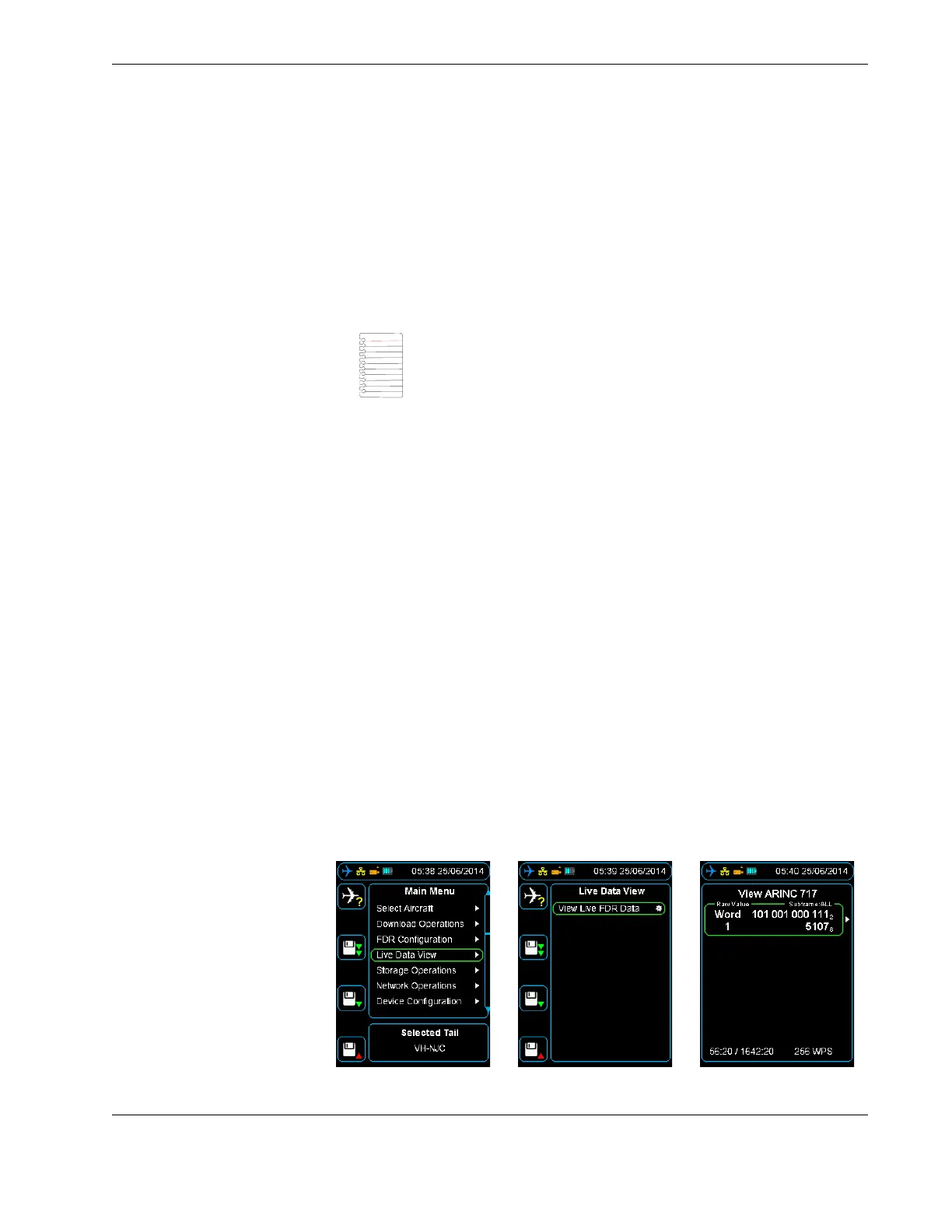
3. From the Main menu, press down until you reach the Live Data View command, and
then press right. Then press down until you reach the View Live FDR Data com-
mand, and then press right to View ARINC 717 Data. See Figure 16.0, ”Viewing live
data”, on page 27.
4. Wait until the HHMPI synchronizes with the FDR, while synchronizing, UNKNOWN is
displayed on the screen. After synchronizing, you can view live data from the aircraft
parameters.
For more information about formatting and displaying data on the HHMPI, see
Section 4.4.2, ”Adjusting ARINC 717 settings” on page 28 and Section 4.4.3, ”Chang-
ing the display format” on page 28.
Figure 16.0 Viewing live data
Note These menu items will only be visible where they are supported
by the connected FDR/CVFDR.
▼▲
Main Menu > Live Data View > View Live FDR Data > View ARINC 717
Data



 To Next Page