FT-111(D) Panel Weighing Indicator, Technical Manual, Rev.1.0.0, May 2019 Page 119 of 146
10.11 Powerlink
Powerlink interface of the weighing instrument can be done via hub switch or serial bus over two Powerlink
port.
1. Serial bus connection of instruments. You may connect instruments serial to your Powerlink bus via
two ports.
2. Star connection. If you connect the instrument to your PLC via hub switch, you can use P1 or P2 port
on the instrument. You may change the port, if there is any malfunction on port in usage.
The Powerlink interface is 100Mbit and half duplex.
Powerlink is available in on internet www.flintec.com.
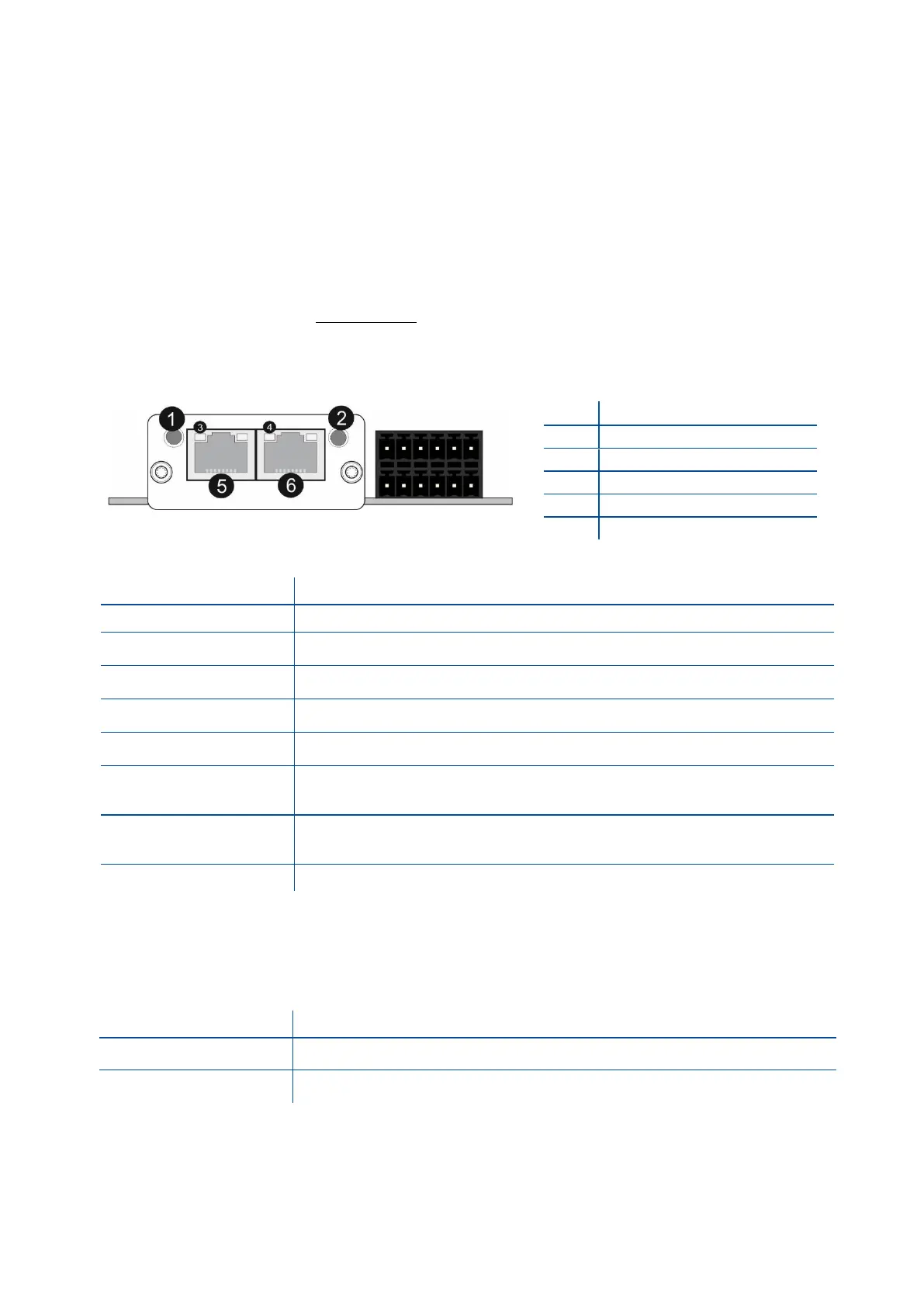
There are 4 announcement LEDs on the instrument to indicate the interface status as seen below. The meanings of these
LED’s are;
(A) Status LED
Module is off, initializing, or not active.
NMT_CS_BASIC_ETHERNET
Basic Ethernet state: no POWERLINK traffic has been detected.
NMT_CS_PRE_OPERATIONAL_1.
Only asynchronous data.
NMT_CS_PRE_OPERATIONAL_2.
Asynchronous and synchronous data. No PDO data.
b
NMT_CS_READY_TO_OPERATE.
Ready to operate. Asynchronous and synchronous data. No PDO data.
b
NMT_CS_OPERATIONAL.
Fully operational. Asynchronous and synchronous data. PDO data is sent and
received.
NMT_CS_STOPPED
Module stopped (for controlled shutdown, for example). Asynchronous and
synchronous data. No PDO data.
b
If the ERROR LED also is red, a fatal event was encountered.
a. On 50 ms, off 50 ms.
b. Any process data sent is declared not valid and received process data must be ignored in this state.
c. On 200 ms, off 200 ms.
(B) Error LED
If the STATUS LED is not red, a non-fatal error has been detected.
If the STATUS LED is red, a fatal event was encountered.
In the case of red LED warning, check cabling, configuration, IP address and device name. Power off the
instrument and reenergize the instrument 30 seconds later.
Link/Activity LED (port 1)
Link/Activity LED (port 2)



 To Next Page