Victor Xu Page 26 12 Jan. 2011
Copyright 2011 © Shenzhen Runtianzhi Image Technology, Co., Ltd.
http://www.floradigital.com
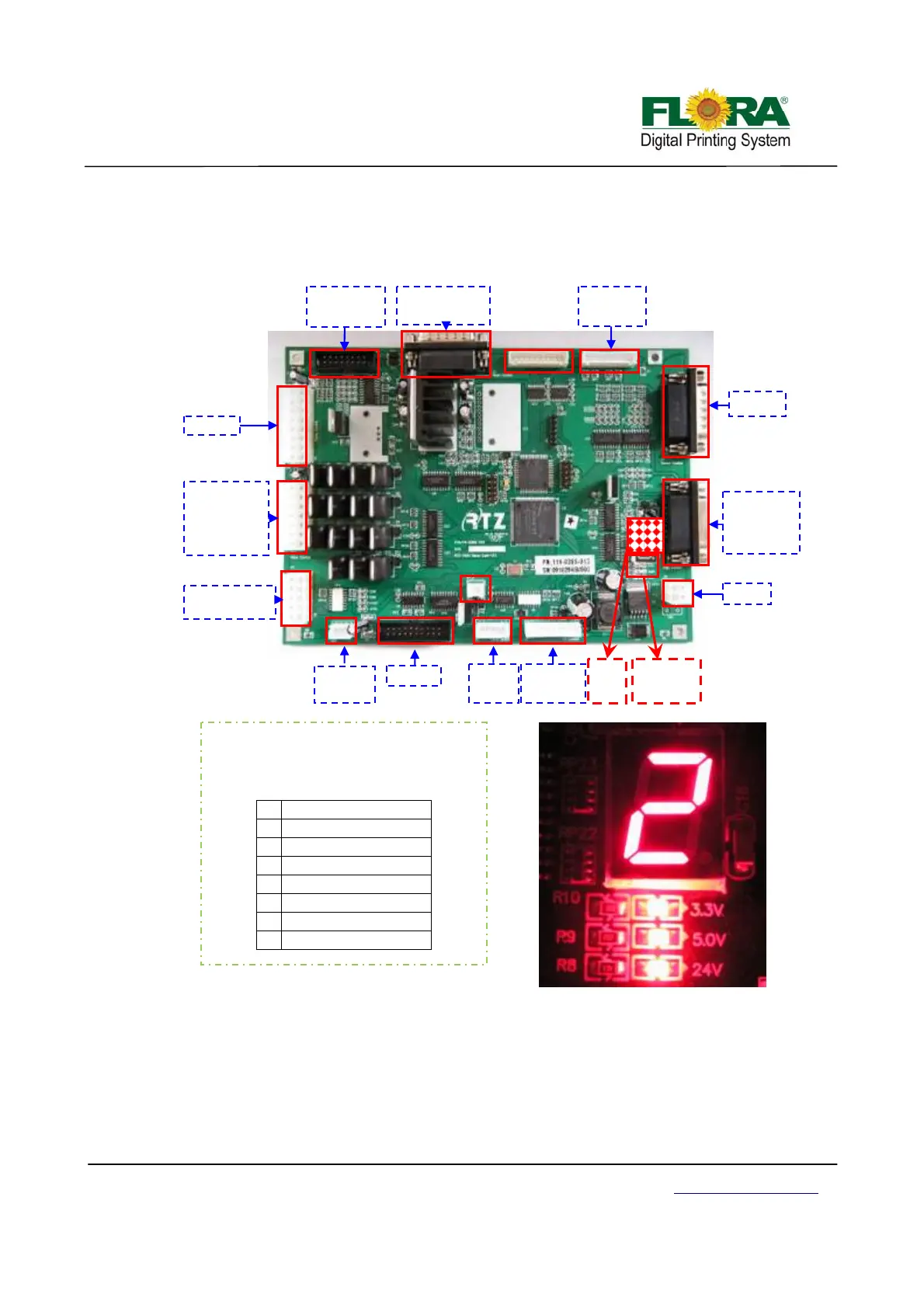
cleaning are also handled by this board. The inputs from the status of the switch on the operational
panel are being received and processed by this board. The connectors J15, JP1, JP2 and JP5 are
not use.
Error indicator----Nixie Tube
1) If the digital LED shows 0, it means everything is ok, with no problem.
2) Number 1 means that there is no ink in the secondary tank:
¾ If there is a sound of buzzer, choose “flood” in the GUI of flora driver;
¾ Else check the indicator LED on the Printing Control Board, if the negative pressure
tank level indicator LED is on, you need to go to 3) and solve the over flow problem first. After that :
First, check the ink bottle: make sure the ink bottle is not empty, if there is no
Power indicator:
Power is ok, on; or, off.
Nixie Tube:
Show the error number.
0 No problem
1 Lack of ink
2 Negative problem
3 Movement problem
4 UV lamp problem
5 -------
6 -------
7 No ink in the bottle
J14
J13
J11
J3
1
J7
J4
PHB J7
DC24V
Limited
switch
Power
indicator
USB J5
Nixie
Tube
UV power
box
Z-axis motor
Raster
reader Ltd.
Protection
switch
Air pump1#
buzzer
w-w pump
air pump2#
Ink
um
Priming button
Level sensor
of ink bottle
Clean motor
ma
netic
Control
panel



 To Next Page