830
Users Manual
112
4. Use the navigation keys to highlight the desired ange conguration, pressing
ENTER
to conrm selection.
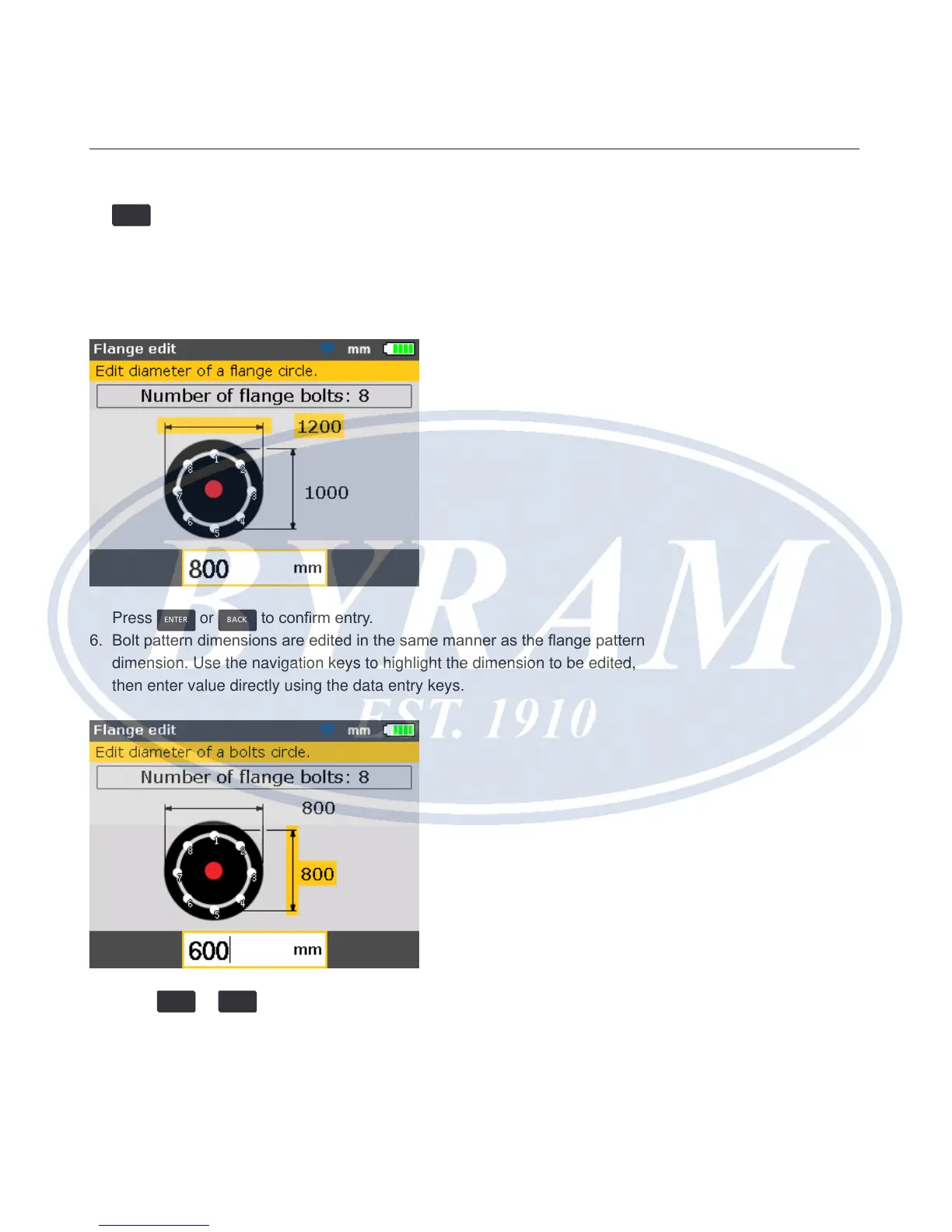
5. To edit the dimensions of the selected ange pattern, use the navigation keys
to highlight dimension to be edited, then enter value directly using the data
entry keys.
Press
ENTER
or
BACK
to conrm entry.
6. Bolt pattern dimensions are edited in the same manner as the ange pattern
dimension. Use the navigation keys to highlight the dimension to be edited,
then enter value directly using the data entry keys.
Press
ENTER
or
BACK
to conrm entry.



 To Next Page