119
2. Conrm selection by pressing
ENTER
.
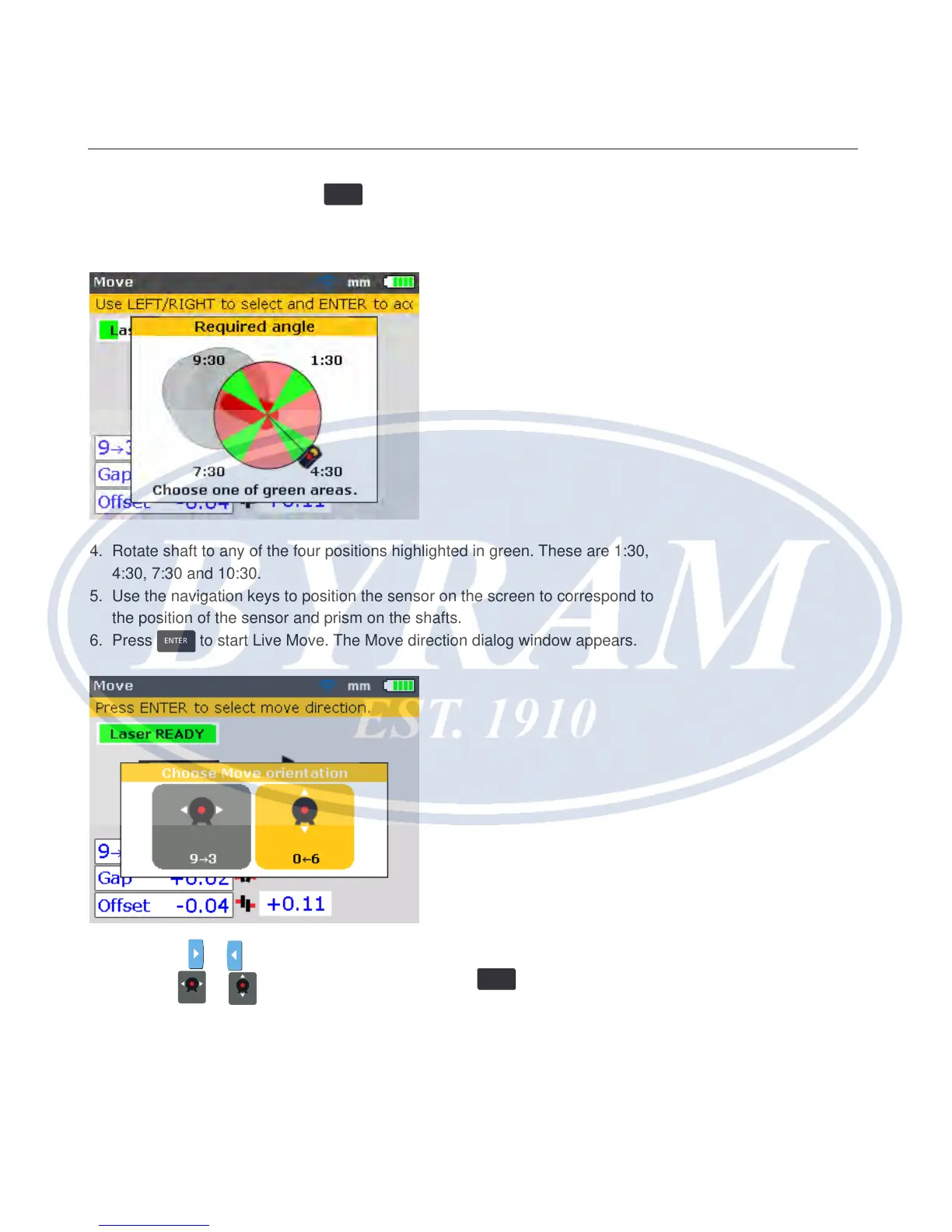
3. On conrmation the screen used to position the sensor and prism for optimal
moves appears.
4. Rotate shaft to any of the four positions highlighted in green. These are 1:30,
4:30, 7:30 and 10:30.
5. Use the navigation keys to position the sensor on the screen to correspond to
the position of the sensor and prism on the shafts.
6. Press
ENTER
to start Live Move. The Move direction dialog window appears.
7. Use either
or to highlight the required direction of movement. This could
be either
93
or
06
. Conrm selection by pressing
ENTER
.
Note
If the laser beam is centered, Live Move starts automatically. If beam is not
centered, a hint to center the laser beam appears on the display.
Vertical flanged machines
Correcting offset



 To Next Page