830
Users Manual
28
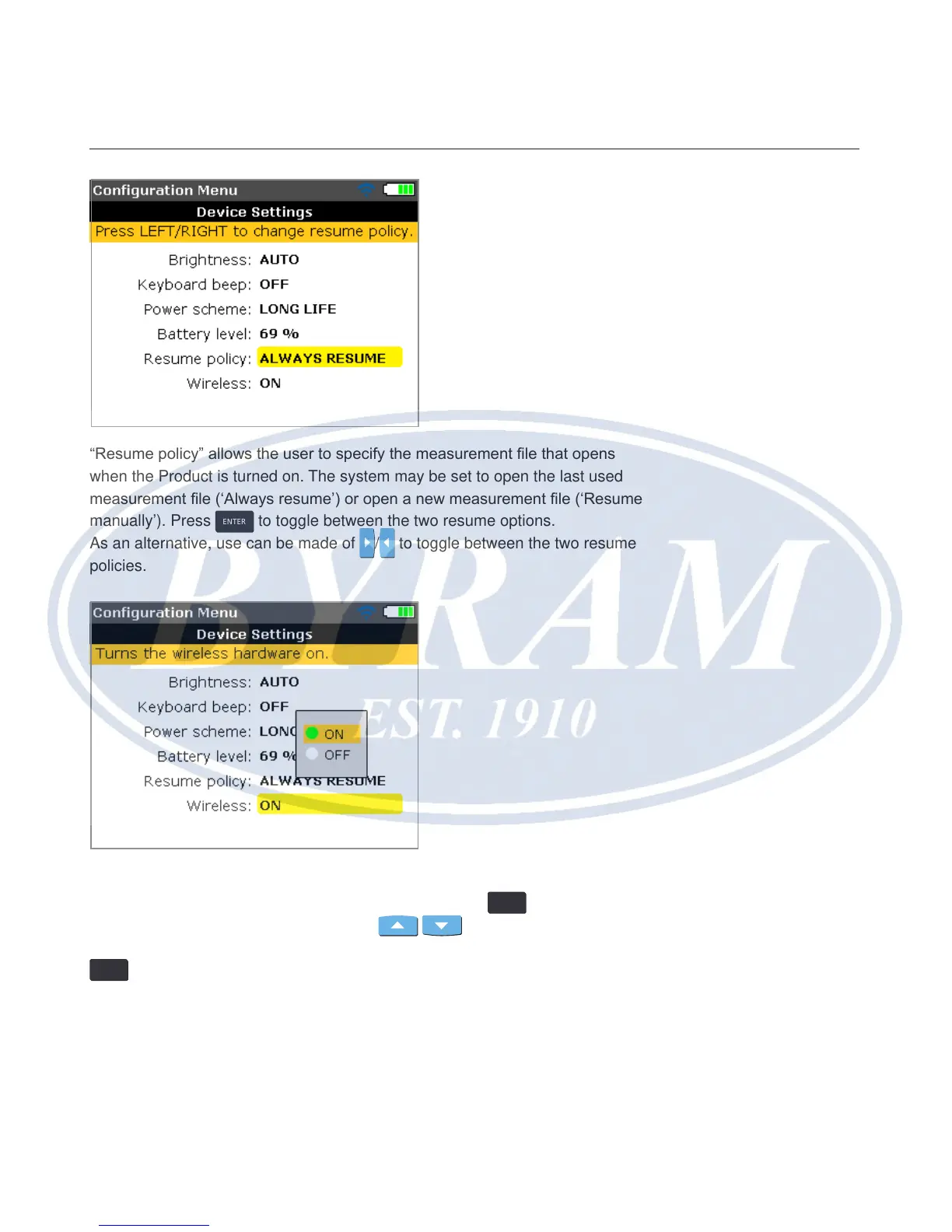
“Resume policy” allows the user to specify the measurement le that opens
when the Product is turned on. The system may be set to open the last used
measurement le (‘Always resume’) or open a new measurement le (‘Resume
manually’). Press
ENTER
to toggle between the two resume options.
As an alternative, use can be made of
/ to toggle between the two resume
policies.
The item ‘Wireless’ is used to enable or disable the ‘wireless’ capability of
the Product. To turn the ‘wireless’ capability on/off, press
ENTER
with the item
highlighted. The on/off box appears. Use
/ to select either ‘on’ (to
enable ‘wireless’ capability) or ‘off’ (to disenable ‘wireless’ capability), then press
ENTER
to conrm selection.



 To Next Page