830
Users Manual
32
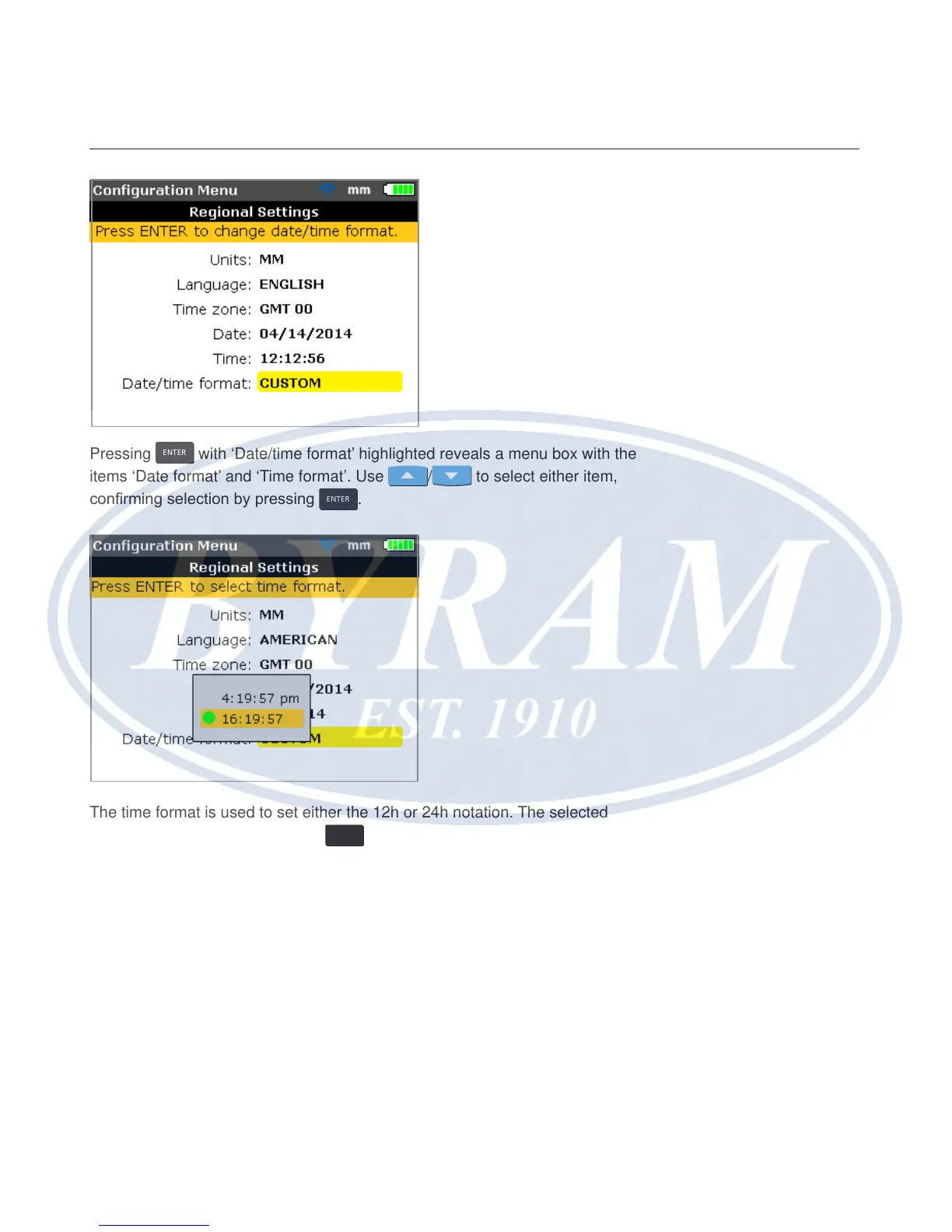
Pressing
ENTER
with ‘Date/time format’ highlighted reveals a menu box with the
items ‘Date format’ and ‘Time format’. Use
/ to select either item,
conrming selection by pressing
ENTER
.
The time format is used to set either the 12h or 24h notation. The selected
notation is conrmed by pressing
ENTER
.
The date format is used to set dd-mm-yyyy or mm/dd/yyyy format.



 To Next Page