37
Note
An existing le may be deleted by highlighting it using
/ then press-
ing
CLEAR
. When a hint screen appears, use / to highlight ‘Yes’. The
le is deleted by pressing
ENTER
to conrm deletion.
To rename an existing le, use
/ to highlight the le, then use the
data entry keys to edit le name and conrm changes by pressing
ENTER
.
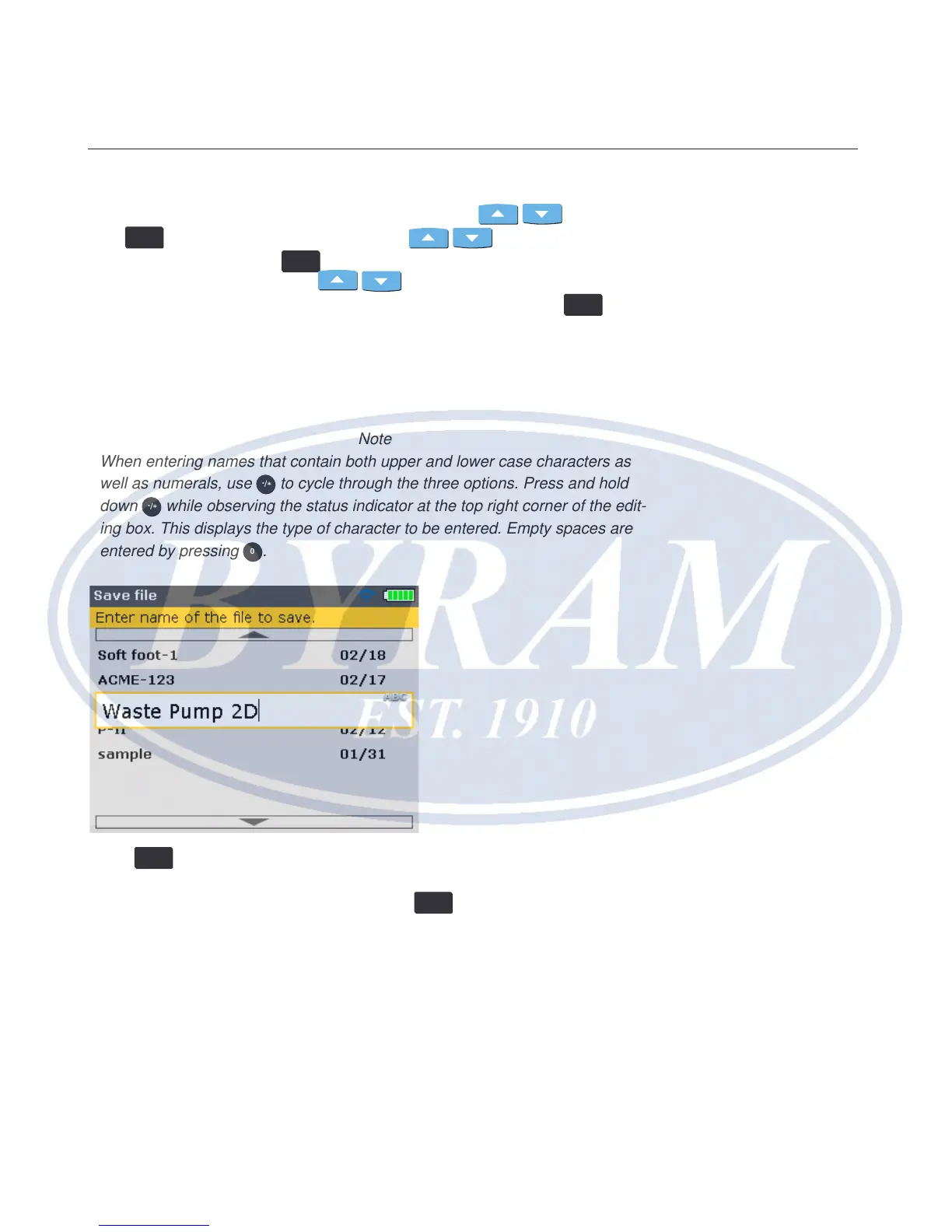
‘Save le’ – This option is used to save the current le. If the le is new and does
not yet have a name, use the data entry keys to enter the new le name in the
editing box that appears.
Note
When entering names that contain both upper and lower case characters as
well as numerals, use
/
.
*
to cycle through the three options. Press and hold
down
/
.
*
while observing the status indicator at the top right corner of the edit-
ing box. This displays the type of character to be entered. Empty spaces are
entered by pressing
0
.
Press
ENTER
to conrm le name.
When saving an already existing le, the editing box appears with the existing
name highlighted. Conrm saving by pressing
ENTER
.
Note
The Product stores up to 200 measurement les.
‘New le’ – This option is used to create a new measurement le.
‘Resume’ – This option toggles with ‘New le’ and is used to call up the last le
loaded before the instrument was switched off, depending on the resume policy
set.
Configuration and data management
Data management



 To Next Page